
+- Kodi Community Forum (https://forum.kodi.tv)
+-- Forum: Support (https://forum.kodi.tv/forumdisplay.php?fid=33)
+--- Forum: Skins Support (https://forum.kodi.tv/forumdisplay.php?fid=67)
+---- Forum: Confluence (https://forum.kodi.tv/forumdisplay.php?fid=125)
+---- Thread: [MOD] Horizontal Confluence Modded (/showthread.php?tid=103001)
RE: [MOD] Horizontal Confluence Modded - mad-max - 2012-09-28
made a note over there...
RE: [MOD] Horizontal Confluence Modded - Beer40oz - 2012-09-28
This skin looks really nice... going to give it a shot tomorrow. Thanx mad-max and everyone else.... just had a few issues with other skins and had to re-install xbmc. I now wan't to stick with something stock but nice looking.
AW: [MOD] Horizontal Confluence Modded - mad-max - 2012-09-29
Thanx for the nice words beer...
If you have a question, you know where to find me

RE: [MOD] Horizontal Confluence Modded - Beer40oz - 2012-09-29
Tried it... pretty nice. I found one word miss spelled in add-ons
(Only avaible without "lower menu"...) no big deal... Available
The only problem I see is the time on the corner on the top it goes out of the tv just a little PM or AM....
I thought it was my TV but I tried it on my laptop and the same thing.....
May be a little anal but that bothers me... since I see the time all the time... lol

Good job doh...
RE: [MOD] Horizontal Confluence Modded - mad-max - 2012-10-01
hey beer,
can't reproduce these small niggles...
do you have a screenshot?
that way it might be quite easy to fix!
cheers,
mm
RE: [MOD] Horizontal Confluence Modded - coquex - 2012-10-01
Hi,
I´m using this mod and it works very good for me.
Just a little problem.
I want to move the clock bar to the left. See the screen.
What is the xml and what do I need to look for?

Thank you.
RE: [MOD] Horizontal Confluence Modded - mad-max - 2012-10-02
See home.xml the last lines at the bottom...
Best is to search for "time background"
RE: [MOD] Horizontal Confluence Modded - coquex - 2012-10-02
Found it and fix it, thank you.
One more thing, how can I change the language of "Movies" and "TV Shows" of the database totals? (check the screen)

Thank you
RE: [MOD] Horizontal Confluence Modded - mad-max - 2012-10-02
Search in Home.xml for database statistics...
It's commented quite good that part

You can change there label from the localization the whatever you like
mad-max
RE: [MOD] Horizontal Confluence Modded - coquex - 2012-10-02
The thing is I want to change the words not what your skin is showing (the database count)
So instead of "Movie total" I want to put only "Peliculas".
I don´t know if I can change this from your home.xml.
I´m pretty new to this so if you think I can do this please let me know how.
Thank you mad-max a lot!
RE: [MOD] Horizontal Confluence Modded - mad-max - 2012-10-02
Of course you can
Just change from:
Code:
<label>$LOCALIZE[40042]: $INFO[Window(Home).Property(Movies.Count)]</label>Code:
<label>Peliculas: $INFO[Window(Home).Property(Movies.Count)]</label>That should do it...
Or you do me a favour and add the whole translation into spanish
If you're interested, just gimme a hit...
mad-max
RE: [MOD] Horizontal Confluence Modded - coquex - 2012-10-02
It works!
Thank you very much mad-max!
RE: [MOD] Horizontal Confluence Modded - bruinlax - 2012-10-03
hey mad-max
love the mod.
But for the life of me i can't figure out how to run the scipts.watchlist script from it. I read on a wiki that it's compatible, but i don't see it anywhere under settings, and my attempts at editing the xml have failed.
I'm trying to run something that looks like (under aeon):
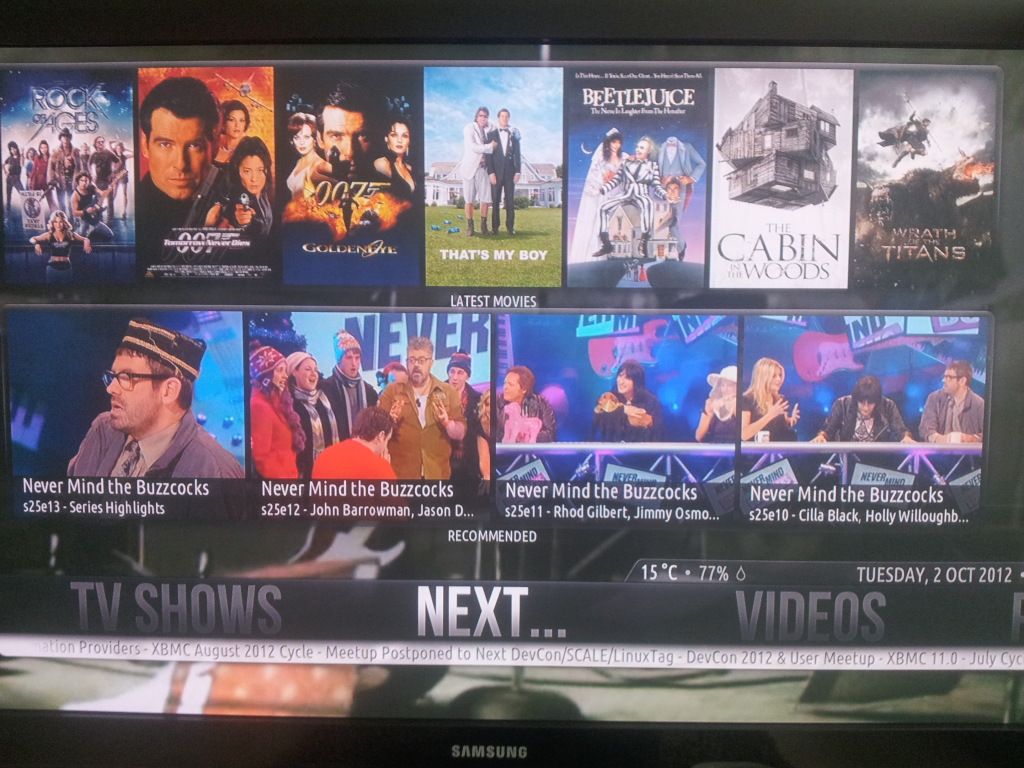
RE: [MOD] Horizontal Confluence Modded - Jean-Max - 2012-10-06
Hello,
I love and use your Confluence-MOD theme on my Openelec and XBMC devices (see my signature)
Today, I installed on an USB boot key OpenELEC 2.0 (RC 1) - 1.99.1 ION x86_64
from http://openelec.tv/get-openelec , then boot my ZBOX HD-ID11 with the key,
I added your repository: http://repository-xbmcnerds.googlecode.com/files/repository.xbmcnerds-eden-pre-1.1.2.zip
Then I tried to install Confuence-MOD 2.0
Download starts ,
"Confluence-MOD" stays a moment in "Downloading addons" zone
then disappears
but .. .... No install
-> Is-it an compatibility problem for Confuence-MOD 2.0, with last 2.0 RC1 Openelec release ?
Many Thanks :-)
RE: [MOD] Horizontal Confluence Modded - Jean-Max - 2012-10-06
Hello
Founded !
It's OK
on Openelec 2.0 RC1, by direct install of the Confluence-MOD 2.0 Skin : File: mad-max-skin.moddedconfluence-ecd633c.zip
founded in : https://github.com/mad-max/skin.moddedconfluence