
+- Kodi Community Forum (https://forum.kodi.tv)
+-- Forum: Support (https://forum.kodi.tv/forumdisplay.php?fid=33)
+--- Forum: Skins Support (https://forum.kodi.tv/forumdisplay.php?fid=67)
+---- Forum: Aeon MQ (https://forum.kodi.tv/forumdisplay.php?fid=68)
+---- Thread: Aeon MQ 3 : blueray.iso display dvd cover ? How to change ? (/showthread.php?tid=114845)
Pages:
1
2
Aeon MQ 3 : blueray.iso display dvd cover ? How to change ? - tetsu81vn - 2011-11-17
I have Avatar blueray.iso , but aeon mq3 skin display as DVD cover , how can I change to bluray cover ?
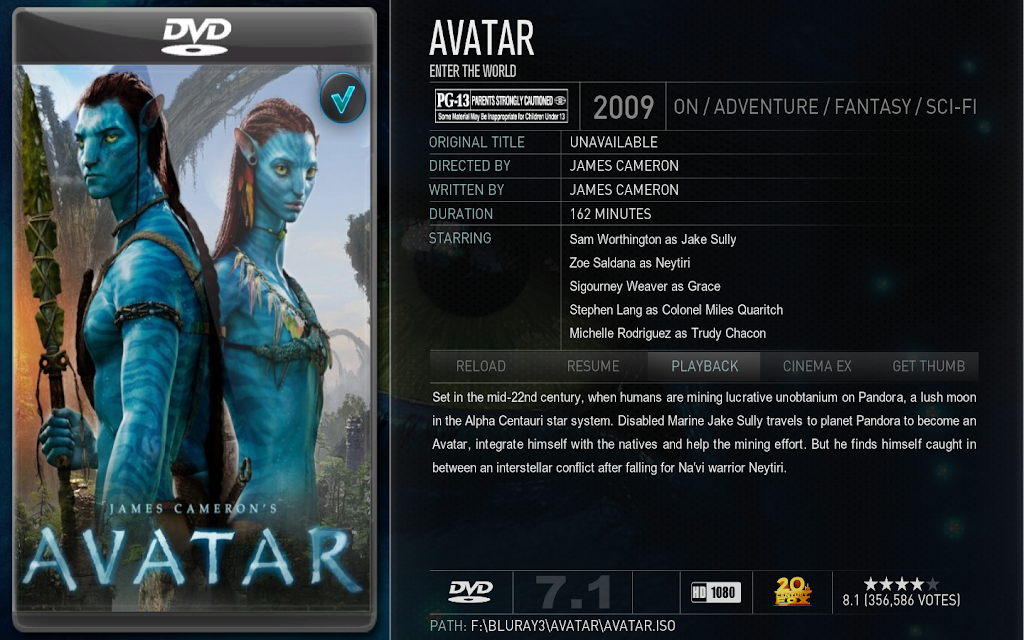
- tetsu81vn - 2011-11-18
anyone know how to change cover to bluray case ?
- MarcosQui - 2011-11-18
You need to put 'bluray' tag in file name and re-scraper:
Avatar bluray.iso
- tetsu81vn - 2011-11-19
Thank MarcoQui, can you support bluray 3D SBS case for 3d side by side movie , 3D TAB case for 3d TAB movie, (beside full 3d bluray case as now)?
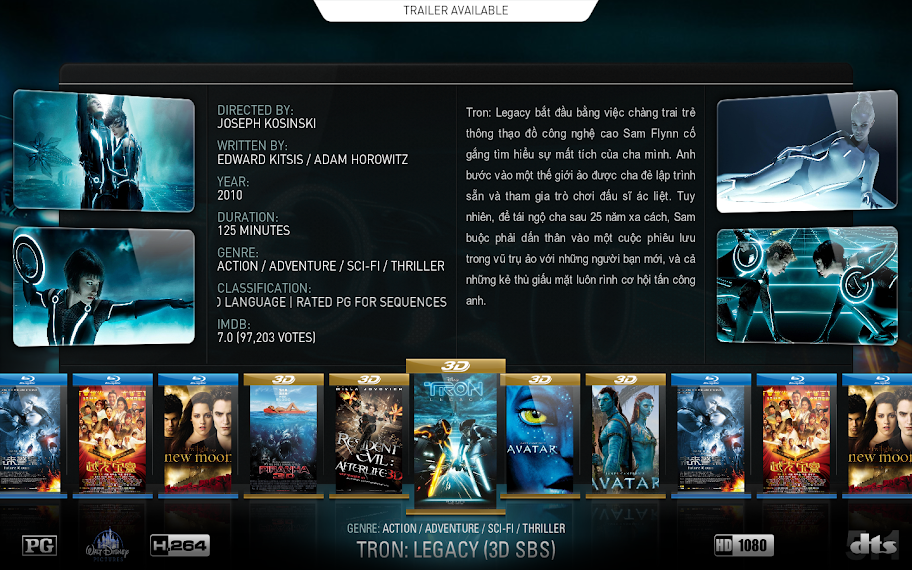
- tetsu81vn - 2011-11-19
These are some bluray 3d case :
http://community.mediabrowser.tv/permalinks/9265/3d-bluray-ca
- fyrfyter71 - 2011-12-07
Is there any way to get bluray cases for bluray file structures? I have the folder renamed as .bluray.iso and in the scraper settings the circle for use folder name for lookups is ticked, but still no bluray case. Any ideas?
- tetsu81vn - 2012-01-02
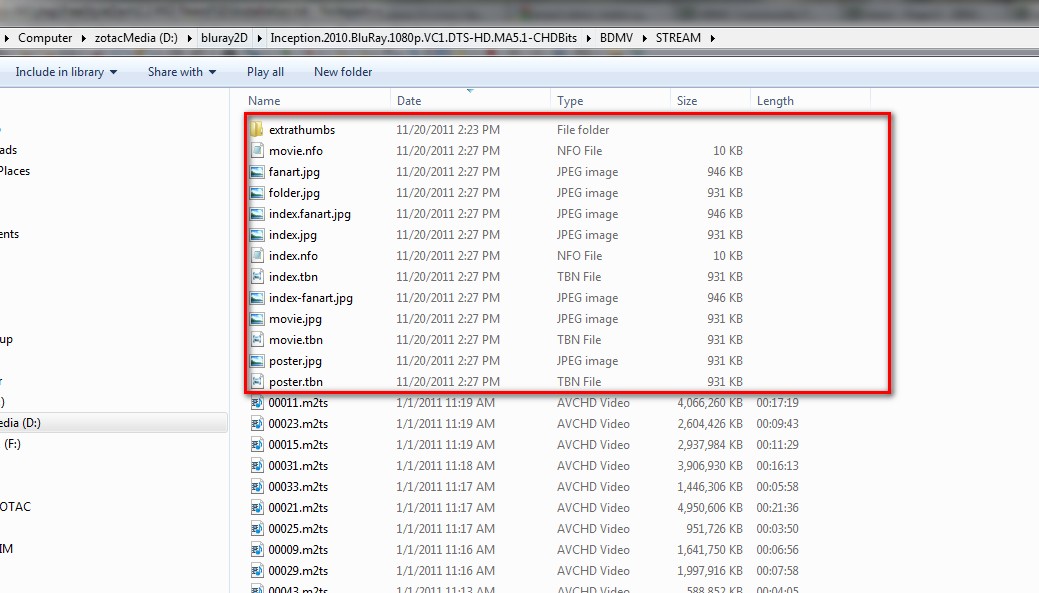
You can use Ember Media Manager (emm-r v2411_x64) to scap movie info, then copy movie info file and thumbnail to STREAM folder of BD structure folders
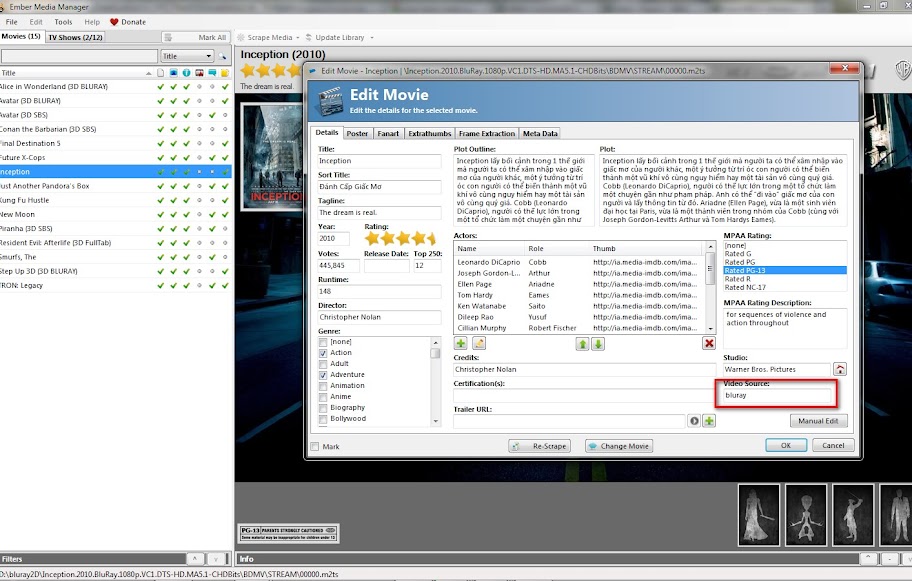
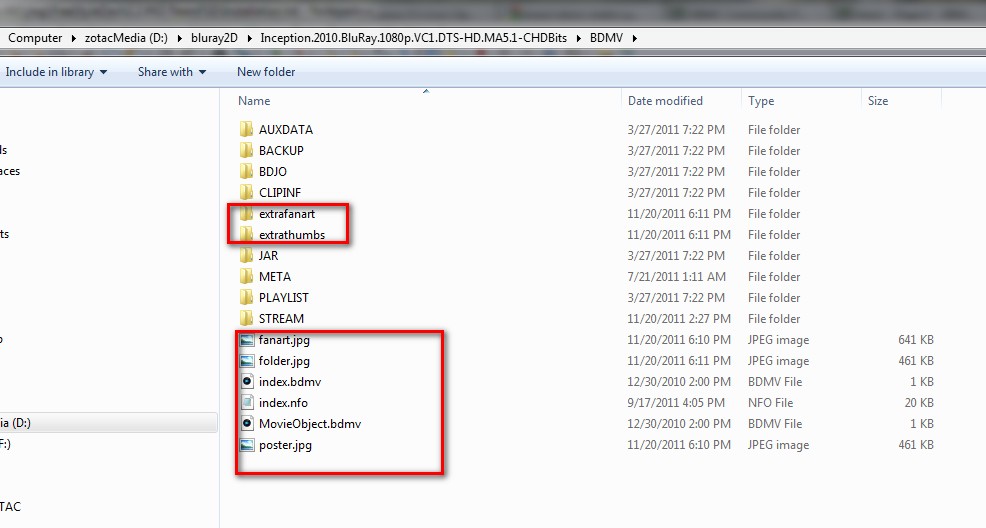
- Fuerte - 2012-01-11
I'm having the same issue and tried all suggestions i could find, including the XBMC wiki, my Bluray movies look like:

I've tried all naming methods (or at least think i have) including having them in there own folder called BluRay.
Current naming structure is:
Fast And Furious (2009) [1080p] [BluRay] [DTS] [x264]
Folder & Filename are identical.
Folder contains a single video file.
At a bit of a loss here so any suggestions would be great!
- fnwc - 2012-01-12
I have the same problem as Fuerte, all the covers show up as the "neutral" cover in MQ3 Dharma.
Strangely enough, all the covers work correctly in MQ2, though, so I don't think the naming of the files is the issue.
- gollumscave - 2012-01-22
use a "dot"
rename your file to avatar.bluray.iso
make sure that you do NOT have "use folder names for lookup" checked... You don't need the bluray tag in the folder name... I prefer use it like this:
z:\movies\avatar (2009)\avatar (2009).bluray.iso
- bigbadrabbit - 2012-01-22
Is ist possible to just show specific bluray covers?
What i'd like is to have standard Bluray/DVD shown without any additional cover but only display the 3D for such movies.
Is this possible?
- gollumscave - 2012-01-24
haven't got a clue what you mean...
Can you add a screenshot of what you want?
If I understand correct you want a blank cover?
if so, just create a blank cover, rename it to folder.jpg or poster.jpg and copy it in the folder of choice. importing your library will then use this cover as your "artwork"... would like kinda shitty now woulnd't it?
- Snorrt - 2012-02-07
Same issue here as with Fuerte: I got single files in single folders, no Bluray-Cover possible. The Ember flag "Video Source" worked perfect in last version of MC3, now it seems to be turned off?
Any chance to get it back?
try this - Wanilton - 2012-02-07
Snorrt Wrote:Same issue here as with Fuerte: I got single files in single folders, no Bluray-Cover possible. The Ember flag "Video Source" worked perfect in last version of MC3, now it seems to be turned off?
Any chance to get it back?
change filename add "bluray"..
ex:
avatar.iso - change for
avatar.bluray.iso
Done.
Wanilton
- Snorrt - 2012-02-07
Hi Wanilton,
thanks, you're right (I tested it before and it works), but I wanted to know, if it's possible to solve the bluray-appearance with the flag "Video Source", as it was in the previous version of the skin. Because I would have to rename 138 bluray-folders and the items within. I could do that, but I wonder if renaming of all my folders is perhaps the complicated alternative, if there's some flag wich could be turned "on" again ... (you see, I'm a dumb one in programming/skinning, so perhaps it's way more difficult to change to the previous solution - then I will walk the renaming path *g*).
Thanks! This skin is absolute great work, I'd like to tribute in some way (could offer some graphical work) if there's any need? Keep on rocking!
cu!
Snorrt