
+- Kodi Community Forum (https://forum.kodi.tv)
+-- Forum: Support (https://forum.kodi.tv/forumdisplay.php?fid=33)
+--- Forum: General Support (https://forum.kodi.tv/forumdisplay.php?fid=111)
+---- Forum: Windows (https://forum.kodi.tv/forumdisplay.php?fid=59)
+---- Thread: Another External Player Code, but Very Simple to Setup (/showthread.php?tid=116724)
Pages:
1
2
3
4
5
6
7
8
9
10
11
12
13
14
15
16
17
18
19
20
21
22
23
24
25
26
27
28
29
30
31
32
33
34
35
36
37
38
39
40
41
42
43
44
45
46
47
48
49
50
51
52
53
54
55
56
57
58
59
60
61
62
63
64
65
66
67
68
69
70
71
72
73
74
75
76
77
78
79
80
81
82
83
84
85
86
87
88
89
90
91
92
93
94
95
96
97
98
99
100
101
102
103
104
105
106
107
108
109
110
111
112
113
114
115
116
117
118
119
120
121
122
123
124
125
126
127
128
129
130
131
132
133
134
135
136
137
138
139
140
141
142
143
144
145
146
147
148
149
150
151
152
153
154
RE: Another External Player Code, but Very Simple to Setup - _novalis - 2012-09-09
(2012-09-08, 19:55)bluray Wrote: I'm using TMT5 with XBMC without hiding XBMC on my Intel E7200+AMD HD5570, AMD E350+Nvidia GT430, AMD Athlon II X4 610E+•ATI HD5470, Intel i5-2400k+HD2000, etc......and there is no stutter......as you can see, my HTPC's are not the most powerful either.....
yeah, I think its not a power issue. CPU and GPU do not have really much to do. I just don't get the connection between xbmc and tmt after the launch of tmt. xbmc is actually out of the game but it isn't. Hmmm...graphics drivers the only thing that comes to mind.
RE: Another External Player Code, but Very Simple to Setup - bluray - 2012-09-10
(2012-09-09, 21:43)smuller Wrote: We are trying to hide the desktop part and perhaps even if possible the tmt screen so it will go directly to the movie.The only way to hide the desktop is by using this "<hidexbmc>false</hidexbmc>" code, set Windows taskbar to auto hide and set TMT5 to launch in fullscreen. I don't think there is a way to hide TMT5 screen completely. It is how TMT5 launch the movie......
Cheers, Steve
If you don't want to see Windows 7 completely, you have to do this- Customizing Windows for XBMC.....
RE: Another External Player Code, but Very Simple to Setup - smuller - 2012-09-10
Ok, will change it to 'false' tonight and will find out.
I already have my taskbar on auto hide and TMT5 is set to launch in fullscreen.
Frodo and external player - lukpeta - 2012-09-10
It's possible to disable the new feature of Frodo, the title choice for blu-ray?
Due to this feature , the file parameter passed to mpc-hc (my preferred external player) became for example //bluray:/...001.mpls.
MPC-HC don't find the file and give the error "Can't render file".
However, I think this is true for any external player.
Thank you
RE: Another External Player Code, but Very Simple to Setup - Skank - 2012-09-11
(2012-09-07, 15:55)bluray Wrote:(2012-09-07, 09:01)Skank Wrote:The delay doesn't seem to work then. You can try without the delay as shown below....(2012-09-06, 21:39)bluray Wrote: You got thing solved at a time. You'll get all of it solve very soon....
You still can use the same codes by replacing TMT5 with MPC-HC as shown below.....
@echo off
"C:\Program Files (x86)\Elaborate Bytes\VirtualCloneDrive\VCDMount.exe" /d=0 %1 ping -n 2 -w 1000 127.0.0.1 > nul
"C:\Program Files (x86)\MPC-HC\mpc-hc.exe" E:
"C:\Program Files (x86)\Elaborate Bytes\VirtualCloneDrive\VCDMount.exe" /d=0 /u exit
VCD Mount says :
Cant mount : 127.0.0.1
@echo off
"C:\Program Files (x86)\Elaborate Bytes\VirtualCloneDrive\VCDMount.exe" /d=0 %1
"C:\Program Files (x86)\MPC-HC\mpc-hc.exe" E:
"C:\Program Files (x86)\Elaborate Bytes\VirtualCloneDrive\VCDMount.exe" /d=0 /u
Works!
Thx mate !
RE: Another External Player Code, but Very Simple to Setup - paolo1982 - 2012-09-11
blu ray hello how are you? after your advice I can make good use of this amazing xbmc now return with two small questions / curiosity?
1) is possibbile start mkv files only the DVD player automatically and then using the internal reader to xbmc? if you are that type of script should I do?
2) can I avoid when I start the player total external media player to see the cmd.exe window?
3) on my hard drive I have DVDs with AUDIO_TS and VIDEO_TS folders all'inerno two how do I farglili autoplay and with what player?
thank you very much for all the support
I put my playercorefactori.xml: you may possibly modificarmelo .... thank you very much
<playercorefactory>
<players>
<player name="BDMV_Player" type="ExternalPlayer" audio="false" video="true">
<!-- You can place your PlayBDMV file anywhere -->
<filename>C:\Users\Pablo Media Player\AppData\Roaming\XBMC\userdata\PlayBDMV.bat</filename>
<args>"{1}"/fullscreen</args>
<hidexbmc>false</hidexbmc>
<hideconsole>false</hideconsole>
<warpcursor>none</warpcursor>
</player>
<player name="Universal_Player" type="ExternalPlayer" audio="false" video="true">
<filename>C:\Program Files (x86)\ArcSoft\TotalMedia Theatre 5\uMCEPlayer5.exe</filename>
<args>"{1}"</args>
<hidexbmc>false</hidexbmc>
<hideconsole>false</hideconsole>
<warpcursor>none</warpcursor>
</player>
<player name="ISO_Player" type="ExternalPlayer" audio="false" video="true">
<!-- You can place your PlayISO file anywhere -->
<filename>C:\Users\Pablo Media Player\AppData\Roaming\XBMC\userdata\PlayISO.bat</filename>
<args>"{1}" /fullscreen</args>
<hidexbmc>false</hidexbmc>
<hideconsole>false</hideconsole>
<warpcursor>none</warpcursor>
"C:\Program Files (x86)\Elaborate Bytes\VirtualCloneDrive\VCDMount.exe" /d=0 %1
"C:\Program Files (x86)\ArcSoft\TotalMedia Theatre 5\uMCEPlayer5.exe" J:
"C:\Program Files (x86)\Elaborate Bytes\VirtualCloneDrive\VCDMount.exe" /d=0 /u
</player>
<player name="Disc_Player" type="ExternalPlayer" audio="false" video="true">
<!-- You can place your PlayDisc file anywhere -->
<filename>C:\users\Pablo Media Player\AppData\Roaming\XBMC\userdata\PlayDisc.bat</filename>
<args>"{1}" /fullscreen</args>
<hidexbmc>false</hidexbmc>
<hideconsole>false</hideconsole>
<warpcursor>none</warpcursor>
</player>
</players>
<rules action="prepend">
<rule filetypes="bdmv" player="BDMV_Player"/>
<rule filetypes="m2ts|mkv|avi|ts|vob" player="Universal_Player"/>
<rule filetypes="iso" player="ISO_Player"/>
<rule name="Blu-Ray" protocol="bd" player="Disc_Player"/>>
</rules>
</playercorefactory>
RE: Another External Player Code, but Very Simple to Setup - bluray - 2012-09-11
(2012-09-11, 11:22)Skank Wrote: The delay doesn't seem to work then. You can try without the delay as shown below....That's great....
@echo off
"C:\Program Files (x86)\Elaborate Bytes\VirtualCloneDrive\VCDMount.exe" /d=0 %1
"C:\Program Files (x86)\MPC-HC\mpc-hc.exe" E:
"C:\Program Files (x86)\Elaborate Bytes\VirtualCloneDrive\VCDMount.exe" /d=0 /u
Works!
Thx mate !

RE: Another External Player Code, but Very Simple to Setup - bluray - 2012-09-11
(2012-09-11, 13:24)paolo1982 Wrote: blu ray hello how are you? after your advice I can make good use of this amazing xbmc now return with two small questions / curiosity?I don't understand the question, but I'm gonna try to answer it anyway. If you want MKV files to playback using XBMC, you can use this (<rule filetypes="m2ts|avi|ts|vob" player="Universal_Player"/>) rule. As you can see, I removed the MKV from the rule.....
1) is possibbile start mkv files only the DVD player automatically and then using the internal reader to xbmc? if you are that type of script should I do?
(2012-09-11, 13:24)paolo1982 Wrote: 2) can I avoid when I start the player total external media player to see the cmd.exe window?Aside from not hiding XBMC with this (<hidexbmc>false</hidexbmc>) rule, you can configure TMT5 to launch in fullscreen and set taskbar to auto hide.....
(2012-09-11, 13:24)paolo1982 Wrote: 3) on my hard drive I have DVDs with AUDIO_TS and VIDEO_TS folders all'inerno two how do I farglili autoplay and with what player?According to your playercorefactory codes, TS file will use Universal_Player which is TMT5 for playback.....
RE: Another External Player Code, but Very Simple to Setup - egtrev - 2012-09-12
I'm having trouble get TMT5 to play Blu-ray disc from the "play disc" in XBMC menu. (my BD drive is D

Here are the codes I'm using
Code:
<player name="Disc_Player" type="ExternalPlayer" audio="false" video="true">

    <filename>C:\Users\Dell\AppData\Roaming\XBMC\userdata\PlayDisc.bat</filename>

    <args>"{1}"</args>

    <hidexbmc>false</hidexbmc>

        <hideconsole>true</hideconsole>

         <warpcursor>none</warpcursor>

</player>


<rule filenames="BD" name="D:\\.*" filetypes="bdmv" player="Disc_Player"/>
PlayDisc.bat -
Code:
@echo off

rem you can place your PlayDisc file in \Roaming\XBMC\userdata\


"C:\Program Files (x86)\ArcSoft\TotalMedia Theatre 5\uMCEPlayer5.exe" D:
When I try and play disc nothing happens, the BAT file works fine if I run it from windows explorer.
Any help is appreciated.
RE: Another External Player Code, but Very Simple to Setup - bluray - 2012-09-12
(2012-09-12, 18:50)egtrev Wrote: I'm having trouble get TMT5 to play Blu-ray disc from the "play disc" in XBMC menu. (my BD drive is DTry the codes below, and don't change anything it.....
Here are the codes I'm using
Code:<player name="Disc_Player" type="ExternalPlayer" audio="false" video="true">
<filename>C:\Users\Dell\AppData\Roaming\XBMC\userdata\PlayDisc.bat</filename>
<args>"{1}"</args>
<hidexbmc>false</hidexbmc>
<hideconsole>true</hideconsole>
<warpcursor>none</warpcursor>
</player>
<rule filenames="BD" name="D:\\.*" filetypes="bdmv" player="Disc_Player"/>
PlayDisc.bat -
Code:@echo off
rem you can place your PlayDisc file in \Roaming\XBMC\userdata\
"C:\Program Files (x86)\ArcSoft\TotalMedia Theatre 5\uMCEPlayer5.exe" D:
When I try and play disc nothing happens, the BAT file works fine if I run it from windows explorer.
Any help is appreciated.
Playercorefactory.xml:
<playercorefactory>
<players>
<player name="BDMV_Player" type="ExternalPlayer" audio="false" video="true">
<!-- You can place your PlayBDMV file anywhere -->
<filename>C:\Users\Dell\AppData\Roaming\XBMC\userdata\PlayBDMV.bat</filename>
<args>"{1}"</args>
<hidexbmc>false</hidexbmc>
<hideconsole>false</hideconsole>
<warpcursor>none</warpcursor>
</player>
<player name="Disc_Player" type="ExternalPlayer" audio="false" video="true">
<!-- You can place your PlayDisc file anywhere -->
<filename>C:\Users\Dell\AppData\Roaming\XBMC\userdata\PlayDisc.bat</filename>
<args>"{1}"</args>
<hidexbmc>false</hidexbmc>
<hideconsole>false</hideconsole>
<warpcursor>none</warpcursor>
</player>
</players>
<rules action="prepend">
<!-- Bluray BDMV -->
<rule filenames="bdmv" filetypes="bdmv" player="BDMV_Player"/>
<!-- Bluray Disc -->
<rule filenames="BD" name="D:\\.*" filetypes="bdmv" player="Disc_Player"/>
</rules>
</playercorefactory>
PlayDisc.bat:
@echo off
"C:\Program Files (x86)\ArcSoft\TotalMedia Theatre 5\uMCEPlayer5.exe" D:
PlayBDMV.bat:
@echo off
set pth=%1
set pth=%pth:BDMV\index.bdmv=%
"C:\Program Files (x86)\ArcSoft\TotalMedia Theatre 5\uMCEPlayer5.exe" %pth% exit
--------------------------------------------------------------------------------
RE: Another External Player Code, but Very Simple to Setup - jimboynyc76 - 2012-09-12
Hi Bluray (and others!)...
I am running XBMC Eden, on WHS 2008. I want TMT5 to play the blur ays from XBMC, thats it - no ripping and the like.
I have done EXACTLY what the guide says and I still can't get it to work..see below:
<playercorefactory>
<players>
</player>
<player name="BDMV_Player" type="ExternalPlayer" audio="false" video="true">
<filename>C:\Users\Administrator\AppData\Roaming\XBMC\userdata\PlayBDMV.bat</filename>
<args>"{1}"</args>
<hidexbmc>false</hidexbmc>
<hideconsole>true</hideconsole>
<warpcursor>none</warpcursor>
</player>
<player name="Disc_Player" type="ExternalPlayer" audio="false" video="true">
<filename>C:\Users\Administrator\AppData\Roaming\XBMC\userdata\PlayDisc.bat</filename>
<args>"{1}"</args>
<hidexbmc>false</hidexbmc>
<hideconsole>true</hideconsole>
<warpcursor>none</warpcursor>
</player>
<player name="Universal_Player" type="ExternalPlayer" audio="false" video="true">
<filename>C:\Program Files (x86)\ArcSoft\TotalMedia Theatre 5\uMCEPlayer5.exe</filename>
<args>"{1}"</args>
<hidexbmc>false</hidexbmc>
<hideconsole>true</hideconsole>
<warpcursor>none</warpcursor>
</player>
</players>
<rules action="prepend">
<!-- Bluray ISO -->
<rule filenames="iso" filetypes="iso" player="ISO_Player"/>
<!-- Bluray BDMV -->
<rule filenames="bdmv" filetypes="bdmv" player="BDMV_Player"/>
<!-- Bluray M2TS -->
<rule filenames="m2ts" filetypes="m2ts" player="Universal_Player"/>
<!-- Bluray TS -->
<rule filenames="ts" filetypes="ts" player="Universal_Player"/>
<!-- Bluray Disc -->
<rule filenames="BD" name="E:\\.*" filetypes="bdmv" player="Disc_Player"/>
</rules>
</playercorefactory>
Please, please help a noob.
RE: Another External Player Code, but Very Simple to Setup - bluray - 2012-09-13
@jimboy-
Download the files below and save all three files in "C:\Users\Administrator\AppData\Roaming\XBMC\userdata" folder......launch XBMC and insert your favorite blu-ray disc, and then click "Play Disc" option withink XBMC UI to start the movie....
-playercorefactory.xml
-playdisc.bat
-playbdmv.bat
RE: Another External Player Code, but Very Simple to Setup - smuller - 2012-09-13
(2012-09-10, 01:19)bluray Wrote:(2012-09-09, 21:43)smuller Wrote: We are trying to hide the desktop part and perhaps even if possible the tmt screen so it will go directly to the movie.The only way to hide the desktop is by using this "<hidexbmc>false</hidexbmc>" code, set Windows taskbar to auto hide and set TMT5 to launch in fullscreen. I don't think there is a way to hide TMT5 screen completely. It is how TMT5 launch the movie......
Cheers, Steve
If you don't want to see Windows 7 completely, you have to do this- Customizing Windows for XBMC.....
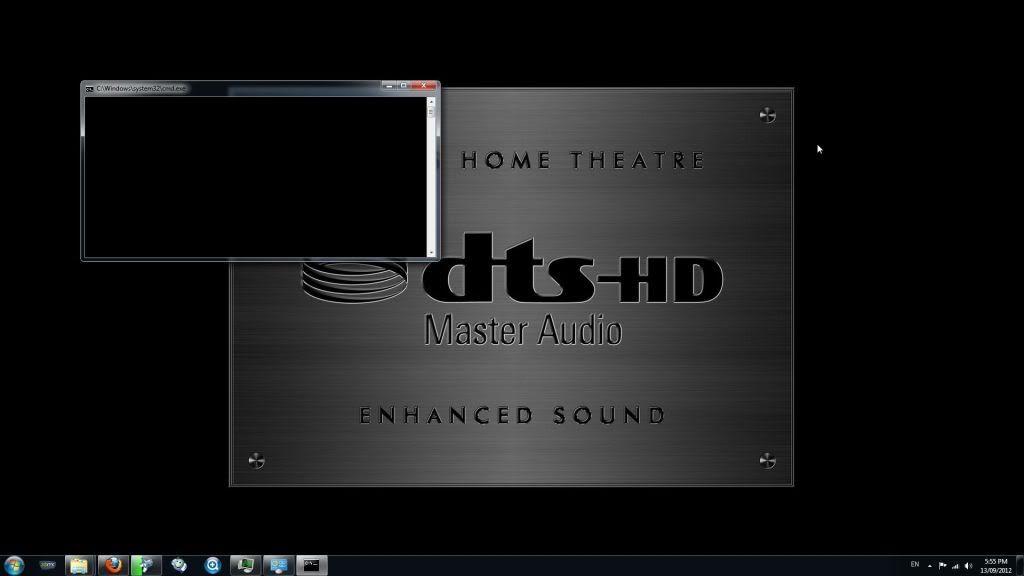
Hi bluray, I changed the code to <hidexbmc>false</hidexbmc> but it still shows up ;( Any other suggestions and are you also using Windows 7 64-bit?
RE: Another External Player Code, but Very Simple to Setup - egtrev - 2012-09-13
(2012-09-12, 21:35)bluray Wrote: Try the codes below, and don't change anything it.....
Playercorefactory.xml:
<playercorefactory>
<players>
<player name="BDMV_Player" type="ExternalPlayer" audio="false" video="true">
<!-- You can place your PlayBDMV file anywhere -->
<filename>C:\Users\Dell\AppData\Roaming\XBMC\userdata\PlayBDMV.bat</filename>
<args>"{1}"</args>
<hidexbmc>false</hidexbmc>
<hideconsole>false</hideconsole>
<warpcursor>none</warpcursor>
</player>
<player name="Disc_Player" type="ExternalPlayer" audio="false" video="true">
<!-- You can place your PlayDisc file anywhere -->
<filename>C:\Users\Dell\AppData\Roaming\XBMC\userdata\PlayDisc.bat</filename>
<args>"{1}"</args>
<hidexbmc>false</hidexbmc>
<hideconsole>false</hideconsole>
<warpcursor>none</warpcursor>
</player>
</players>
<rules action="prepend">
<!-- Bluray BDMV -->
<rule filenames="bdmv" filetypes="bdmv" player="BDMV_Player"/>
<!-- Bluray Disc -->
<rule filenames="BD" name="D:\\.*" filetypes="bdmv" player="Disc_Player"/>
</rules>
</playercorefactory>
PlayDisc.bat:
@echo off
"C:\Program Files (x86)\ArcSoft\TotalMedia Theatre 5\uMCEPlayer5.exe" D:
PlayBDMV.bat:
@echo off
set pth=%1
set pth=%pth:BDMV\index.bdmv=%
"C:\Program Files (x86)\ArcSoft\TotalMedia Theatre 5\uMCEPlayer5.exe" %pth% exit
--------------------------------------------------------------------------------
This does the same, when I hit play disc on the menu, nothing happens.
BAT files launch correctly from Windows explorer.
Also I only want TMT5 to play actual disc's that are in the drive, I don't want TMT5 to play ripped BDMV structure files.
EDIT - Sorry I forgot that I had put the BAT file in a new folder
 I moved the BAT file to the correct place and it all works perfectly now
Thanks again

RE: Another External Player Code, but Very Simple to Setup - bluray - 2012-09-13
(2012-09-13, 10:22)egtrev Wrote: EDIT - Sorry I forgot that I had put the BAT file in a new folderExcellent....enjoy it....
Thanks again