
+- Kodi Community Forum (https://forum.kodi.tv)
+-- Forum: Support (https://forum.kodi.tv/forumdisplay.php?fid=33)
+--- Forum: Skins Support (https://forum.kodi.tv/forumdisplay.php?fid=67)
+---- Forum: Skin Archive (https://forum.kodi.tv/forumdisplay.php?fid=179)
+----- Forum: Serenity (https://forum.kodi.tv/forumdisplay.php?fid=104)
+----- Thread: Serenity (/showthread.php?tid=44469)
- deano72 - 2009-03-30
I have the older one with the stop button added will use that for now.
The latest one work, just my son (7) was confused when he saw all the corrupted text lol....Critics. Who needs them.
- sinarquia - 2009-03-30
I'll be wise and wait, then, I guess. Thanks for your replies.
- fekker - 2009-03-31
This idea came from Digitalhigh
Mip 2821+ adds skin based flagging support for your media by doing some nifty tricks with exisisting fields and data. Think of this as a temp solution until full flagging support is added to xbmc with captBry's hd flagging. This uses the hd flagging core that's in MIP, with the design by captBry.
I'll let digital show you what this means for his skin, it's really cool stuff.
- digitalhigh - 2009-03-31
fekker Wrote:This idea came from Digitalhigh
Mip 2821+ adds skin based flagging support for your media by doing some nifty tricks with exisisting fields and data. Think of this as a temp solution until full flagging support is added to xbmc with captBry's hd flagging. This uses the hd flagging core that's in MIP, with the design by captBry.
I'll let digital show you what this means for his skin, it's really cool stuff.
I will have screens ready for everybody tomorrow afternoon. This is full support for HD/SD flagging, audio channels, subtitle language indicators, filetype, and TV Network logos.
The Serenity website, however, should be ready for the public early tomorrow morning. I will start a new thread when it's up.
- digitalhigh - 2009-03-31
Ladies and gentlemen...we have HD/SD and audio channel flagging from the database.

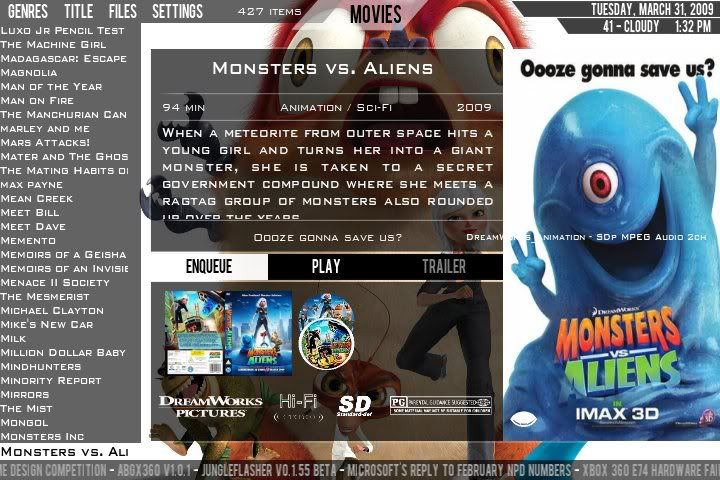

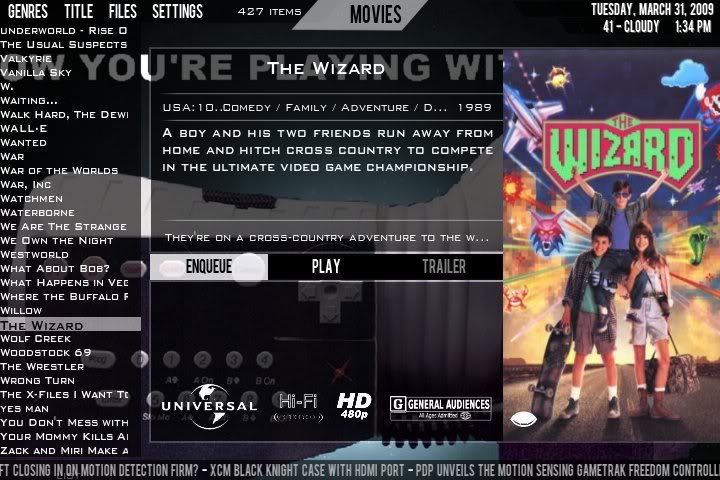
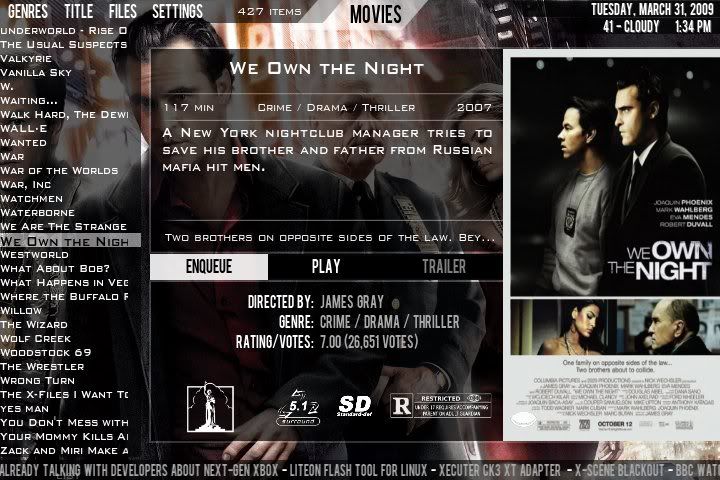
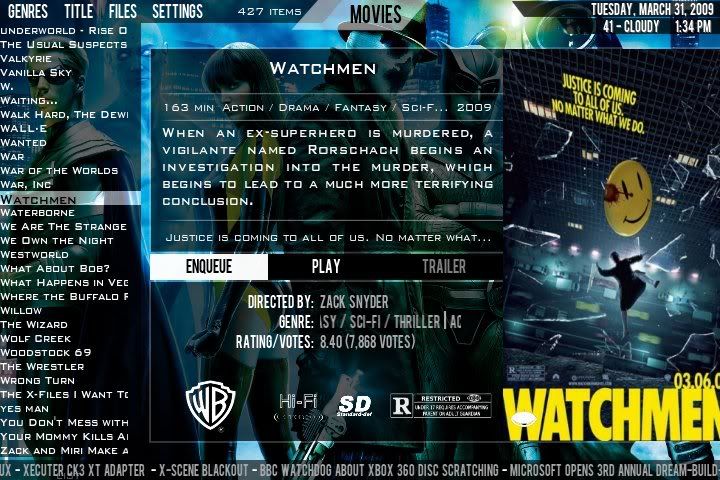
Supported formats/resolutions are 1080, 720, 576, 540, 480, and SD.
- deano72 - 2009-03-31
any luck with corrupted text on video osd (whilst playing a video)?
- digitalhigh - 2009-03-31
deano72 Wrote:any luck with corrupted text on video osd (whilst playing a video)?
I'll double check it, but I'm pretty sure that it's not anything to do with my side of things.

- deano72 - 2009-03-31
hmm, could it be the release of xbmc I am running? It was ok on 18298, but since updated to rev 19065 I noticed the corruption.
- kizer - 2009-04-01
Wow that is cool. So I don't have to tag all my images by hand anymore it seems.
- fekker - 2009-04-01
I like it! I like it!
and for more goodness..
data will be in the studio field for movies in build 2825 of mip (not done yet)
The scanner has been updated to calculate the aspect ratio, pull the display ratio from the media and detect widescreen formats based on the display size and not just the (sometimes) compressed size in the container.
format support is expanding to the following that will be in the tags.. i'm hoping this covers the majority of them.
SDi, SDp, 480p, 540p, 576p, 720p, 768p, 1080p, 480i, 540i, 576i, 720i, 768i, 1080i
Exact size matches are first, then display based off whats encoded, then a fallback to standard calculations and "close to" size X for the label.
- digitalhigh - 2009-04-01
deano72 Wrote:hmm, could it be the release of xbmc I am running? It was ok on 18298, but since updated to rev 19065 I noticed the corruption.
What system are you working on again? I was getting a problem in windoze due to the build I had not having certain DLL's included. I bet you roll your install back and it disappears.
kizer Wrote:Wow that is cool. So I don't have to tag all my images by hand anymore it seems.
That is correct. Wait until the next build (with studio tag having all the info). Then you should just do an autopilot with (update media info) selected, and it will re-tag everything properly.
fekker Wrote:I like it! I like it!
and for more goodness..
data will be in the studio field for movies in build 2825 of mip (not done yet)
The scanner has been updated to calculate the aspect ratio, pull the display ratio from the media and detect widescreen formats based on the display size and not just the (sometimes) compressed size in the container.
format support is expanding to the following that will be in the tags.. i'm hoping this covers the majority of them.
SDi, SDp, 480p, 540p, 576p, 720p, 768p, 1080p, 480i, 540i, 576i, 720i, 768i, 1080i
Exact size matches are first, then display based off whats encoded, then a fallback to standard calculations and "close to" size X for the label.
I'll add 768 tomorrow. U da man.
- deano72 - 2009-04-01
apple tv mate. I have rolled back, but am in work so will see if osd has changed for the better
- digitalhigh - 2009-04-01
deano72 Wrote:apple tv mate. I have rolled back, but am in work so will see if osd has changed for the better
Sorry...brain's been a little off lately. Eyes are starting to hurt from staring at the screen for 8+ hrs a day. Gotta do it tho...I've got a deadline to meet.

And the Serenity website will be up tomorrow as well. I know I said this yesterday, but today I mean it.
- deano72 - 2009-04-01
Rolled back to previous xbmc, all ok now no corrupted osd.
Also movie info appears in panels !!!!! (as per previous posts with apocalypto as an example).
Cheers,
dean
- fekker - 2009-04-01
Build 2825 - 4/1/2009
- skin based tagging support update complete for studio field for movies.. nice side effect, in studio (in xbmc) you can now pick by resolution and any other tag field