
+- Kodi Community Forum (https://forum.kodi.tv)
+-- Forum: Support (https://forum.kodi.tv/forumdisplay.php?fid=33)
+--- Forum: Skins Support (https://forum.kodi.tv/forumdisplay.php?fid=67)
+---- Forum: Skin Archive (https://forum.kodi.tv/forumdisplay.php?fid=179)
+----- Forum: PM3.HD (https://forum.kodi.tv/forumdisplay.php?fid=75)
+----- Thread: [MOD] PMIII Update Mod ~ Unofficial PM3.5 (/showthread.php?tid=51796)
[MOD] PMIII Update Mod ~ Unofficial PM3.5 - FourTwentySmilz - 2009-05-27
Hi Everyone!!!
I thought I would release this to the community because so many Xbox users have problems with the HD skins that are coming out these days, due to the Xbox's RAM limitations ( No disrespect meant to any Skin Devs......Yall know that!!!)
This is ChokeManiac's Project Mayhem 3 ( PMIII) updated to look (and function) like PM3.HD.
Since it is somewhere in-between those 2 skins, I call it PM3.5
I have updated the Home Menu to look more like PM3.HD, and from the screenshots( all working, I might add) you can see this. It now has a nice, Cobalt Blue(ish) look, and a new Start.wav ( Never before used with an XBMC Skin). I used my Menu Mod and PrimusZa1's FanArt Mod to achive the PM3.HD "feel".
Both Xbox users and HTPC user should be pleased with this version.
----------------------------------------------------------------------------------------------------------------------------
For Xbox Users....
Seperate Movies and Television buttons.
Programs button in the Home Menu.
( Remember to add "Scripts" to your Favorites because there is NO Scripts button anymore)
For HTPC Users....
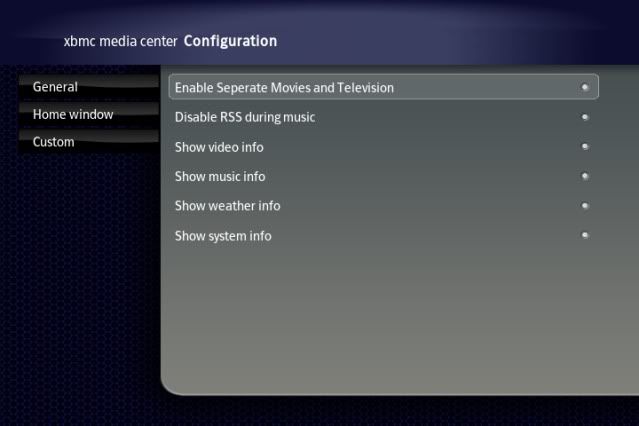
Under "Skin Options" you will find an option to "Enable Seperate Movies and Television buttons".
( Enabled gives you a Movies button, and a seperate Television button, but no Scripts.....
Disabled gives you ONE Videos button and a Scripts button)
Programs button on Home Menu
----------------------------------------------------------------------------------------------------------------------------
Here are some Screenshots.........Let me know what you think!!
Xbox Users.....
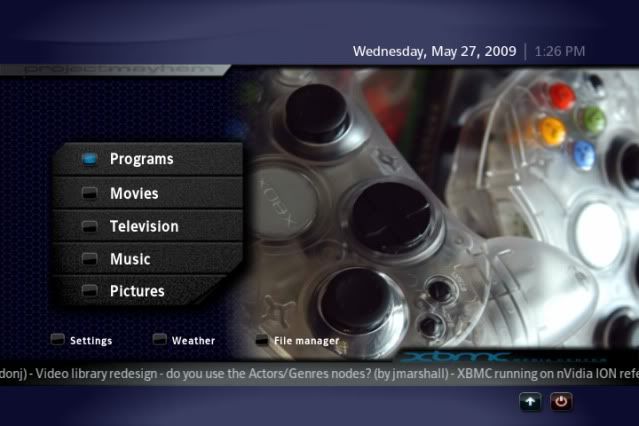
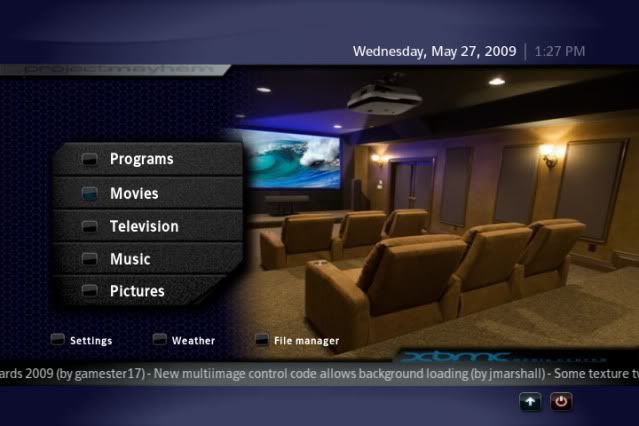
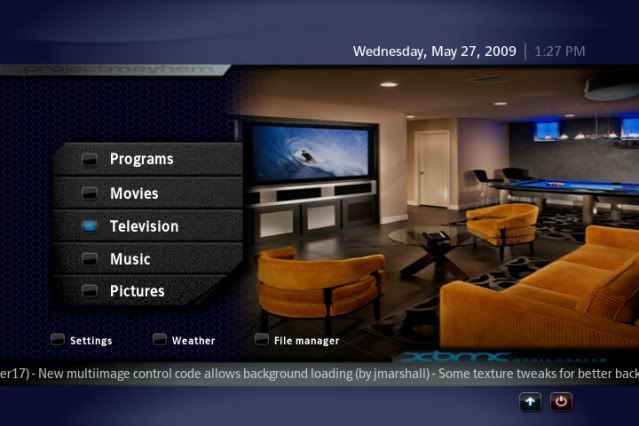
HTPC Users.....
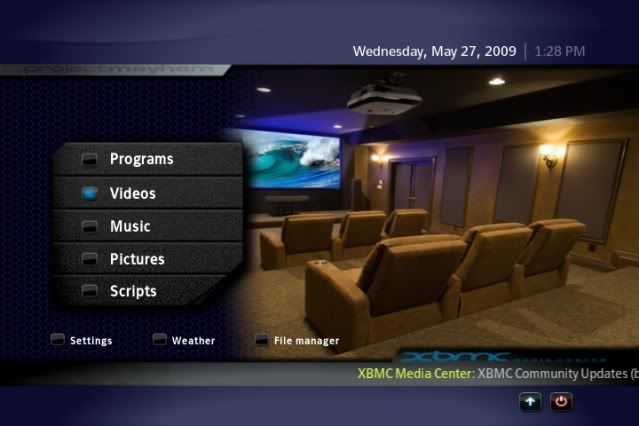
Download Here>>>> Link Deleted by OP
- XBMCG33K - 2009-05-27
Nice man VERY cool. Thanks for making this.
- FourTwentySmilz - 2009-05-28
Thanks XBMCG33K.
Anyone else form an opinion, yet?
- Meez - 2009-05-29
i like it! i'm downloading now and will test it out.!
- plankton88 - 2009-05-29
I have always been a big fan of the original PMIII. This skin is a great "remix" of it. One thing I think it needs though is a good coverflow mod for the movies section. That older fanart view just doesn't cut it for me.
- FourTwentySmilz - 2009-05-29
There is an "older" FanArt view?
Thanks Meez. Lemme know how you like it.
- dev_don - 2009-05-29
FourTwentySmilz - Great skin, i like the tv and movie tabs on the home screen.
Just one thing : in fanart view on tv shows u cannot seen the tag once you have seen a show. So if the watched tag could be implemented that would be great.
other than that I really like your take on PM3 like the blue theme too.
- FourTwentySmilz - 2009-05-29
Under "Options>Skin Settings" you should see a "tag" that reads "Make Watched Filtering a toggle in Library View. Make sure that is Enabled.
Then go into your Library, look at the panel on the left side of the screen. That is where the toggle is. It can switch between 3 different options.......All Videos(Watched and Unwatched), Unwatched(Videos you have not watched yet) and Watched(of course, Videos you have watched already.) This should be what you are looking for.
And I'll see about getting Watched Flags in there too.
Going outta town for the weekend, but I'll still be checking the Forums, just won't be able to edit on this till Sunday night.
- bigfoot1214 - 2009-05-30
After using it for a couple of days it seems to work great. Everything actually works in library mode. I haven't even had any freezing problems.
- FourTwentySmilz - 2009-05-30
That's great Bigfoot.......I plan on doing more to it as soon as I'm back in town. And Welcome to the Forums!!!!!
Good to see you here........LOL
- PrimusZa1 - 2009-06-01
If your interested FourTwentySmilz, the code your using for the fanart view is the Rev E from January.. The latest code I posted when Babylon came out has fanart views for Recent TV ect. as well as the CoverFlow view from PM3 HD and code cleanup. Grab the lasted download from my sig below and you will see... You did a great mix of PM III and PM3 HD
- jarod71 - 2009-06-02
I like this alot but why is it purple? I like the darker lack/greys of PM3.hd and PMIII
- FourTwentySmilz - 2009-06-02
First I wanna say "I'm Sorry"........I planned on being home Sunday to work on things, but my wife was Very Very ill and was admitted to the hospital Saturday night ( keep in mind, we were out of town and over 150 miles from home) and was just released today. With that said........
PrimusZa1.......
Gonna update this to "Babylon Ready" tonight...........Thanks for your help. You doing great things here.
jarod71...........
Cobalt is the Default color scheme for PM3.5. I will be releasing more color schemes and maybe even several different styled graphics, but first comes the family........then the XBMC.
I'm so glad people are enjoying this version of an XBMC classic.........
- PrimusZa1 - 2009-06-03
FourTwentySmilz Wrote:First I wanna say "I'm Sorry"........I planned on being home Sunday to work on things, but my wife was Very Very ill and was admitted to the hospital Saturday night ( keep in mind, we were out of town and over 150 miles from home) and was just released today. With that said........
Family always first! The rest will still be here when you come back!
- jarod71 - 2009-06-04
hope your wife is ok. I know how that is. You are in my prayers ok? the skin can wait.