
+- Kodi Community Forum (https://forum.kodi.tv)
+-- Forum: Support (https://forum.kodi.tv/forumdisplay.php?fid=33)
+--- Forum: Skins Support (https://forum.kodi.tv/forumdisplay.php?fid=67)
+---- Forum: AppTV (https://forum.kodi.tv/forumdisplay.php?fid=76)
+---- Thread: [MOD] xTV SAF (Spouse Acceptance Factor) (/showthread.php?tid=59576)
Release candidate on Passion - wyrm - 2011-06-10
OK, guy's,
I have just pushed the last of the updates to my SVN for v1.1.0. Should appear on Passion tomorrow morning (Paris Time). Unless there are any last minute problems this is the new release (v1.1.0) of the skin.
I will package up a zip file for Dharma XBMC probably just after the weekend and for pre Eden XBMC right after that. XBox build should follow about a week after the Dharma build.
As a side issue, due to changes (skin gui version has changed from 2.11 to 3.0) introduced in a very recent nightly for XBMC, this will be the last release for Dharma XBMC. All future pushes to my SVN will be Eden XBMC only (well XBox as well, but that is a differnt part of my SVN).
Enjoy and remember to sing out if any problems otherwise they will be there for good (for Dharma build at least).
Wyrm (xTV-SAF)
- lipo - 2011-06-12
looking forward trying svn ver for xbox

will sing if i experience problems

- wyrm - 2011-06-12
lipo Wrote:looking forward trying svn ver for xboxLipo,
will sing if i experience problems
Yep have started work on this. Unfortunately just found a issue that has been in the skin for a little while, so have just made another push to my svn (and thus a new Passion release will happen in a few hours time).
So, the next update from Passion is RC2 I guess. Will wait a day or so before I do my formal release just in case I spot anything else. Will keep working towards a XBox release, hopefully will be out just after next weekend.
Wyrm (xTV-SAF)
Version 1.1.0 of skin now available - wyrm - 2011-06-14
Ok guy's,
New official version of the skin is available for Dharma. Download details and change log available here. There will also be a Eden version of the skin available real soon now ™, but there is currently some discussion on skin engine version strings, so I will wait until the devs make a decision on this. XBox build will follow in a week or so (hopefully).
Hi-lights of this release are : Support for TVTunes, TVLogos, Cinema Experience scripts and the Weather Plus plugin. Custom Playlists and Scripts are now available from home menu (four of each). Skin settings menu has been redone, now matches the other settings menus. Can select static or animated weather icons. And Numerous bug fixes and optimisations, so hopefully skin is now quicker and uses less system resources.
And finally a big thank you to those people who chipped in and helped with various things around the skin. In particular to Alex Dzyavun who provided a Russian translation for the skin (sorry only just realised had not included it until this morning). And Bsoriano who provided a Spanish translation. All help is greatly appreciated.
Wyrm (xTV-SAF)
Test build of v1.1.0 available for XBox - wyrm - 2011-06-15
OK,
If the XBox guys are up for a ride on the wild side, the googlecode svn has a test version of the skin now available. If you have used the svn build of the skin before and you know how to grab the latest build feel free to give it a go.
If you find any problems please post here and I will endeavour to fix things. Please NO new feature requests, just bugs with the posted build or I will never get to officially release this. SHOULD only be problems with the changes between Dharma and Xbox (and fingers crossed maybe no problems with what I have done).
Remember, the sooner we get onto this, the sooner I can release for the XBox (and the sooner I can get onto moving the skin to 720p).
Wyrm (xTV-SAF)
- lipo - 2011-06-15
aye aye captain
- wyrm - 2011-06-15
lipo Wrote:aye aye captainLipo,
if you have already grabbed this you should probably do a quick resync with the repo as I was having problems with pushing stuff to it. All fixed now, so should be good.
Waiting to hear back on problems.
Wyrm (xTV-SAF)
- lipo - 2011-06-15
here we go...
the new default font causing text cutoff on some setting menus
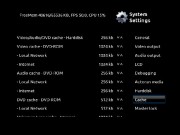
missin text & cant access program seting menu

i have problem with some of views
banner

screenshot/banner dont show up
wrap
missing text

wall
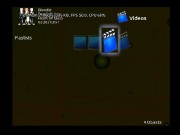
coverflow
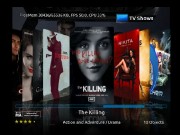
the scrollbar always appear altought i disable it,
also i cant use the scrollbar when i press down, because view as panel appear
- lipo - 2011-06-15
just blank
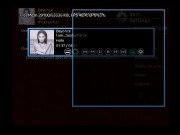
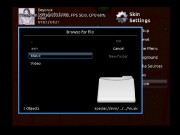
cant use custom playlist, the path should be the same with startupplaylist
- wyrm - 2011-06-16
lipo Wrote:here we go...
Lipo,
Excellent, those are exactly the sort of silly little bugs I need to spot and fix. Most of the ones you have listed are caused by changes between XBMC and XBMC4XBox. Will work my way thru them over the next couple of days and post fixes to the googlecode page. If you spot anything else please post back here.
Wyrm (xTV-SAF)
- wyrm - 2011-06-16
lipo Wrote:just blankI think you have mentioned this one before, I don't suppose you can name a skin where it works correctly. Think I'm missing something that is different between XBMC and XBMC4XBox.
Quote:cant use custom playlist, the path should be the same with startupplaylistNo these are custom playlists that I have included within the skin itself. If you look in either one of the Music or Video directory's you will see a number of .xsp files that are pre configured smart playlists. Hopefully the name of the file will suggest to you what they do. Give it a go and let me know what you think.
Wyrm (xTV-SAF)
Bug fixes for XBox svn version of v1.1.0 - wyrm - 2011-06-17
OK,
have fixed a number of issues as reported by Lipo. Wall view showing of hi-light around default image has been fixed. Banner view not showing banners has also been fixed. These two issues also affected the Dharma version of the skin, so I have pushed an update to the svn for this. And finally (for the moment), the missing 'My Programs' menu item in the XBox settings menu has also been fixed.
Please keep the reports coming, will try to push out another update to the svn by the end of the weekend.
Wyrm (xTV-SAF)
- alexdzn - 2011-06-17
On pre-eden version atv2 can not go to system menu, when change from other to XTV skin system directory works perfect, exempt skin option, no login too, but I can not go to the main menu, after restart remaining XTV SAF it logins in the main menu but system login nothing happens, only main menu..... and OSD on top with stop play buttons does not cover to left broad of TV.
New HD icons.
Recently added widget on left site in main menu.
New OSD HD.
Will be the one of the best!!!!!!
- wyrm - 2011-06-18
alexdzn Wrote:On pre-eden version atv2 can not go to system menu, when change from other to XTV skin system directory works perfect, exempt skin option, no login too, but I can not go to the main menu, after restart remaining XTV SAF it logins in the main menu but system login nothing happens, only main menu..... and OSD on top with stop play buttons does not cover to left broad of TV.alexdzn,
New HD icons.
Recently added widget on left site in main menu.
New OSD HD.
Will be the one of the best!!!!!!
Answered your PM (only really needed to send a PM OR a message to forum, not both). Will see what I can find, but really need you to send me the asked for info to really pin down what is happening.
Wyrm (xTV-SAF)
Bug fixes for XBox svn version of v1.1.0 part II - wyrm - 2011-06-19
OK Lipo,
I'm pretty sure that I have fixed all of your issues EXCEPT the scrollbar not turning off in coverflow. I have to say I'm Bug@#$&* if I can figure out what is wrong here, but will keep poking around to see if I can't fix things.
Could you please check out the latest svn build and tell me how the fixes have gone. In particular could you check that I have got the visualisation problem sorted as I have not had a chance to check if it was working correctly (spacing maybe out).
Wyrm (xTV-SAF)