
+- Kodi Community Forum (https://forum.kodi.tv)
+-- Forum: Support (https://forum.kodi.tv/forumdisplay.php?fid=33)
+--- Forum: Skins Support (https://forum.kodi.tv/forumdisplay.php?fid=67)
+---- Forum: Rapier (https://forum.kodi.tv/forumdisplay.php?fid=120)
+---- Thread: [MOD] Rapier Qualar Mod (/showthread.php?tid=61126)
- qualar - 2009-11-10
Uploaded the fix to the main download location (Version 2.1.2)
- Slipx - 2009-11-10
This is a great mod. Thanks
- wannabegt4 - 2009-11-11
I don't have the problem with the fading in my original. Something must have gone wrong when adding it to your MOD. Changing the last few lines may fix the problem but it's more code than necessary. I'll look into what could've gone wrong and try to find a better solution.
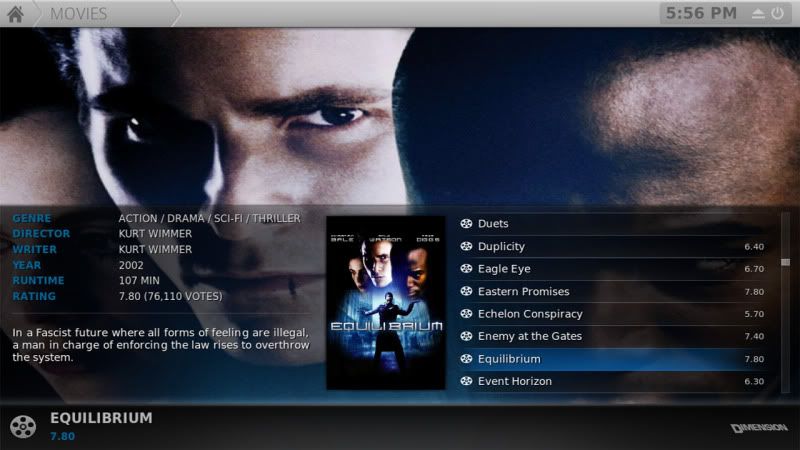
- wannabegt4 - 2009-11-11
EDIT: Better yet, add Control.IsVisible(67) to control id 70.
This way it doesn't change the way I've designed it. If we want the bottom infopane not to fade we can add a skin setting.
It should now read as follows:
PHP Code:
<control type="group" id="70">
    <posy>646</posy>
    <posx>0</posx>
    <description>Wall View Bottom Bar Area</description>
    <include>WallInfoPaneImage</include>
    <visible>!Control.IsVisible(69) + Control.IsVisible(67)</visible>
    <animation effect="fade" start="100" end="0" time="200">Visible</animation>
</control>
It will now only show on the wall view and only at the proper time.
- qualar - 2009-11-13
Added Sranshaft new Wide Slim List and Video Sub Menu on home screen.
- wannabegt4 - 2009-11-13
Very Nice. I'm liking the old style recently added on the home screen. It's a little more clear what is selected.
The textures.xpr should probably be compressed on the high setting as the wide slim list white overlay is a bit distorted especially when dimmed. The fanart isn't showing on that view either That's an easy fix though. Just add Control.IsVisible(68) to the BackgroundFanart incude in the includes_backgrounds.xml
First few lines should look like this when you're done:
PHP Code:
<include name="BackgroundFanart">
        <control type="group">
            <visible>![Player.HasAudio + !Skin.HasSetting(DisableMusicVizBG)] + ![Player.HasVideo + !Skin.HasSetting(DisableVideoBG)]</visible>

            <control type="group">
                <visible>Window.IsActive(VideoLibrary) + Container.Content(Movies)
                + [[Control.IsVisible(52) + !Skin.HasSetting(HideMoviesListFanart)]
                | [Control.IsVisible(53) + !Skin.HasSetting(HideMoviesWrapListInfoFanart)]
                | [Control.IsVisible(58) + !Skin.HasSetting(HideMoviesListInfoFanart)]
                | Control.IsVisible(59) | Control.IsVisible(64) | Control.IsVisible(66) | Control.IsVisible(68)]</visible>
You'll have to do the same a little ways down for tv shows as well.
- qualar - 2009-11-13
wannabegt4 Wrote:Very Nice. I'm liking the old style recently added on the home screen. It's a little more clear what is selected.
The textures.xpr should probably be compressed on the high setting as the wide slim list white overlay is a bit distorted especially when dimmed. The fanart isn't showing on that view either That's an easy fix though. Just add Control.IsVisible(68) to the BackgroundFanart incude in the includes_backgrounds.xml
First few lines should look like this when you're done:
PHP Code:<include name="BackgroundFanart">
<control type="group">
<visible>![Player.HasAudio + !Skin.HasSetting(DisableMusicVizBG)] + ![Player.HasVideo + !Skin.HasSetting(DisableVideoBG)]</visible>
<control type="group">
<visible>Window.IsActive(VideoLibrary) + Container.Content(Movies)
+ [[Control.IsVisible(52) + !Skin.HasSetting(HideMoviesListFanart)]
| [Control.IsVisible(53) + !Skin.HasSetting(HideMoviesWrapListInfoFanart)]
| [Control.IsVisible(58) + !Skin.HasSetting(HideMoviesListInfoFanart)]
| Control.IsVisible(59) | Control.IsVisible(64) | Control.IsVisible(66) | Control.IsVisible(68)]</visible>
You'll have to do the same a little ways down for tv shows as well.
Thanks for that. After staring at the screen for ages it is amazing what you miss. Regarding the textures I assume your running it on xbox.?
- wannabegt4 - 2009-11-13
No problem. I'm running it on 3 xboxes and a pc. The degradation is there on both. You can see it on the home screen as well on the general icon. Notice how the top edges of the box are all fuzzy/pixelated? Just need to set Xpr Express to the high quality compression setting.
- qualar - 2009-11-13
I will follow your advice. I see what you mean now. I have an update coming later anyway. I have changed the rating number to stars on the Wide Slim List and made the Wide Slim List selected item background light transparent so that a bit of the fanart shows through plus a few other tweaks and fixes.
- qualar - 2009-11-13
New version just uploaded.
- wannabegt4 - 2009-11-13
Sounds like this will be near perfection. DLing now.
- PolliSoft - 2009-11-14
Hi,
this is my absolute favourite skin right now, thanks a lot for modding it to near perfection.
If it is ok to add some feature requests, here are mine:
Home Window:
* Videos
- Would it be possible for you to to change the way the sub menu works? For me, the best option would be to go to File mode when pressing Enter/OnClick, and press Up to show the sub menu. Maybe a setting in the skin would be good to set the default action on Enter/OnClick?
* Music
- Is it possible for you to add a similar sub menu as for Videos, where a user can choose between Library mode and File mode. Otherwise, it is impossible to see the music if the user hasn't added the collection to the library using another skin first.
* Movies/TV Show
- A similar sub menu as for Videos would be great here too, where the user can choose between Recently added movies and other stuff.
Thanks!
- qualar - 2009-11-14
PolliSoft Wrote:Hi,
this is my absolute favourite skin right now, thanks a lot for modding it to near perfection.
If it is ok to add some feature requests, here are mine:
Home Window:
* Videos
- Would it be possible for you to to change the way the sub menu works? For me, the best option would be to go to File mode when pressing Enter/OnClick, and press Up to show the sub menu. Maybe a setting in the skin would be good to set the default action on Enter/OnClick?
* Music
- Is it possible for you to add a similar sub menu as for Videos, where a user can choose between Library mode and File mode. Otherwise, it is impossible to see the music if the user hasn't added the collection to the library using another skin first.
* Movies/TV Show
- A similar sub menu as for Videos would be great here too, where the user can choose between Recently added movies and other stuff.
Thanks!
1. I had a conversation with a colleague at work about whether to open the sub menu on click or on up. I was going to do it exactly the way you mentioned. The only reason I didn't was i thought a lot of users would never even realise the sub menu existed if it was on up. I will give it some more thought.
2. Music - I will certainly do that for you. If I can figure out how to get <onup> to work in the wraplist that is used to display the home items. How does this sound.
On click loads the Library by Artist
On Up gives the following sub menu.
Artist Song Genre RecentlyAdded FileMode
3. Movies, TVShows if you let me know exactly how you would want this to act I will get to work
- qualar - 2009-11-14
Can anyone help with the above request. I am trying to get the submenus to show <onup> instead of <onclick> but it doesnt seem to work Just wondering if you can use <onup> on individual elements of a wraplist.
- xbs08 - 2009-11-14
After you do that you'll have find a way to hide the submenu
 the home menu is transparent.