
+- Kodi Community Forum (https://forum.kodi.tv)
+-- Forum: Discussions (https://forum.kodi.tv/forumdisplay.php?fid=222)
+--- Forum: Kodi related discussions (https://forum.kodi.tv/forumdisplay.php?fid=6)
+--- Thread: Post your setup pictures (/showthread.php?tid=68514)
- Squa7ch - 2011-10-11
Mean, yes...but hilarious.
- zepfan - 2011-10-12
Ri4h5ar88 Wrote:Numus, Sorry, you are correct. Didn't realize that I posted in the general section. Hell anyone can post their setup here. I am just specifically looking for linux setups since that is what I will be doing.
Linux Setups are no different than other setups. I'll take some pictures of mine if you'd like though.
- jacintech.fire - 2011-10-16
Hi All,
I am new to this forum so please bear with me. I DO NOT have XBMC installed yet (I have been playing with it for a couple of weeks); but I have an extensive HTPC setup at home.
I have taken several old boxes and installed Ubuntu 10.04 on them along with openssh and samba for a total of 10TB of storage (ALMOST Enough for +1000 DVDs in *.iso format, 25K+ songs, 30K+ pictures, 100+ hrs of recorded TV and home videos). I hooked these boxes to a Powerline Ethernet Switch and connected four (4) HDTV displays throughout the house (Living Room, Family/Media Room and Bedrooms).
Each of these locations has a custom HTPC connected via an HDMI cable (the specs on each varies; but the minimal is a Dual-Core 1.8GHz, 4GB RAM, 32SSD HHD setup); and the Powerline 500mbps adapter back to the Switch in the basement.
I am running a modified version of Windows Media Center; but want to switch to XBMC. The only issue that is holding me back is my failure to configure XBMC to display my DVD library the way WMC does (i.e ALL the movies in a tile-like fashion, neatly organized alphabetically.). I know it is possible as I have seen several youtube videos to that effect; but alas, I am at a lost here. The default XBMC skin does not seem to show an easy way to do this...
Any help (in the form of written instructions/tutorial will be greatly appreciated)..
- Superorb - 2011-10-16
^^ Probably best to start a new thread about your specific issue.
On another note, have you considered building a single file server instead of a bunch of PC's with just a bunch of drives? Do you have it set up to offer protection in case of a drive failure?
My humble setup - TheAstronaut - 2011-10-20
Hey all, I've been admiring all the great set ups here, so I thought I'd finally post the results of my first build. I'm running XBMC on my AppleTV2 which streams all my media from the file server over Samba.
Unfortunately, my point-and-shoot camera takes somewhat grainy pictures, I'll try to see if I know someone with a better camera so I can upload some better quality pics here.
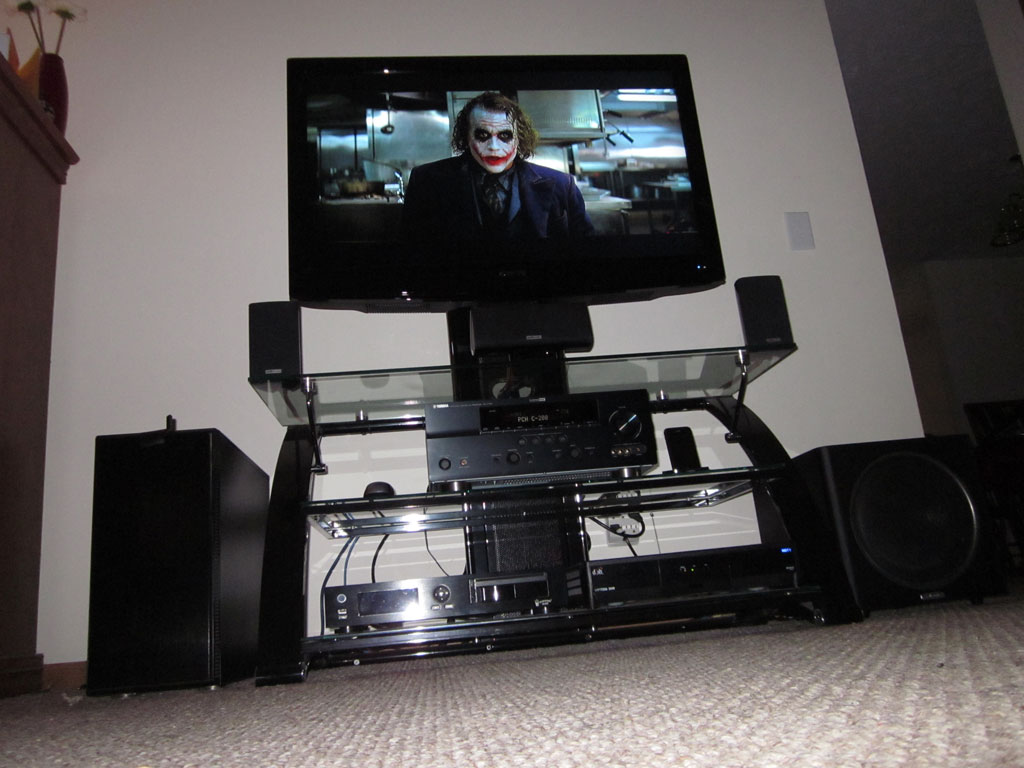
Display: Sceptre X42 42" LCD
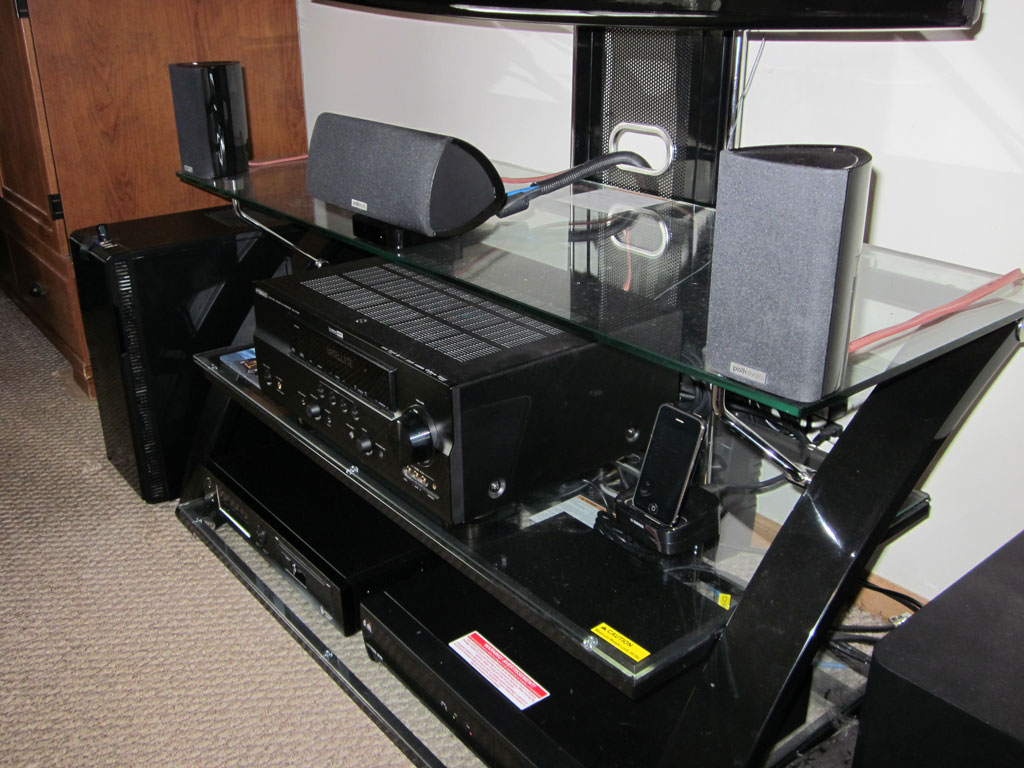
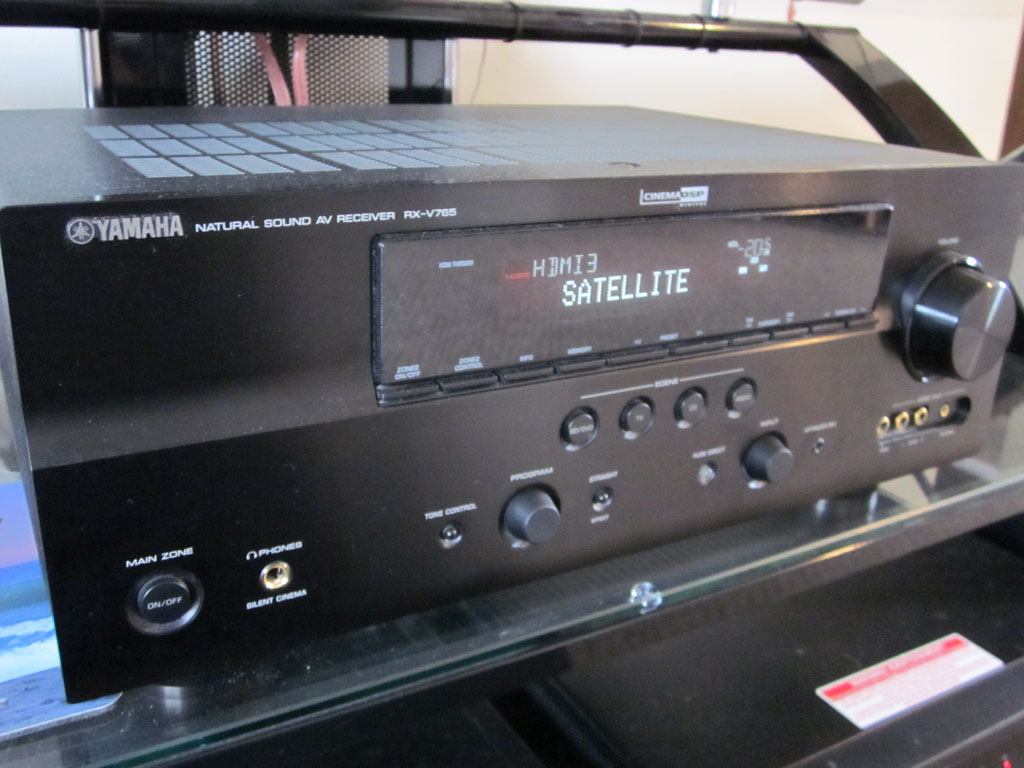
Receiver: Yamaha RX-V765
Center: Polk Audio RM8 (center model)
Speakers: Two Polk Audio RM7's for front, two Polk Audio RM8's for rear.
Subwoofer: Polk Audio PSW110
Media Players: Popcorn Hour C-200 with slimline BluRay drive, AppleTV 2G (jailbroken) with XBMC, Dish Network ViP722k DVR
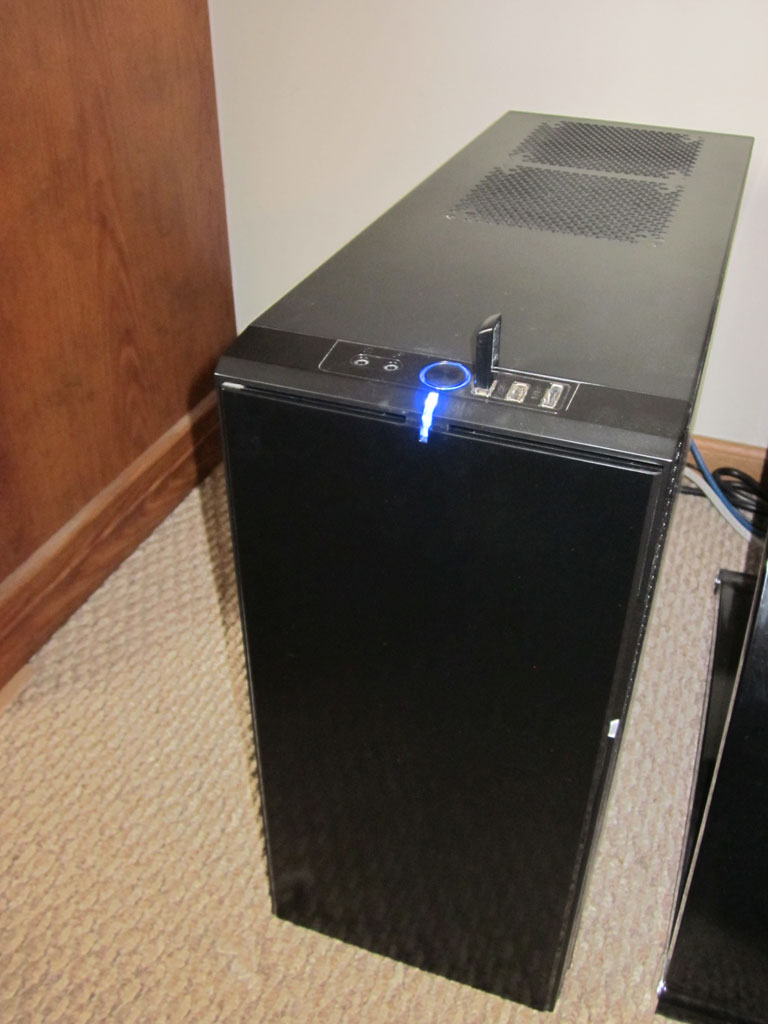
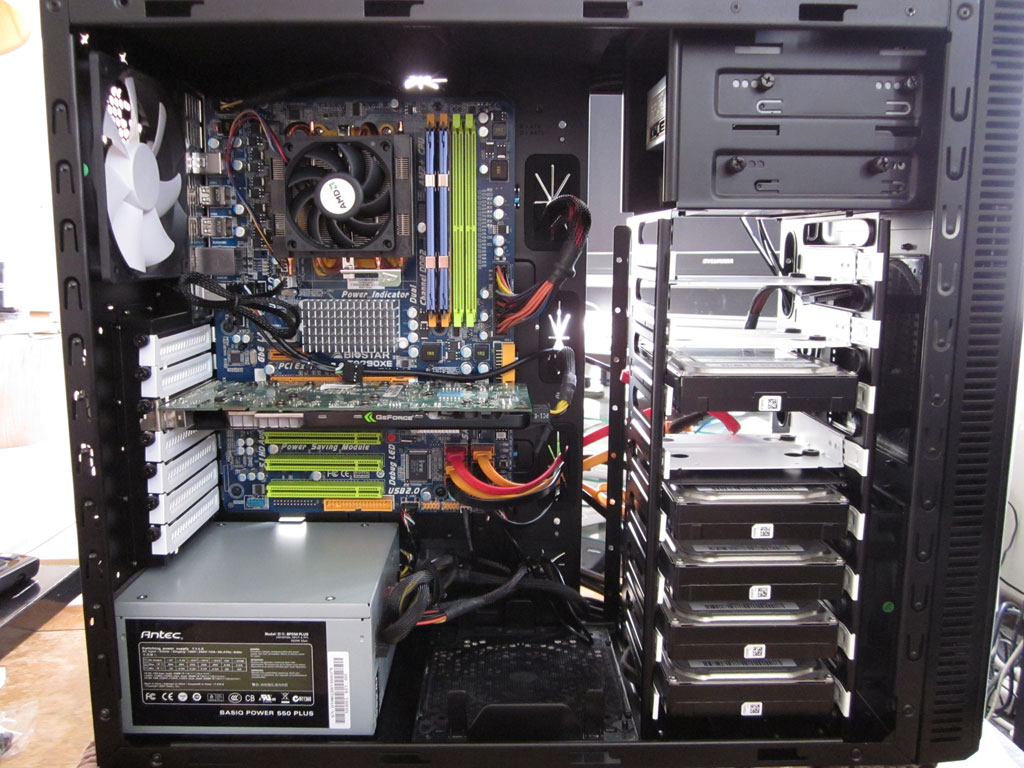
File Server: AMD Quad-core running OpenSUSE 11.4 with 6TB storage in RAID5 array. Soundproof case by Fractal Designs.
Networking: Gigabit Ethernet, D-Link DGL-4500 wireless router, D-Link 8-port Gigabit switch.
Here is what the whole setup looks like.
Side close-up.
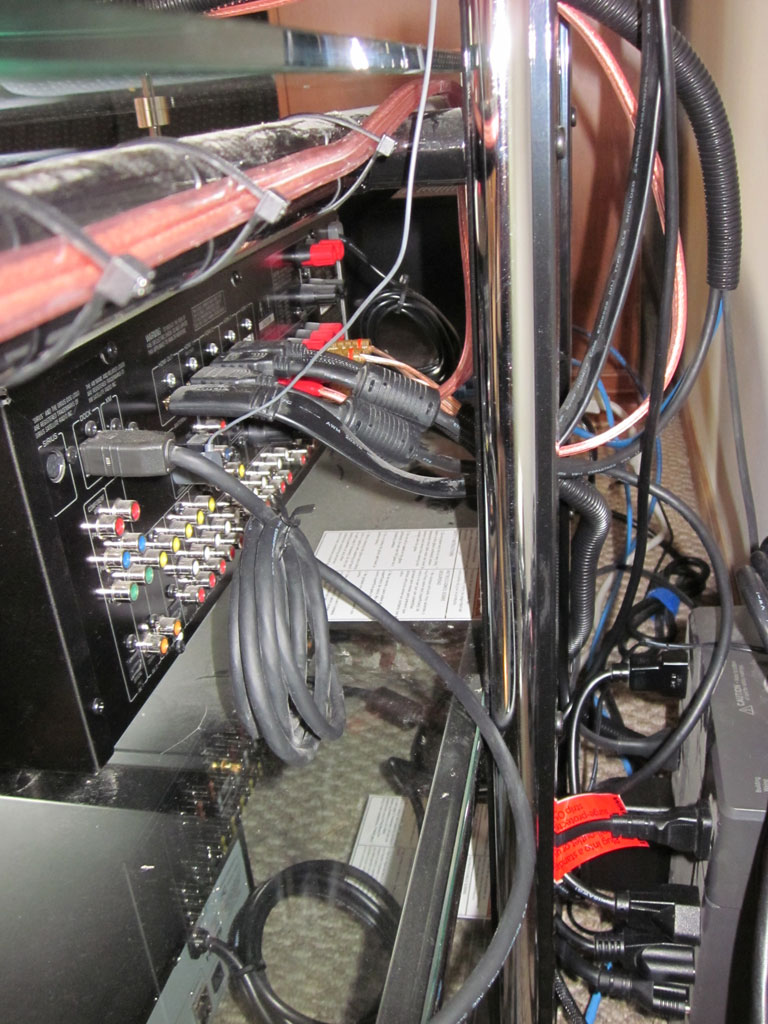
Rear-view, it's actually neater than it looks.
File server with Fractal Designs Define R3 case. Also, one of the best PC cases I've ever owned.
Inside of file server, taken during build process.
Close-up of the receiver.
My setup - David1 - 2011-10-24

HP dv2017, 2Gb RAM, 500Gb HD - running XBMC Live 10.1 and Linux 2.6.32.34generic-pae
Sanyo projector with screen, HKS11 speaker system (harman/kardon), Sony STR-DG520 reciever with optical link.
Not the biggest setup, but neat??!
The subwoofer and the reciever are inside the old potato boxes.
Notice the laptop skin - it is a photo of the same top it is standing on

I actually have two audio cables here - both optical and analog, since xbmc did not want to send 2ch through optical. Deleted a couple of config files - and then all was ok again
- nchall - 2011-10-27
Looks good. Am doing something similar with an HP Mini 311. How do you run the laptop in clamshell mode?
- r1lee - 2011-10-27
Here is a picture of what the theater was designed to be. It is almost complete, and will have a more up to date picture of it with the equipment and everything.

Walls are Quietrock 527 with Resilient Channel
I have movie posters all around the room instead of the artwork. But had them made into an acoustic panels.
Screen: Dalite 148" 2.35:1
Projector: Panasonic PT-AE7000U
Speakers Front LCR - Focus Audio Prestige FP80 and FPC SE
Speakers Side - Focus Audio Classic FP70 - refinished in piano black
Speaker rear - Focus Audio Classic FP50 - refinished in piano black
Subs: 2 * Emotiva X-ref12's. More to be added in the future.
Rack: APC AR3812 42U rack
Processor: Marantz AV7005
Amps: 3 * Emotiva XPA-1's, 2 * UPA-1's and a UPA-2 for rears
Player: PS3, Oppo BPD-93
Backup: Belkin AVU1500
XBMC player: my little Zotac AD02 streaming off my server.
I'm decided to add a new server to it and move the Zotac elsewhere. The new Server will go into the Rack and have XBMC installed on it feeding the marantz directly.
http://www.supermicro.com/products/chassis/4U/743/SC743TQ-865-SQ.cfm
installing Thermoltake water cooling system to get as quiet as possible.
Q6600
8GB of ram
Windows 7
Raid 1 for main drive with OS and XBMC.
Hardware Raid 5
5 * 4TB drives.
That's my complete setup.
- pettson3816 - 2011-10-27
r8lee Wrote:Here is a picture of what the theater was designed to be. It is almost complete, and will have a more up to date picture of it with the equipment and everything.That's an awesome room and awesome electronics. I didn't know that 4tb drives existed though.
Walls are Quietrock 527 with Resilient Channel
I have movie posters all around the room instead of the artwork. But had them made into an acoustic panels.
Screen: Dalite 148" 2.35:1
Projector: Panasonic PT-AE7000U
Speakers Front LCR - Focus Audio Prestige FP80 and FPC SE
Speakers Side - Focus Audio Classic FP70 - refinished in piano black
Speaker rear - Focus Audio Classic FP50 - refinished in piano black
Subs: 2 * Emotiva X-ref12's. More to be added in the future.
Rack: APC AR3812 42U rack
Processor: Marantz AV7005
Amps: 3 * Emotiva XPA-1's, 2 * UPA-1's and a UPA-2 for rears
Player: PS3, Oppo BPD-93
Backup: Belkin AVU1500
XBMC player: my little Zotac AD02 streaming off my server.
I'm decided to add a new server to it and move the Zotac elsewhere. The new Server will go into the Rack and have XBMC installed on it feeding the marantz directly.
http://www.supermicro.com/products/chassis/4U/743/SC743TQ-865-SQ.cfm
installing Thermoltake water cooling system to get as quiet as possible.
Q6600
8GB of ram
Windows 7
Raid 1 for main drive with OS and XBMC.
Hardware Raid 5
5 * 4TB drives.
That's my complete setup.
- r1lee - 2011-10-27
pettson3816 Wrote:That's an awesome room and awesome electronics. I didn't know that 4tb drives existed though.
it's being built.. so i'm waiting for their release. Maybe not so quickly with the problem in Thailand.
- opm881 - 2011-10-28
r8lee Wrote:Here is a picture of what the theater was designed to be. It is almost complete, and will have a more up to date picture of it with the equipment and everything.Sounds like an amazing setup, but PLEASE do not install a thermaltake watercooling system. They are horrible watercooling kits. If you are wanting quiet, you could simply opt for a large silent aircooler such as a Noctua U12P. I have one on my pc and I cant hear my computer when I set next to it. Watercooling, contrary to popular belief, is not silent. You still need fans, and in most cases more fans than you use with an air cooling setup. 1x360 radiator needs 3xfans. I run my noctua with 1 fan. Unless you are OCing, there is no need to watercool.
Walls are Quietrock 527 with Resilient Channel
I have movie posters all around the room instead of the artwork. But had them made into an acoustic panels.
Screen: Dalite 148" 2.35:1
Projector: Panasonic PT-AE7000U
Speakers Front LCR - Focus Audio Prestige FP80 and FPC SE
Speakers Side - Focus Audio Classic FP70 - refinished in piano black
Speaker rear - Focus Audio Classic FP50 - refinished in piano black
Subs: 2 * Emotiva X-ref12's. More to be added in the future.
Rack: APC AR3812 42U rack
Processor: Marantz AV7005
Amps: 3 * Emotiva XPA-1's, 2 * UPA-1's and a UPA-2 for rears
Player: PS3, Oppo BPD-93
Backup: Belkin AVU1500
XBMC player: my little Zotac AD02 streaming off my server.
I'm decided to add a new server to it and move the Zotac elsewhere. The new Server will go into the Rack and have XBMC installed on it feeding the marantz directly.
http://www.supermicro.com/products/chassis/4U/743/SC743TQ-865-SQ.cfm
installing Thermoltake water cooling system to get as quiet as possible.
Q6600
8GB of ram
Windows 7
Raid 1 for main drive with OS and XBMC.
Hardware Raid 5
5 * 4TB drives.
That's my complete setup.
- r1lee - 2011-10-28
opm881 Wrote:Sounds like an amazing setup, but PLEASE do not install a thermaltake watercooling system. They are horrible watercooling kits. If you are wanting quiet, you could simply opt for a large silent aircooler such as a Noctua U12P. I have one on my pc and I cant hear my computer when I set next to it. Watercooling, contrary to popular belief, is not silent. You still need fans, and in most cases more fans than you use with an air cooling setup. 1x360 radiator needs 3xfans. I run my noctua with 1 fan. Unless you are OCing, there is no need to watercool.
thanks or the tip. i saw the Noc, will definitely go that route.
here are my updated pics.
Bar

Theatre


- The_Dogg - 2011-10-28
r8lee Wrote:thanks or the tip. I saw the noc, will definitely go that route.wow!
Here are my updated pics.
Bar
theatre
- bossanova808 - 2011-10-28
Yeah - drool. Envy is me.
- bossanova808 - 2011-10-28
Especially the bar