Thanks a lot for your comment XBMCG33K. This means a lot to me, especially when it comes from you.
Cheers
Nessus
[RELEASE] Xperience More v2.0.3 (Available through the official repo)
nessus
Skilled Skinner Joined: Apr 2009 Reputation: 12 Location: Rodos, Greece |
2011-06-25 11:46
Post: #11
|
| find quote |
Rocky5
Alaska Group Joined: Jun 2008 Location: Scotland |
2011-06-25 16:49
Post: #12
Not tried it yet, will do later on, but I like the dark look.
|
| find quote |
thewarm
Senior Member Joined: Apr 2011 Reputation: 2 Location: Seattle |
2011-06-26 15:59
Post: #13
I just started using this skin. Very nice.
I had a problem with the TV-Rage display having overlapping panels. I fixed it by replacing the "default-panel.png" in the TV-Rage folder with a transparent png image. I also have the problem mentioned in this thread with the "TV Guide". When I go to the day view, my "folder.jpg" images are displayed in the "banner" format (squished)... any ideas on that. (I tried selecting different views in the Next-Aired script with no effect.) And a polite request please... When I bring up the power button (and favorites), is there a way to remove the clock display? Thanks for the great work making this mod!
|
| find quote |
thewarm
Senior Member Joined: Apr 2011 Reputation: 2 Location: Seattle |
2011-06-26 19:28
Post: #14
![]() I made a template to make the original fanart fit in the TV Shows "panel" view. (now if I could just change the blue color of the selected item to a yellowish color to match my background...)
(This post was last modified: 2011-07-16 15:57 by thewarm.)
|
| find quote |
nessus
Skilled Skinner Joined: Apr 2009 Reputation: 12 Location: Rodos, Greece |
2011-06-26 19:47
Post: #15
Nice look thewarm. Simple and stylish.
|
| find quote |
thewarm
Senior Member Joined: Apr 2011 Reputation: 2 Location: Seattle |
2011-06-26 20:16
Post: #16
nessus Wrote:Nice look thewarm. Simple and stylish.Thank you... BTW, I fixed the "squished" pictures in the day view of the TV Guide by replacing all instances of "folder.jpg" with "banner.jpg" in the custom_TVGuide.xml file. Now to find that pesky clock...(any idea where I should look for that?)
(This post was last modified: 2011-06-27 03:11 by thewarm.)
|
| find quote |
nessus
Skilled Skinner Joined: Apr 2009 Reputation: 12 Location: Rodos, Greece |
2011-06-26 20:24
Post: #17
thewarm Wrote:I had a problem with the TV-Rage display having overlapping panels. I fixed it by replacing the "default-panel.png" in the TV-Rage folder with a transparent png image. That is addon problem not skin related. Like Hitcher said here these problems (fonts, textures, etc) keep occurring when Addons rely on the Defaults.xml for one skin (I'm guessing Confluence) but other skins use it differently. thewarm Wrote:I also have the problem mentioned in this thread with the "TV Guide". When I go to the day view, my "folder.jpg" images are displayed in the "banner" format (squished)... any ideas on that. (I tried selecting different views in the Next-Aired script with no effect.) Like i said in the other post TV Guide needs a "folder.jpg" file for banner not a "banner.jpg". If you put in tvshow root dir the same file ("banner.jpg") and rename it to folder.jpg it works fine. I made it this way because imo this is the most common naming for the most people. thewarm Wrote:And a polite request please... When I bring up the power button (and favorites), is there a way to remove the clock display?Sorry i cant do that but if you are familiar with xml coding you can remove it your self. Is in Includes_Home.xml file. Remove the code from line 77 to 89 to remove the clock and if you want to adjust the size and position for the power/favorites bar the code is between lines 9 & 94. Thanks for trying my mod and your comments and feedback. Cheers Nessus |
| find quote |
thewarm
Senior Member Joined: Apr 2011 Reputation: 2 Location: Seattle |
2011-06-26 21:52
Post: #18
Found the clock in the Includes_Home.xml file and removed it.
I need the folder.jpg and banner.jpg, so the renaming worked for me. One thing I did notice though... there are several days of the week when I have more than six shows scheduled... they show up almost off-screen to the right (hardly noticeable). Once again, thank you for taking the time to do this mod. Also, thanks for the tips. As you can see by my "join date", I'm new to XBMC... I learn by doing (and hopefully not breaking things... I always backup 1st)
(This post was last modified: 2011-06-26 21:55 by thewarm.)
|
| find quote |
nessus
Skilled Skinner Joined: Apr 2009 Reputation: 12 Location: Rodos, Greece |
2011-06-26 22:14
Post: #19
thewarm Wrote:...there are several days of the week when I have more than six shows scheduled... they show up almost off-screen to the right (hardly noticeable). I have to check that but is little difficult since i don't have so many shows in my library to show more then six in daily schedule. In any case thanks for the feedback. Cheers Nessus |
| find quote |
thewarm
Senior Member Joined: Apr 2011 Reputation: 2 Location: Seattle |
2011-06-27 03:20
Post: #20
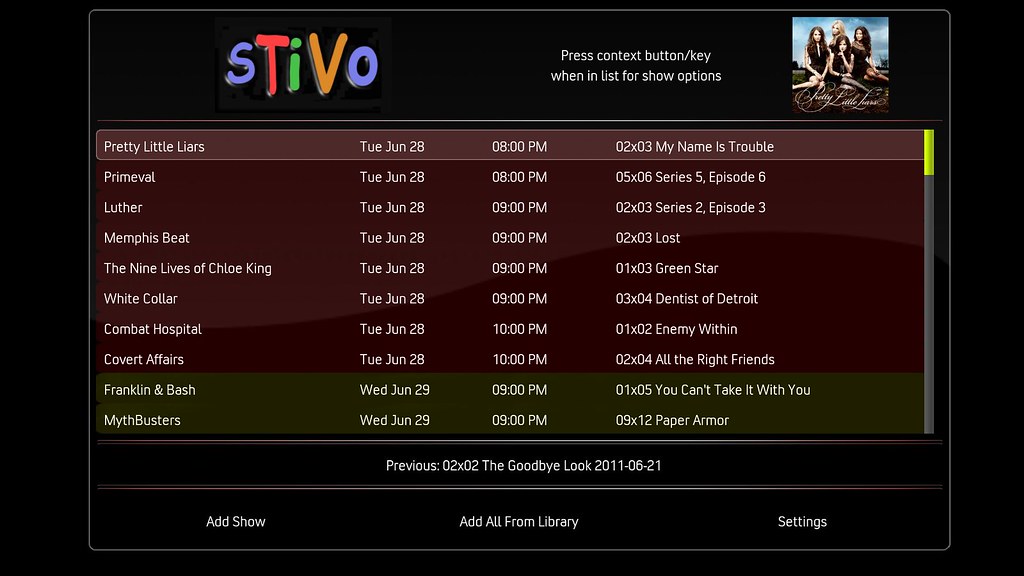
I'm using the SickBeard/SABnzbd combo to replace (retire) my TiVo HD.
And some days of the week I do have more than 6 shows... ![]() Thanks one more time for your mod!
(This post was last modified: 2011-06-27 16:20 by thewarm.)
|
| find quote |

![[Image: tbb_sig_2010.png]](http://www.teamblackbolt.co.uk/data/media/tbb_sig_2010.png)
![[Image: 5873695938_d55a5acc7b_b.jpg]](http://farm4.static.flickr.com/3218/5873695938_d55a5acc7b_b.jpg)

Search
Help