2011-08-20, 23:21
This is an UNOFFICAL update of the Fusion skin based on Genesis (v.0.9.0).

Fusion Migma
Fusion is by far the most goodlooking skin for XBMC at the moment, Archantur has done an amazing job on the graphics. I just thought it was a shame that the development of it has almost come to a stop. There were just a few things keeping me from using this as my main skin and I have now implemented those and also edited the skin a bit, giving it my own personal look.
One thing people may not agree with is that I have removed a bunch of [LOWERCASE] tags, simply because I thinks it looks better this way. I have only kept them where I personally think it looks good. Feel free to re-add them if you don't agree with me on this.
I have had some help by many before me for I have implemented some mods and fixes into this that were already out there. These people are: mstef, Crookas, saangler, >>X<<, tungmeister and probably many more. All credit to Archantur for the design and the skin itself basically.
Here are some of the new features:
* Custom Backdrops support for Home - Fading Backdrops like in Aeon, Night etc.
* Weather Info on Home
* Added stop button for OSD
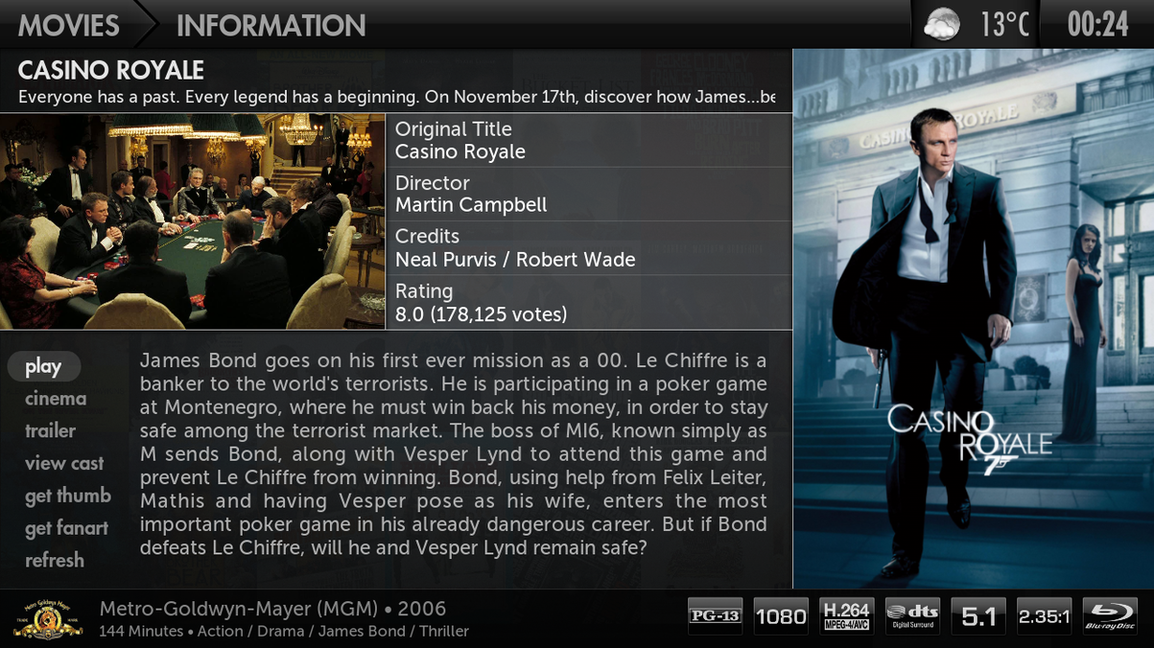
* Completely reworked Video Info
* Reworked Recently and Featured on Home
* Improved performance on Home
* Improved performance on Wall view
* Studio Flags support for Video Info
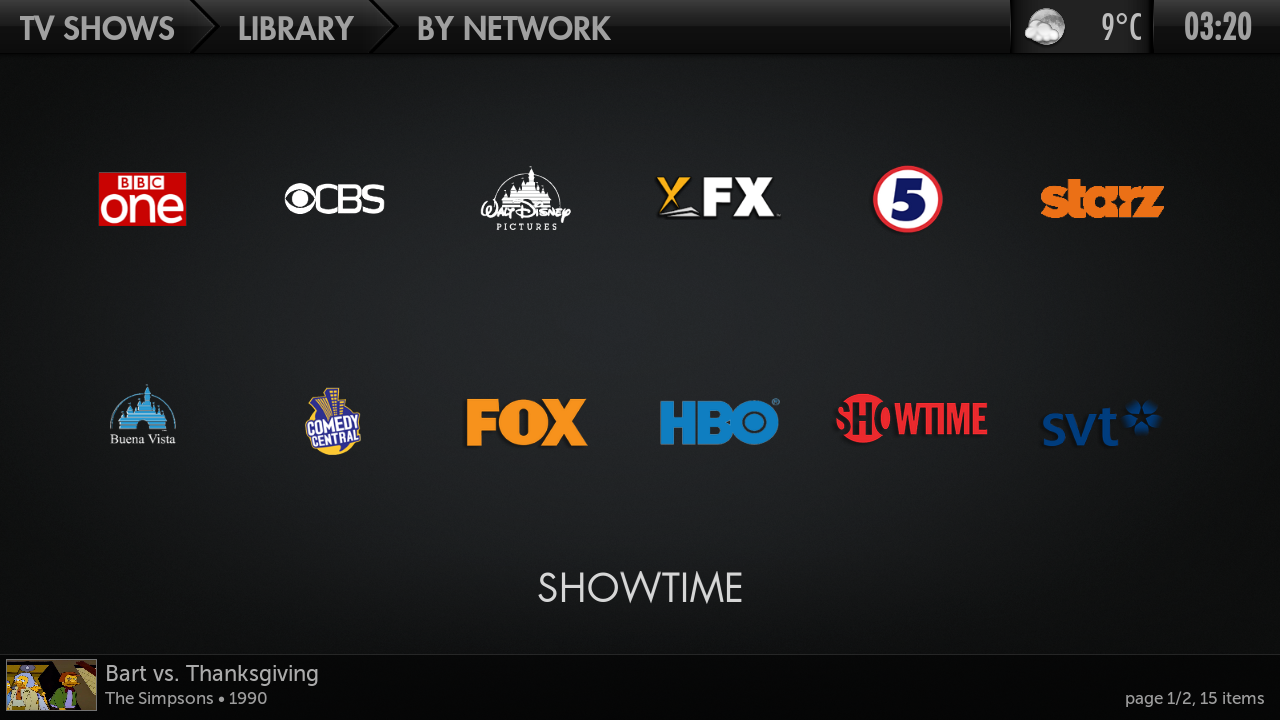
* Studio Flags support for TV Shows
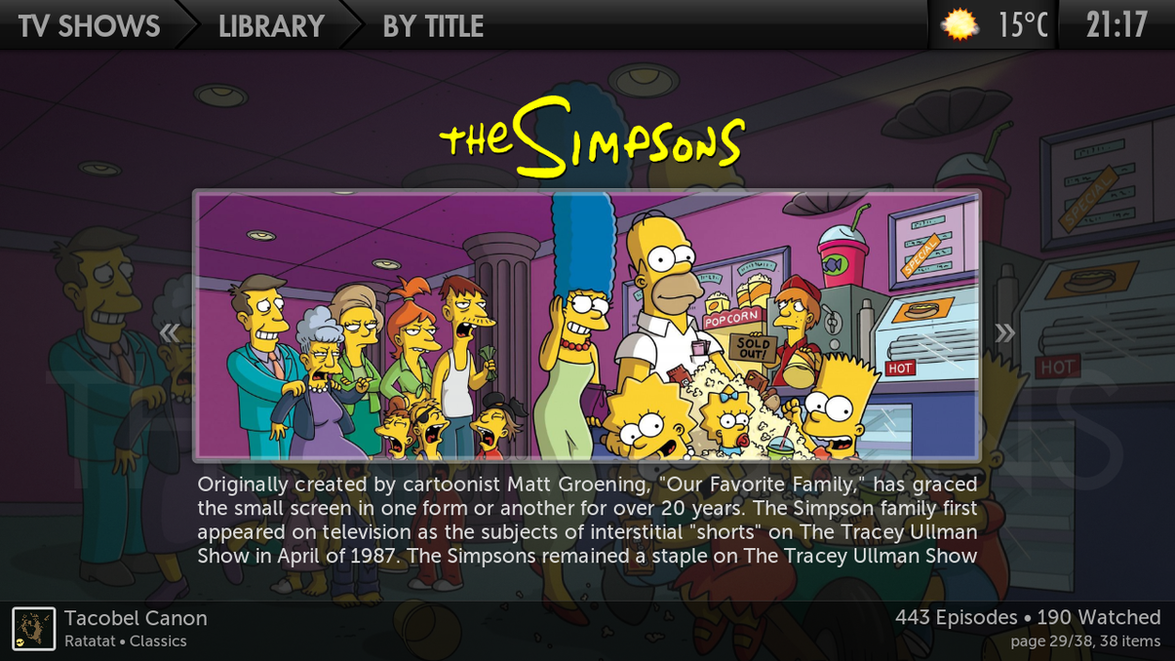
* ClearLOGO support for TV Shows
* ClearLOGO support for Music
* Extra Fanart support for TV Shows
* Extra Thumbs support for Video Info
* Cinema Experience support
* Logo Downloader support
* Genre icon and fanart support
* CDArt support for music
* Added MPAA ratingsflags
* New Viewtype: Grid - Finished Archanturs view
+ some bugfixes and some edits of viewtypes for better functionality
Things to do for upcoming releases:
* Add support for Weather Plus Add-on in fullscreen weather info
* Make a Grid view for Advanced Launcher
* Add support for more custom items
- please suggest features here and I will think about it
- i probably forgot some minor bugs and things in the making so just mention these in the comments and i will fix them on a 1.0.1 release.
DOWNLOAD 1.0.0 (DHARMA)
This skin is made for DHARMA 10.1, have not tested it on Nightlies but don't expect it to be bug-free.
PRE-EDEN NIGHTLIES
DOWNLOAD 1.1.5 (PRE-EDEN)
Version 1.1.5
Added "Formed" and "Years Active" etc. to Artist views.
Added sortletter popup.
Added video addons on "videos on demand" page.
Changed Grid view.
Changed KaiToast on Fullscreen Video.
Changed "Studios" to "Networks" for breadcrumbs in TV Shows.
Fixed settings.
Fixed system info.
+ More things, better views for Advanced Launcher for example.
Version 1.1.0
Added HDMovies, On Demand MenuItems.
Added "Enabled", "Downloading" etc. to all addon views.
Added media Flags to PosterShelf View.
Added landscape.jpg option to all wideviews.
Added in progress option for Movies and TV Shows.
Added HDTV, SDTV and DTheater media flags.
Added ability to click director in video info and get movies by that director.
Changed settings a bit to be more logical.
Changed a whole lot of animations to make the skin quicker.
Changed get subtitle dialog to be bigger and better.
Fixed select dialog.
Fixed video Info dialog when viewing content from video add-ons.
Fixed items offset in BigList2.
Fixed original banner showing for a split second before banner.jpg loads.
Fixed fanart bug in TV Shows.
Fixed breadcrumbs a bit.
Fixed breadcrumbs to use new Container.FolderName tag.
Fixed fanart not appering when "* All albums" are selected in music views.
Fixed a shitload off other small crap that I don't remember
Screenshots:
Custom Background and Reworked Featured/Recently Added.

Weather Info on Home.

Completely Reworked Video Info + Support for Studio Flags
ClearLOGO support for TV Shows
More Studio Flags
ALL SCREENSHOTS
Fusion Migma
Fusion is by far the most goodlooking skin for XBMC at the moment, Archantur has done an amazing job on the graphics. I just thought it was a shame that the development of it has almost come to a stop. There were just a few things keeping me from using this as my main skin and I have now implemented those and also edited the skin a bit, giving it my own personal look.
One thing people may not agree with is that I have removed a bunch of [LOWERCASE] tags, simply because I thinks it looks better this way. I have only kept them where I personally think it looks good. Feel free to re-add them if you don't agree with me on this.
I have had some help by many before me for I have implemented some mods and fixes into this that were already out there. These people are: mstef, Crookas, saangler, >>X<<, tungmeister and probably many more. All credit to Archantur for the design and the skin itself basically.
Here are some of the new features:
* Custom Backdrops support for Home - Fading Backdrops like in Aeon, Night etc.
* Weather Info on Home
* Added stop button for OSD
* Completely reworked Video Info
* Reworked Recently and Featured on Home
* Improved performance on Home
* Improved performance on Wall view
* Studio Flags support for Video Info
* Studio Flags support for TV Shows
* ClearLOGO support for TV Shows
* ClearLOGO support for Music
* Extra Fanart support for TV Shows
* Extra Thumbs support for Video Info
* Cinema Experience support
* Logo Downloader support
* Genre icon and fanart support
* CDArt support for music
* Added MPAA ratingsflags
* New Viewtype: Grid - Finished Archanturs view
+ some bugfixes and some edits of viewtypes for better functionality
Things to do for upcoming releases:
* Add support for Weather Plus Add-on in fullscreen weather info
* Make a Grid view for Advanced Launcher
* Add support for more custom items
- please suggest features here and I will think about it
- i probably forgot some minor bugs and things in the making so just mention these in the comments and i will fix them on a 1.0.1 release.
DOWNLOAD 1.0.0 (DHARMA)
This skin is made for DHARMA 10.1, have not tested it on Nightlies but don't expect it to be bug-free.
PRE-EDEN NIGHTLIES
DOWNLOAD 1.1.5 (PRE-EDEN)
Version 1.1.5
Added "Formed" and "Years Active" etc. to Artist views.
Added sortletter popup.
Added video addons on "videos on demand" page.
Changed Grid view.
Changed KaiToast on Fullscreen Video.
Changed "Studios" to "Networks" for breadcrumbs in TV Shows.
Fixed settings.
Fixed system info.
+ More things, better views for Advanced Launcher for example.
Version 1.1.0
Added HDMovies, On Demand MenuItems.
Added "Enabled", "Downloading" etc. to all addon views.
Added media Flags to PosterShelf View.
Added landscape.jpg option to all wideviews.
Added in progress option for Movies and TV Shows.
Added HDTV, SDTV and DTheater media flags.
Added ability to click director in video info and get movies by that director.
Changed settings a bit to be more logical.
Changed a whole lot of animations to make the skin quicker.
Changed get subtitle dialog to be bigger and better.
Fixed select dialog.
Fixed video Info dialog when viewing content from video add-ons.
Fixed items offset in BigList2.
Fixed original banner showing for a split second before banner.jpg loads.
Fixed fanart bug in TV Shows.
Fixed breadcrumbs a bit.
Fixed breadcrumbs to use new Container.FolderName tag.
Fixed fanart not appering when "* All albums" are selected in music views.
Fixed a shitload off other small crap that I don't remember
Screenshots:
Custom Background and Reworked Featured/Recently Added.
Weather Info on Home.
Completely Reworked Video Info + Support for Studio Flags
ClearLOGO support for TV Shows
More Studio Flags
ALL SCREENSHOTS