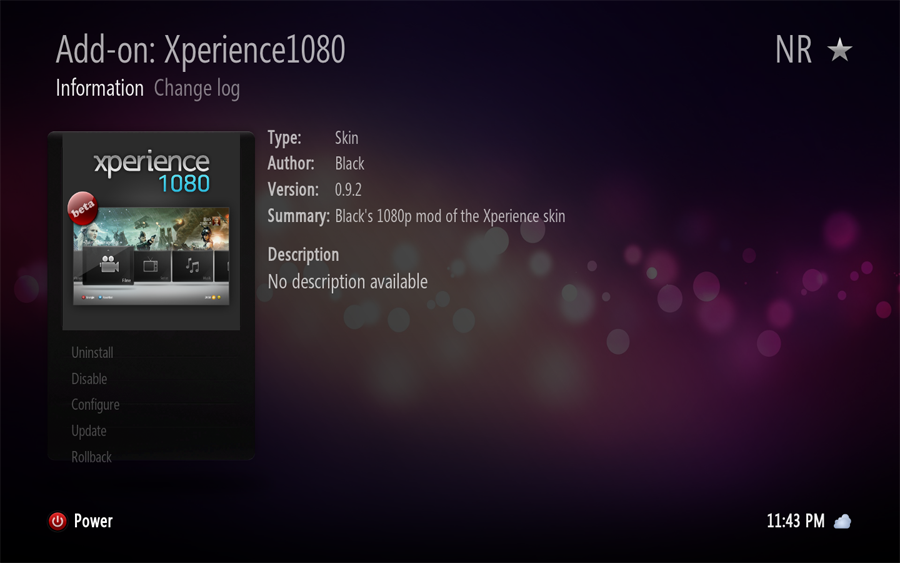
[RELEASE] Xperience1080 v0.9b (nightlies only)
publicENEMY
Senior Member Posts: 298 Joined: Nov 2010 Reputation: 0 |
2011-09-07 19:27
Post: #41
amazing skin. my favourite along with refocus
|
| find |
marjanovich
Member Joined: Mar 2010 Reputation: 1 Location: Sacramento, Ca |
2011-09-07 19:45
Post: #42
anyone been able to make Poster View available from addons (advanced launcher) yet?
Damon "Demios" Marjanovich XBMC System - AMD x6 4.2gHz, 16gb DDR3, SLI Nvidia 465, 12tb Sata 6gbps HDDs, 5tb USB 3.0 external HDDs What's behind your xbmc? |
| find |
Big_Noid
Skilled Skinner Joined: Jul 2010 Reputation: 68 Location: Below sea level |
2011-09-07 20:04
Post: #43
Great skin. Love the animations, don't wanna know how much time that took to tweak those
![]() Dirty regions is really messing up the media menu animation btw. |
| find |
Japaja
Fan Joined: May 2010 Reputation: 2 Location: Croatia |
2011-09-07 20:22
Post: #44
`Black Wrote:Recently added is also not appearing if you e.g. enter movies and go back to home? That's correct. Just can't get it to show up on home panels, but they do show in that guide menu and of course they work in other skins i.e. confluence. Just to be perfectly clear this is what I don't see: ![]() `Black Wrote:The text in the guide menu is probably hardcoded, will fix that. Yes, the guide menu text in Includes_GuideInterface.xml and it's just 4 words on that System Info tab starting with "Benutzer". And another small thing I found is that some skins under addons have invisible buttons like this (some have 1 some 2 buttons like this).
(This post was last modified: 2011-09-07 20:27 by Japaja.)
|
| find |
`Black
Skilled Skinner Joined: Apr 2009 Reputation: 50 Location: Germany |
2011-09-07 20:45
Post: #45
You're screenshot has the wrong aspect ratio, hasn't it? 1920x1080 or at least an aspect of 16:9 is recommended for this skin. And I don't have that issue with the buttons, e.g. Xeebo looks fine here.
Which XBMC version do you use? Don't use anything before the 1st of september, it may cause issues right up to freezing problems. This could also be the problem why recently added is not working for you, the skin uses the built-in recently added.
(This post was last modified: 2011-09-07 20:56 by `Black.)
|
| find |
samzstein
Senior Member Posts: 112 Joined: Mar 2011 Reputation: 0 |
2011-09-07 20:55
Post: #46
i love this skin, but I would like to request some additional features. Support for TV Show banners would be nice, as well as tv show logos, these could be included on the left hand side of the screen during the banner list view. Support for clear art would also be nice, display it during a pause. Support for studio art. As well as some additional views for tv show episodes.
|
| find |
`Black
Skilled Skinner Joined: Apr 2009 Reputation: 50 Location: Germany |
2011-09-07 21:11
Post: #47
Banners are supported but only locally stored banners. Enable it in the skin settings and download banners with logo downloader.
![]() I will not add clearart, logos (the will only be used in the tv guide) & studio art/flags. This is up to modders. Maybe if XBMC has multiple thumb support sometime, I'll reconsider it. |
| find |
otcho
Senior Member Posts: 162 Joined: Mar 2011 Reputation: 0 Location: Germany |
2011-09-07 21:12
Post: #48
Japaja Wrote:That's correct. Just can't get it to show up on home panels, but they do show in that guide menu [...] What guide menu? \edit: Regarding recently added: I'm able to see the images in the main menu. Using a build from 4th september.
(This post was last modified: 2011-09-07 21:25 by otcho.)
|
| find |
`Black
Skilled Skinner Joined: Apr 2009 Reputation: 50 Location: Germany |
2011-09-07 21:20
Post: #49
Press 'm'.
Here's a screenshot of the guide menu: ![]() Edit: 0.9.2 update is now in the repo.
(This post was last modified: 2011-09-07 21:33 by `Black.)
|
| find |
Japaja
Fan Joined: May 2010 Reputation: 2 Location: Croatia |
2011-09-08 00:02
Post: #50
`Black Wrote:You're screenshot has the wrong aspect ratio, hasn't it? 1920x1080 or at least an aspect of 16:9 is recommended for this skin. And I don't have that issue with the buttons, e.g. Xeebo looks fine here. The issues had nothing to do with the build (I update to latest all the time) it was a user error. So sorry about that I don't know what else to say except I'm totally embarrassed.![]() And about the invisible button.. u say u don't have issues with that particular button? So what does it say? Here are some (bad) photos I took of it running on my TV at full HD 16:9 resolution. Addons-Skins quartz and button with no text: ![]() And here is after I press enter on that button (looks like previous versions of skin are available for download ):
|
| find |


![[Image: homera.jpg]](http://www.pohrani.com/f/2W/h1/2keVH9TW/homera.jpg)
![[Image: all-fanart.jpg]](http://trakt.tv/user/japa/widgets/watched/all-fanart.jpg)
![[Image: xp1080-21.png]](http://www.planet-ira.de/wallpaper/xp1080-21.png)

![[Image: web.jpg?ver=13086770940001]](http://gallery.me.com/bl4ck09/100025/guidecontrolsmovie/web.jpg?ver=13086770940001)
So sorry about that I don't know what else to say except I'm totally embarrassed.
![[Image: photo-1.jpg]](http://www.pohrani.com/f/l/a8/2db202ny/photo-1.jpg)
):
Search
Help