Hi,
I have to say this is by far the best skin I have tested, and is the only one i am really using.
I had a couple of gripes, 1. When playing a movie if I happen to bump the mouse the movie info appears along with the play controls etc... that blocks the bottom half of the screen and if watching a movie with subtitles they get covered up and it takes about 3 to 4 seconds for it to disappear. 2. I like the thumbnail view, however on a large screen I felt it could take up more real-estate and still look cool.
In my travels I saw the control in the PM3.HD skin, and thought that would be less intrusive during playback if the mouse was bumped, and wouldn't cover up the sub-titles.
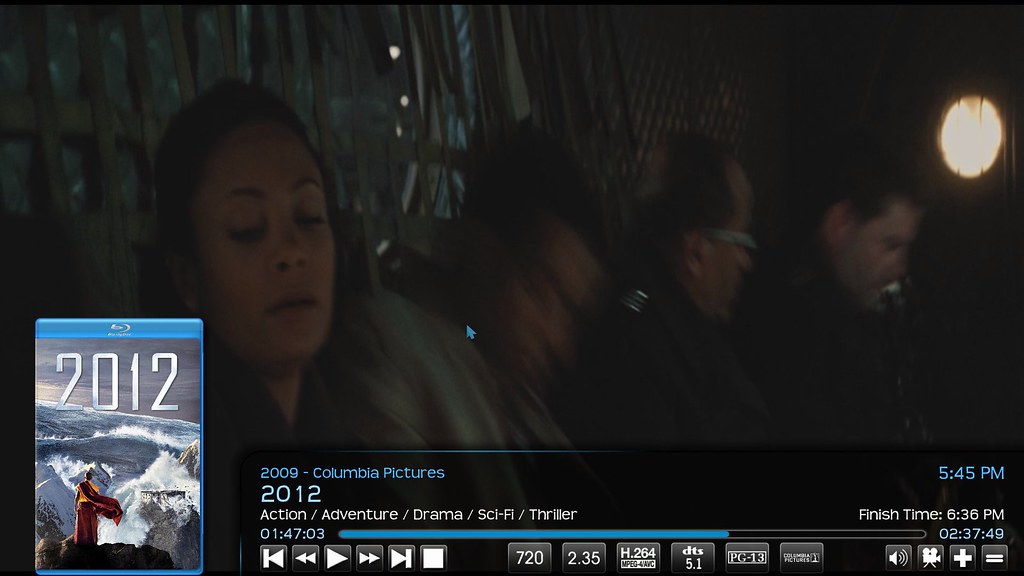
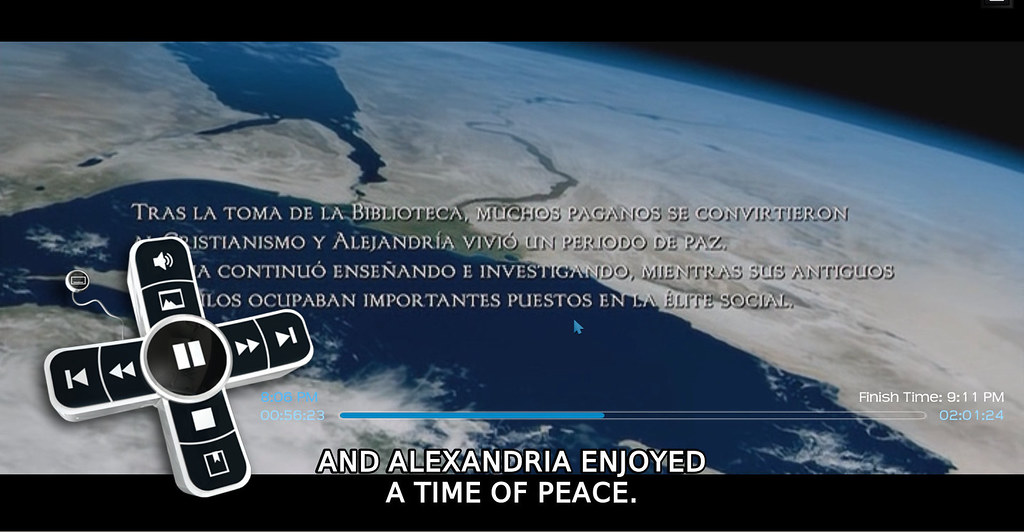
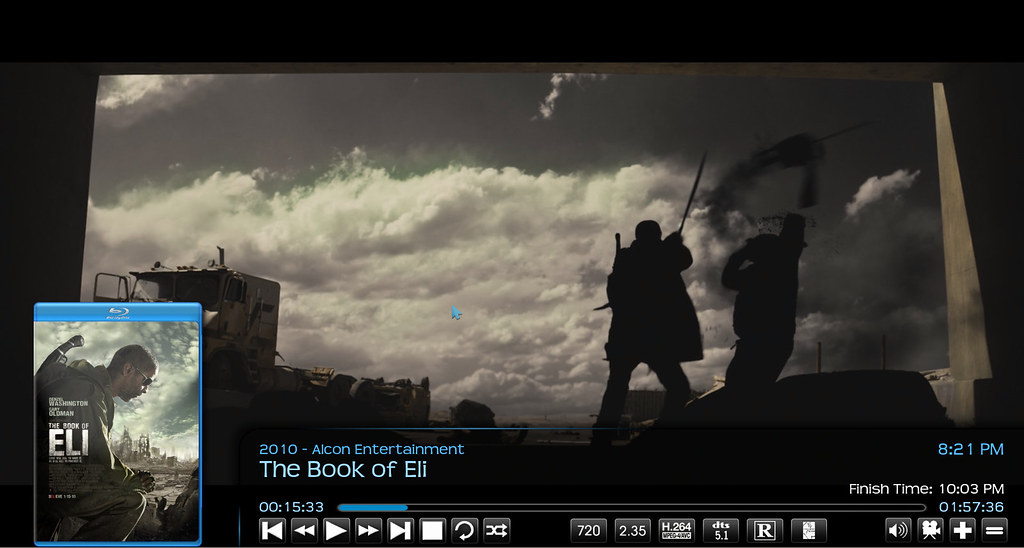
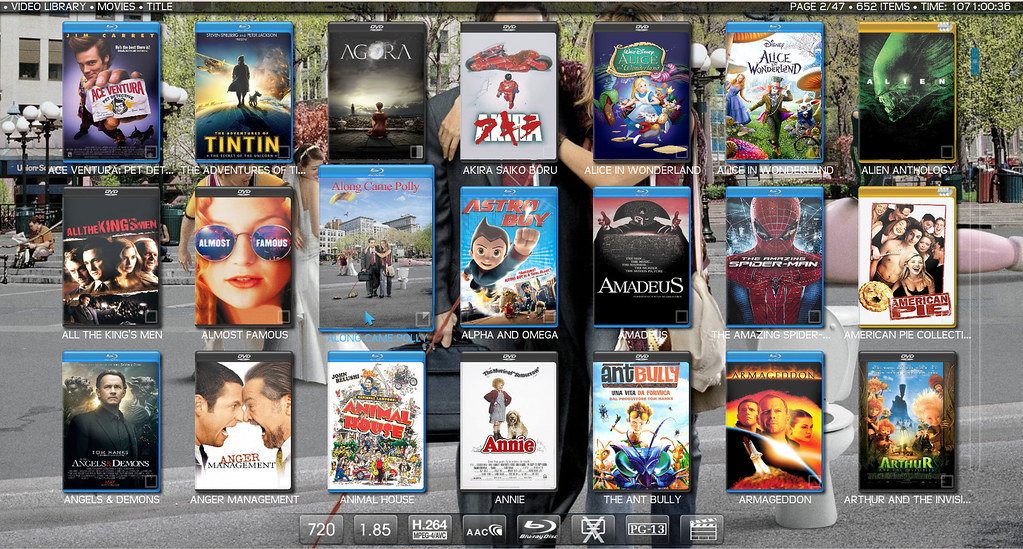
So after some playing around, help from Ronie, and thanks to the guys who came up with the idea in the PM3 skin, I have come up with a custom thumbnail view that has 3 rows with 7 movies each row, and during playback the xbox control, and the default controls and movie info from transparency when the movie is paused.
Some example screenshots and the zip file and instructions below:
During playback (moving the mouse brings this up instead)
Pausing the movie brings up default controls:
View of the larger thumbnail view (separate from the default view incase you prefer that):
Download and instructions:
https://www.dropbox.com/s/swt1frayqcpttq...ilview.zip
Extract the zip to the root of your transparency skin folder, make sure patch.diff and media are extracted to the root of the transparency skin folder.
open a command prompt and change to the root of your transparency skin folder ~/.xbmc/addons/skin.transparency
Then run:
If you only want the new thumbnail view then edit patch.diff and delete from line 328 to 807 down to line 807.
Thanks Ronie for all your assistance with this
A successful patch will produce the following:
Windows Users
Follow this post: http://forum.xbmc.org/showpost.php?p=102...stcount=16
***UPDATED New download link to latest version as of 7th Dec 2013
I have to say this is by far the best skin I have tested, and is the only one i am really using.
I had a couple of gripes, 1. When playing a movie if I happen to bump the mouse the movie info appears along with the play controls etc... that blocks the bottom half of the screen and if watching a movie with subtitles they get covered up and it takes about 3 to 4 seconds for it to disappear. 2. I like the thumbnail view, however on a large screen I felt it could take up more real-estate and still look cool.
In my travels I saw the control in the PM3.HD skin, and thought that would be less intrusive during playback if the mouse was bumped, and wouldn't cover up the sub-titles.
So after some playing around, help from Ronie, and thanks to the guys who came up with the idea in the PM3 skin, I have come up with a custom thumbnail view that has 3 rows with 7 movies each row, and during playback the xbox control, and the default controls and movie info from transparency when the movie is paused.
Some example screenshots and the zip file and instructions below:
During playback (moving the mouse brings this up instead)
Pausing the movie brings up default controls:
View of the larger thumbnail view (separate from the default view incase you prefer that):
Download and instructions:
https://www.dropbox.com/s/swt1frayqcpttq...ilview.zip
Extract the zip to the root of your transparency skin folder, make sure patch.diff and media are extracted to the root of the transparency skin folder.
open a command prompt and change to the root of your transparency skin folder ~/.xbmc/addons/skin.transparency
Then run:
Code:
patch -p0 < patch.diffIf you only want the new thumbnail view then edit patch.diff and delete from line 328 to 807
Code:
--- ./720p/VideoOSD.xmlThanks Ronie for all your assistance with this
A successful patch will produce the following:
Code:
patching file ./720p/DialogSeekBar.xml

patching file ./720p/Includes.xml

patching file ./720p/MyVideoNav.xml

patching file ./720p/SkinSettings.xml

patching file ./720p/VideoOSD.xml

patching file ./720p/View-Thumbnail1.xml
Windows Users
Follow this post: http://forum.xbmc.org/showpost.php?p=102...stcount=16
***UPDATED New download link to latest version as of 7th Dec 2013