Ronie,
I would like the PLAY DISC menu item to only show up when a DVD has been inserted in the DVD drive. How do I go about accomplishing that?
winestock
Fan Posts: 398 Joined: Jan 2011 Reputation: 4 |
2012-02-17 21:38
Post: #1
XBMC Frodo 12.2, Transparency Skin (5.0.9) PogoPlug v4 running Arm Linux 3.9.2-0 as MySQL (mariadb) and media file server for XBMC Mac OS X 10.8.3 2011 27" iMac 3.4 GHz Quad, 16GB RAM, 1TB HD, 256GB SSD 2009 2.0GHz MacMini, 4GB RAM, 320GB HD 2009 17" Macbook Pro, 8GB RAM, 500GB HD |
| find quote |
bluray
Posting Freak Joined: May 2011 Reputation: 139 |
2012-02-17 21:45
Post: #2
winestock Wrote:Ronie,Are you saying you want DVD to playback using XBMC "Play Disc" option and BD to playback using external player? >Alienware X51- do it all HTPC >Simplify XBMC configurations >HOW-TO Bitstreaming using XBMC I refused to watch movie without bitstreaming HD audio! |
| find quote |
winestock
Fan Posts: 398 Joined: Jan 2011 Reputation: 4 |
2012-02-17 22:24
Post: #3
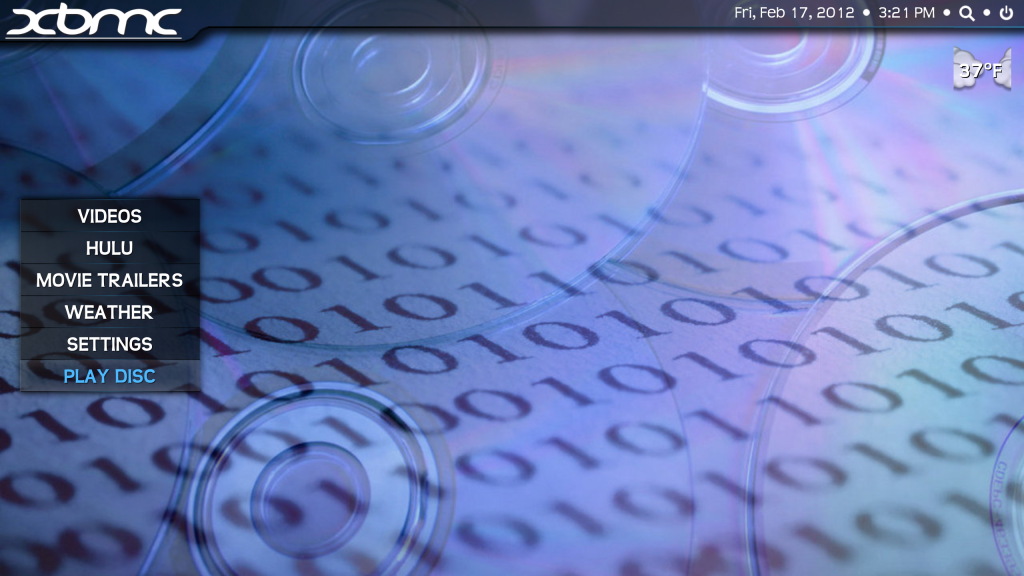
I want the PLAY DISC menu item to only show up when a DVD disc is inserted into the DVD drive:
XBMC Frodo 12.2, Transparency Skin (5.0.9) PogoPlug v4 running Arm Linux 3.9.2-0 as MySQL (mariadb) and media file server for XBMC Mac OS X 10.8.3 2011 27" iMac 3.4 GHz Quad, 16GB RAM, 1TB HD, 256GB SSD 2009 2.0GHz MacMini, 4GB RAM, 320GB HD 2009 17" Macbook Pro, 8GB RAM, 500GB HD |
| find quote |
ronie
Team-XBMC Member Joined: Jan 2009 Reputation: 111 |
2012-02-17 23:39
Post: #4
in Includes_Home.xml, make the change in bold (in two places in the file):
<visible>Skin.HasSetting(Menu_PlayDisc) + System.HasMediaDVD</visible> Always read the XBMC online-manual, FAQ and search the forum before posting. Do not PM or e-mail XBMC-Team members directly asking for support. Read/follow the forum rules. For troubleshooting and bug reporting please make sure you read this first. |
| find quote |
bluray
Posting Freak Joined: May 2011 Reputation: 139 |
2012-02-18 00:08
Post: #5
winestock Wrote:I want the PLAY DISC menu item to only show up when a DVD disc is inserted into the DVD drive:I see, and that is skin related. Bet3 with Confluence skin don't have this problem. "Play Disc" show up only when it detect BD in BD-ROM. >Alienware X51- do it all HTPC >Simplify XBMC configurations >HOW-TO Bitstreaming using XBMC I refused to watch movie without bitstreaming HD audio! |
| find quote |
winestock
Fan Posts: 398 Joined: Jan 2011 Reputation: 4 |
2012-02-18 00:10
Post: #6
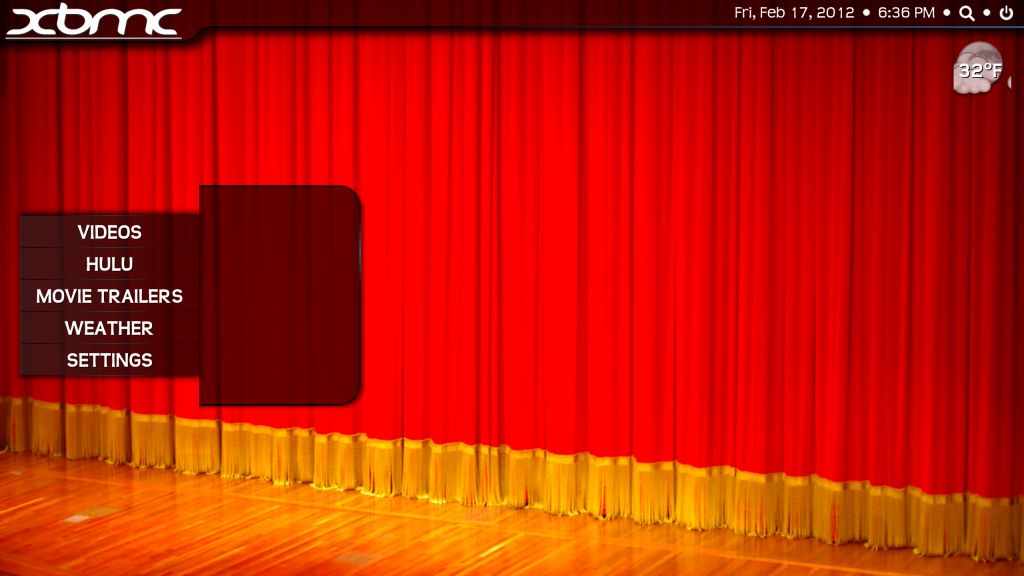
Thanks. That worked great but now I do I get rid of the placeholder graphics left over on the screen. If you look at this picture you will see what is left over just below WEATHER where PLAY DISC would be shown:
XBMC Frodo 12.2, Transparency Skin (5.0.9) PogoPlug v4 running Arm Linux 3.9.2-0 as MySQL (mariadb) and media file server for XBMC Mac OS X 10.8.3 2011 27" iMac 3.4 GHz Quad, 16GB RAM, 1TB HD, 256GB SSD 2009 2.0GHz MacMini, 4GB RAM, 320GB HD 2009 17" Macbook Pro, 8GB RAM, 500GB HD |
| find quote |
winestock
Fan Posts: 398 Joined: Jan 2011 Reputation: 4 |
2012-02-18 00:15
Post: #7
The solution I found, in Includes_Home.xml (in two places in the file):
Change: <visible>Skin.HasSetting(Menu_PlayDisc)</visible> To: <visible>System.HasMediaDVD</visible> XBMC Frodo 12.2, Transparency Skin (5.0.9) PogoPlug v4 running Arm Linux 3.9.2-0 as MySQL (mariadb) and media file server for XBMC Mac OS X 10.8.3 2011 27" iMac 3.4 GHz Quad, 16GB RAM, 1TB HD, 256GB SSD 2009 2.0GHz MacMini, 4GB RAM, 320GB HD 2009 17" Macbook Pro, 8GB RAM, 500GB HD |
| find quote |
ronie
Team-XBMC Member Joined: Jan 2009 Reputation: 111 |
2012-02-18 00:20
Post: #8
winestock Wrote:Thanks. That worked great but now I do I get rid of the placeholder graphics left over on the screen. If you look at this picture you will see what is left over just below WEATHER where PLAY DISC would be shown: ah, you also need to change line 2708: Code: <animation effect="slide" end="0,20" time="0" condition="Skin.HasSetting(Menu_PlayDisc) [b]+ System.HasMediaDVD[/b]">Conditional</animation>Always read the XBMC online-manual, FAQ and search the forum before posting. Do not PM or e-mail XBMC-Team members directly asking for support. Read/follow the forum rules. For troubleshooting and bug reporting please make sure you read this first. |
| find quote |
winestock
Fan Posts: 398 Joined: Jan 2011 Reputation: 4 |
2012-02-18 00:40
Post: #9
I found I also needed to change lines 2462 and 2497.
XBMC Frodo 12.2, Transparency Skin (5.0.9) PogoPlug v4 running Arm Linux 3.9.2-0 as MySQL (mariadb) and media file server for XBMC Mac OS X 10.8.3 2011 27" iMac 3.4 GHz Quad, 16GB RAM, 1TB HD, 256GB SSD 2009 2.0GHz MacMini, 4GB RAM, 320GB HD 2009 17" Macbook Pro, 8GB RAM, 500GB HD |
| find quote |
winestock
Fan Posts: 398 Joined: Jan 2011 Reputation: 4 |
2012-02-18 01:41
Post: #10
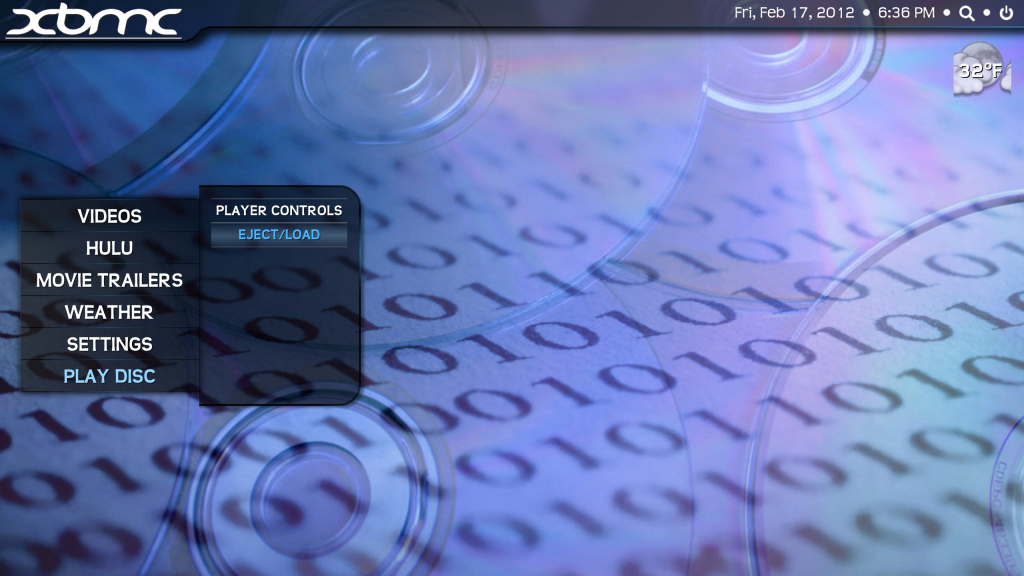
Another question. How do I automatically get rid of the slide out sub-menu after the DVD has been ejected?
Before the DVD has been ejected: ![]() After the DVD has been ejected:
XBMC Frodo 12.2, Transparency Skin (5.0.9) PogoPlug v4 running Arm Linux 3.9.2-0 as MySQL (mariadb) and media file server for XBMC Mac OS X 10.8.3 2011 27" iMac 3.4 GHz Quad, 16GB RAM, 1TB HD, 256GB SSD 2009 2.0GHz MacMini, 4GB RAM, 320GB HD 2009 17" Macbook Pro, 8GB RAM, 500GB HD |
| find quote |

![[Image: ScreenShot2012-02-17at63632PM.png]](http://i1202.photobucket.com/albums/bb369/winestock/ScreenShot2012-02-17at63632PM.png)
Search
Help