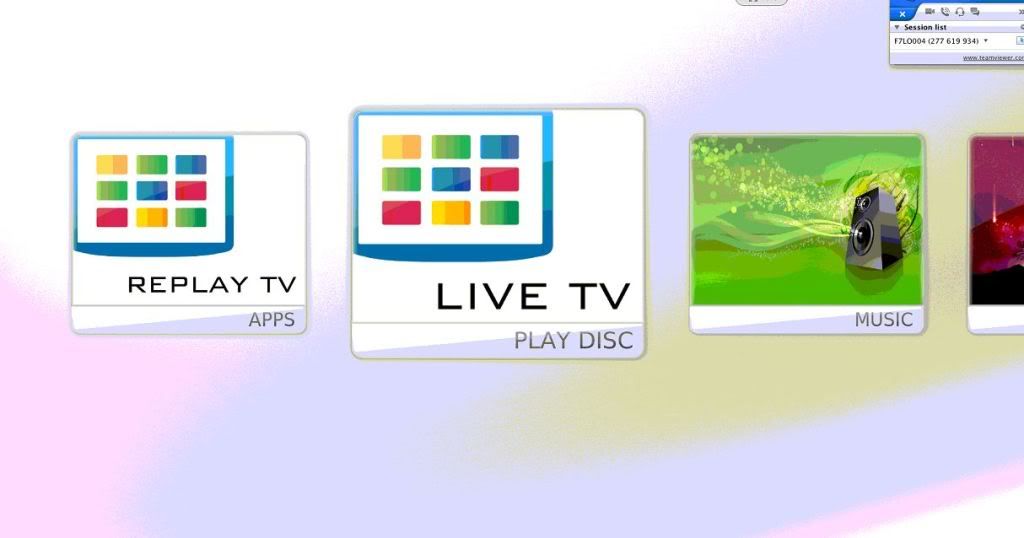
Alaska revisited all tweaked and looking perfect.
But for some reason, half way through doing all this, a new, unwanted item appeared as
first option in Video menu: "load/eject disc"
Went through the xml several times, couldn't find anything about that menu...
Would you know how to get rid of it?
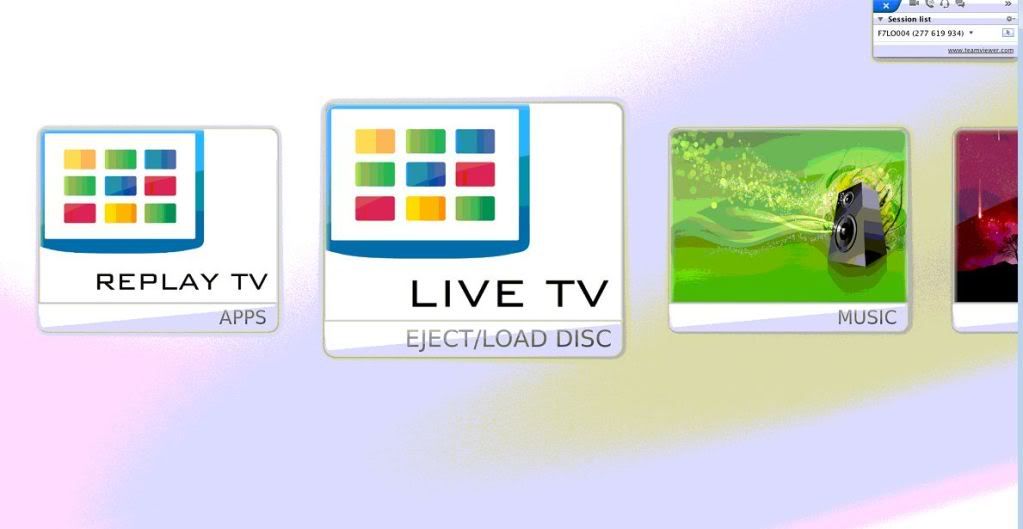
Getting rid of "load/eject disc" under Video menu?
wimmy
Junior Member Posts: 25 Joined: Mar 2012 Reputation: 0 |
2012-03-21 09:30
Post: #1
|
| find quote |
wimmy
Junior Member Posts: 25 Joined: Mar 2012 Reputation: 0 |
2012-03-22 11:03
Post: #2
Anyone?
|
| find quote |
wimmy
Junior Member Posts: 25 Joined: Mar 2012 Reputation: 0 |
2012-03-23 10:33
Post: #3
![]()
|
| find quote |
Hitcher
Skilled Skinner Joined: Aug 2007 Reputation: 67 Location: Eastleigh, UK |
2012-03-23 17:29
Post: #4
Have you got a disc in the drive?
![]() |
| find quote |
wimmy
Junior Member Posts: 25 Joined: Mar 2012 Reputation: 0 |
2012-03-23 19:15
Post: #5
Nope. Mac Mini no drive.
Ejected and got rid for good of WD smart virtual drive too. Canceled remote disc sharing. Still showing |
| find quote |
Hitcher
Skilled Skinner Joined: Aug 2007 Reputation: 67 Location: Eastleigh, UK |
2012-03-23 19:18
Post: #6
Remove the controls that have <visible>System.HasMediaDVD</visible> in Includes_HomeDefault.xml.
![]() |
| find quote |
wimmy
Junior Member Posts: 25 Joined: Mar 2012 Reputation: 0 |
2012-03-23 21:35
Post: #7
Thanks a mill Hitcher.
Had to remove items as well, but worked in the end!
(This post was last modified: 2012-03-24 03:11 by wimmy.)
|
| find quote |

![[Image: Capture2.jpg]](http://i158.photobucket.com/albums/t105/wimmykaos/Capture2.jpg)
![[Image: sig_zps3af3b48e.jpg]](http://i620.photobucket.com/albums/tt289/Arcanthur/Celestium/sig_zps3af3b48e.jpg)
Search
Help