[WIP] PVR Support

  Thread Rating:
  • 0 Votes - 0 Average
  • 1
  • 2
  • 3
  • 4
  • 5
Post Reply
dekani Offline
Junior Member
Posts: 28
Joined: Aug 2010
Reputation: 1
Location: France
Post: #1
Hello,

A list of screenshots of supported functionalities for a PVR support in Metropolis.
(Tested with openelec PVR 2.0Beta5)

To enable the Live TV functionalities, please first enable Live TV (PVR) support in the Metropolis skin settings. (general tab)

Actual known limitations/support :
- live radios aren't supported, (I can't test it)
- perhaps some others things are missing...
- I'm searching new images and icons for the tv part too..


Home screen (I have used the tv show's picture) :
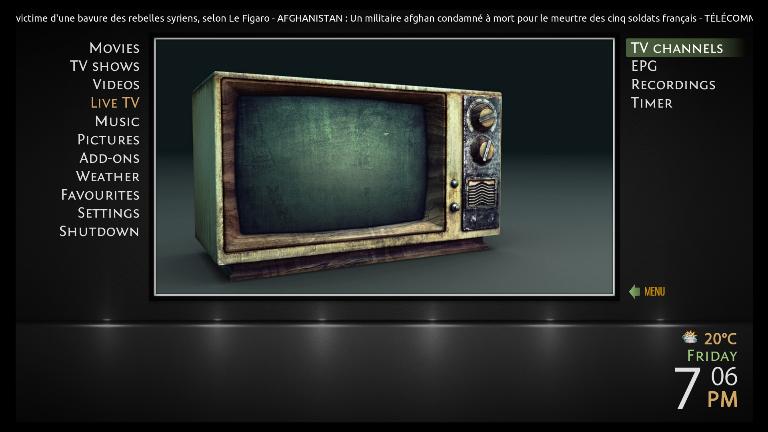
[Image: TVHome.jpg?raw=true]

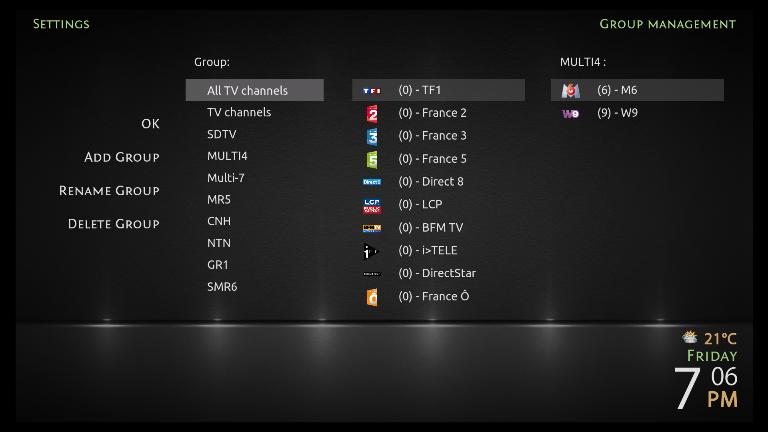
TV Channel and group manager settings :
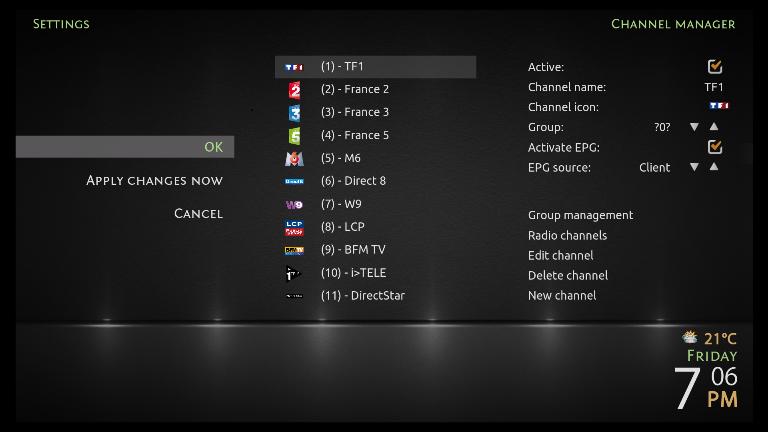
[Image: TVChannelManager.jpg?raw=true]

[Image: TVGroupManager.jpg?raw=true]
(This post was last modified: 2012-08-14 22:11 by dekani.)
find quote
dekani Offline
Junior Member
Posts: 28
Joined: Aug 2010
Reputation: 1
Location: France
Post: #2
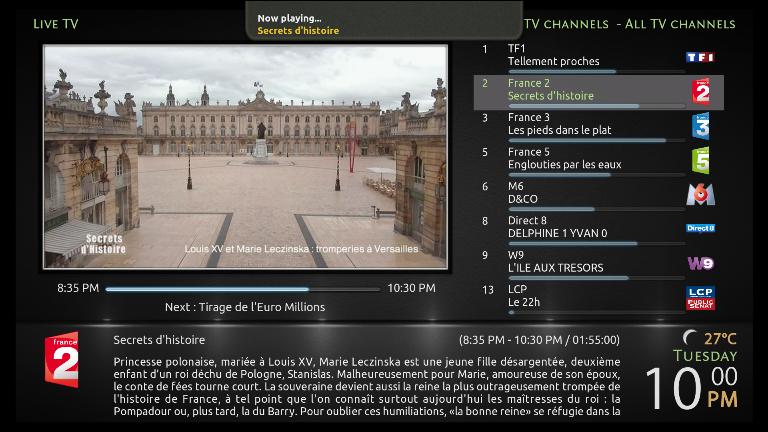
Live TV Channel View

[Image: TVChannelLive.jpg?raw=true]

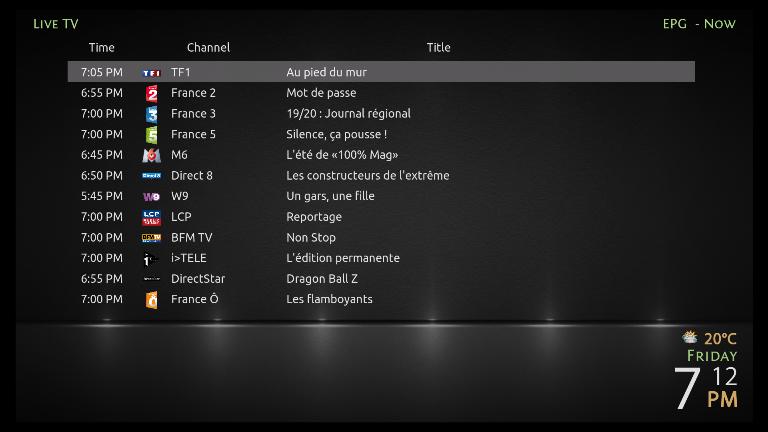
EPG Now View

[Image: TVEPGNow.jpg?raw=true]

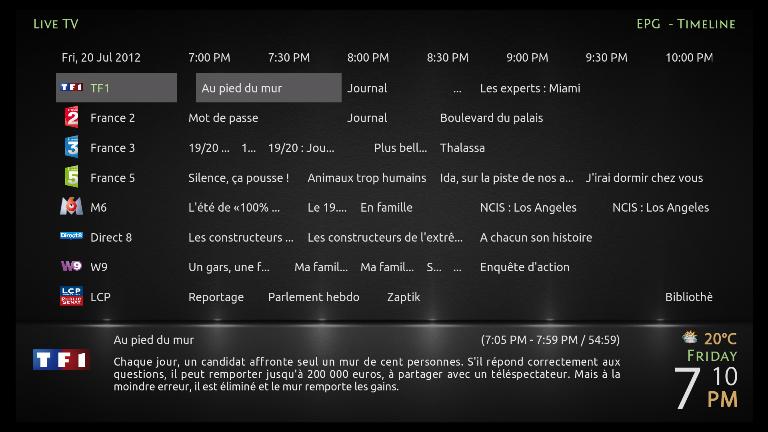
EPG Timeline View

[Image: TVEPGTimeLine.jpg?raw=true]
(This post was last modified: 2012-07-12 22:31 by dekani.)
find quote
dekani Offline
Junior Member
Posts: 28
Joined: Aug 2010
Reputation: 1
Location: France
Post: #3
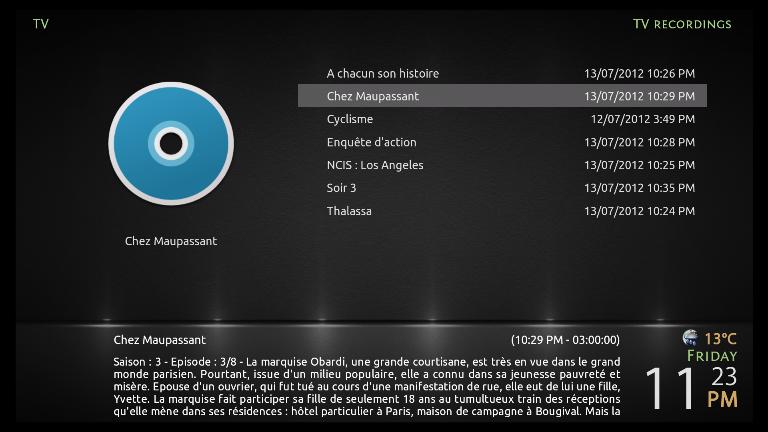
Recording View

[Image: TVRecordings.jpg?raw=true]

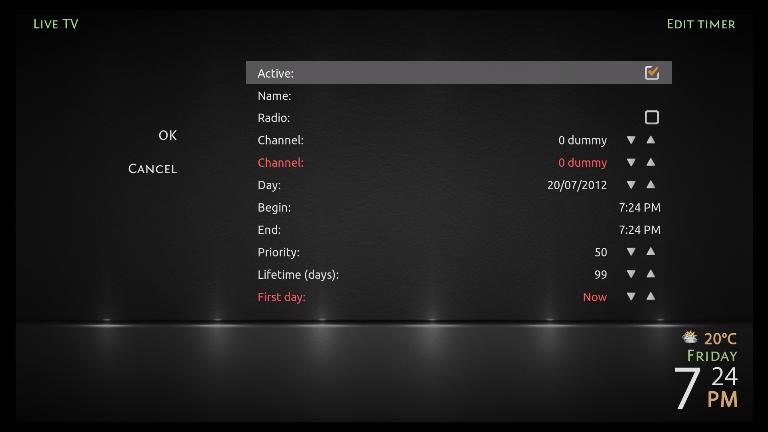
Timer Settings

[Image: TVTimers.jpg?raw=true]

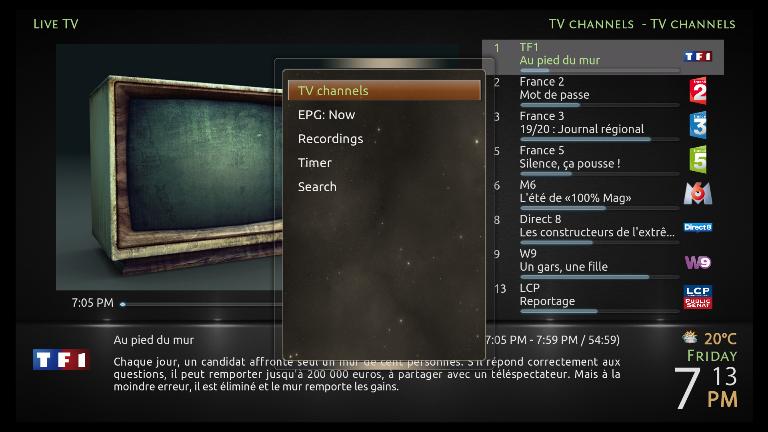
TV Channel Contextual Menu

[Image: TVChannelContextualMenu.jpg?raw=true]
(This post was last modified: 2012-07-14 17:27 by dekani.)
find quote
dekani Offline
Junior Member
Posts: 28
Joined: Aug 2010
Reputation: 1
Location: France
Post: #4
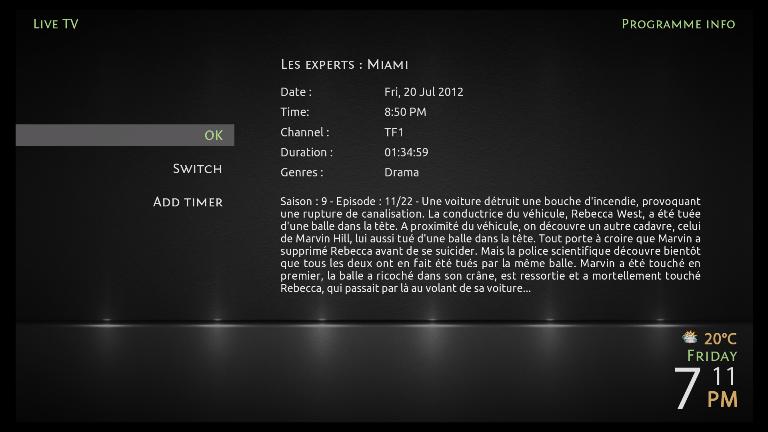
EPG Guide Info

[Image: TVEPGGuideInfo.jpg?raw=true]

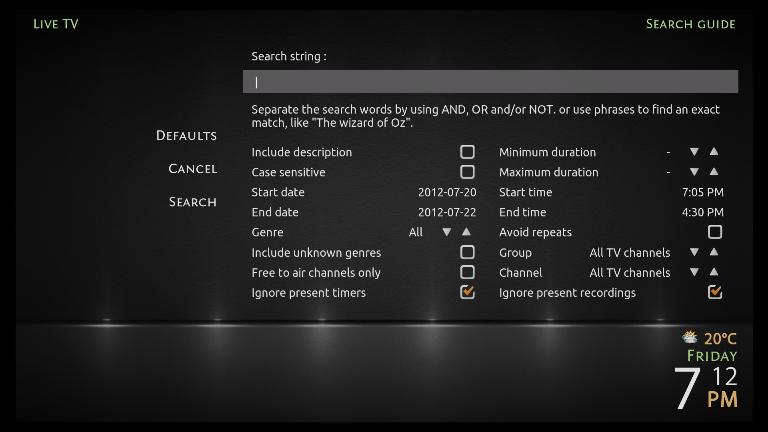
EPG Search Guide

[Image: TVSearchGuide.jpg?raw=true]

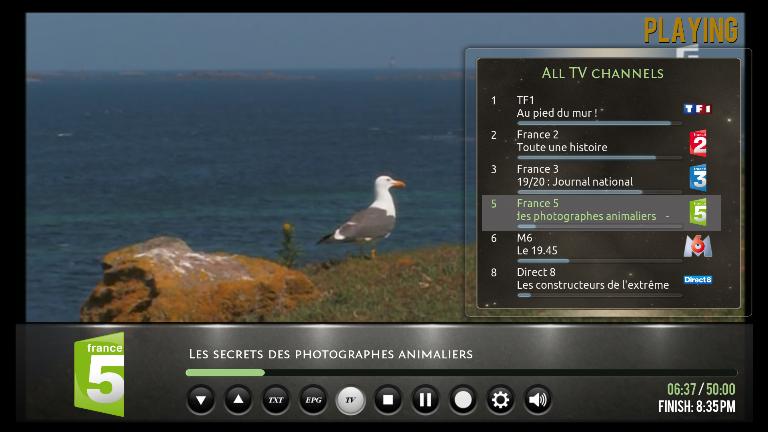
TV Channels OSD

[Image: TVChannelsOSD.jpg?raw=true]

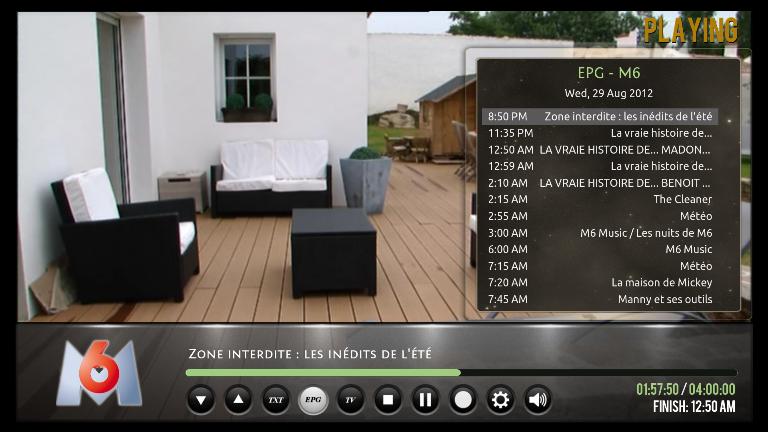
TV Guide OSD

[Image: TVGuideOSD.jpg?raw=true]
(This post was last modified: 2012-08-27 23:15 by dekani.)
find quote
lajbans Offline
Junior Member
Posts: 28
Joined: Oct 2007
Reputation: 0
Post: #5
Very nice, works well.

Just got a question, is it possible to make the lower bar smaller when viewing live tv channel view, the first picture that is.
And maybe the channellist wider.

Otherwise very nice job!
find quote
dekani Offline
Junior Member
Posts: 28
Joined: Aug 2010
Reputation: 1
Location: France
Post: #6
Thank you.

About the channel list, I will see to enlarge it or to use a smaller font to display more items.
For the lower bar, is it the bar where temperature, date and time are displayed ? If yes, it isn't possible to change it because it is the default background used by all screens.

Edit : Done, please see the screenshot. (font size reduced and list enlarged)
(This post was last modified: 2012-07-24 21:35 by dekani.)
find quote
daunjan Offline
Junior Member
Posts: 49
Joined: Jul 2012
Reputation: 0
Post: #7
I cant find ''enable the Live TV Settings'' have you taken it out?

Openelec PVR in lounge 6tb of storage...
XBMC PVR on 27in I3 Mac in bedroom...
Ipad 2 running XBMC...

What more do you want...
find quote
jingai Offline
Skilled Skinner
Posts: 871
Joined: Mar 2010
Reputation: 6
Post: #8
(2012-08-14 07:08)daunjan Wrote:  I cant find ''enable the Live TV Settings'' have you taken it out?

Certainly not intentionally. I just checked here, and it's still in System->Metropolis->General as "Enable Live TV (PVR) support".

Do remember that this is a feature currently only available in the latest unstable releases of the skin available via the Passion repo. If you're using the official repository, you won't see it yet (but it will be there in the coming weeks when we're done testing).

You will also need a branch of XBMC that contains PVR support, obviously.
find quote
thatguy7669 Offline
Senior Member
Posts: 229
Joined: Nov 2011
Reputation: 6
Location: Leipzig, Germany
Post: #9
i'm soooo glad to see this awsome skin getting pvr support Big Grin.

i've modded it slightly to my liking (added radio support, still want to add osd channel-epg & channel guide+ i've enabled the calling of the random items script by the user like in aeon-nox). if you're intrested in adding it to the master send me a quick pm on how to go best about merging it, since i'm still new to actually working with git.

keep up the good work, and again thank's for the pvr support Big Grin
find quote
jingai Offline
Skilled Skinner
Posts: 871
Joined: Mar 2010
Reputation: 6
Post: #10
thatguy7669,

You have three options. You can send me the modified files; you can use git-format-patch to generate patch files and send them to me; or you can submit a pull request yourself.

For the latter, I'm going to assume you already have your github account with SSH key(s) installed. On https://github.com/stoli/Metropolis you'll want to click "Fork" in the upper-right corner to create your own personal fork on which you'll do your work. Then, pull your fork locally to your computer like:

% git clone git@github.com:thatguy7669/Metropolis.git

Obviously replace "thatguy7669" with whatever your name is.

Then add the upstream remote so you can periodically pull in changes others make:

% git remote add upstream git@github.com:stoli/Metropolis.git
% git fetch upstream

You can use the second command there to fetch any upstream changes whenever you like.

Now make a branch for your changes:

% git checkout -b pvr_fixes (or whatever you want to call it)

Make your changes and commit them. Then push the branch up to your fork:

% git push origin pvr_fixes:pvr_fixes

In a web browser, go to your fork on github (https://github.com/thatguy7669/Metropolis) and you'll see a line item for your branch you just pushed with a button that lets you submit a pull request. Click that, fill out the description telling us what it is, and you're done.
find quote
Post Reply