Posts: 656
Joined: Jul 2004
Reputation:
2
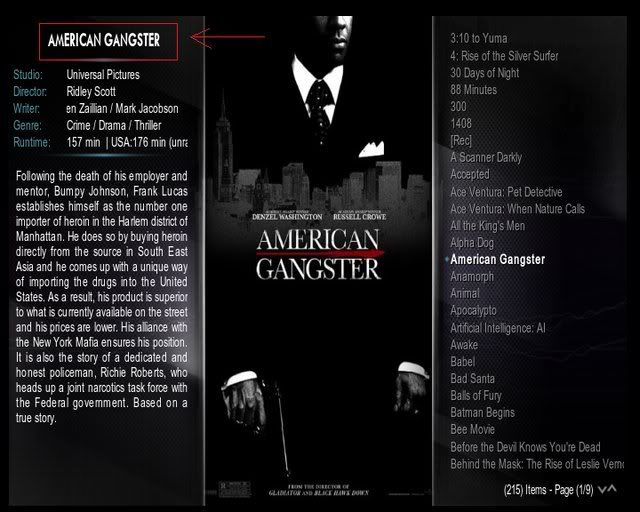
craze7: looks like you have selected a 16x9 resolution on a 4x3 screen ?
Posts: 173
Joined: Jan 2008
Reputation:
0
Can someone explain me how to fix the "Programs" and "Emulators" links in the menu? Both bring me to the "Programs" list and not to the exact map on my harddrive. Thanks in advance!
I'm also wondering if it wouldn't be nice to adapt the music view, so it will first show a big album thumb and then fade to a smaller one including the album info. This view was called "Media Info" in the first Vision skin.
Posts: 196
Joined: Apr 2007
Reputation:
0
been using this skin since it came out on my low res tv it looks damn sexy even though its a shitty tv
Posts: 1,787
Joined: May 2008
Reputation:
8
xbs08
Posting Freak
Posts: 1,787
I would like to add a "Play Disc" button to the "Run Scripts & Plugins" in the home screen, changing it to "Run Disc, Scripts & Plugins" in the Strings.xml.
I've notice a "empty" button assignment in the Home.xml (<control type="button" id="104"> just after the Apple Movie Trailers button assignment). Could i use this "empty button" to add my Run Disc botton, and if yes, can anyone tell me what code i have to change/add to acheive this?
Thanks
- Intel NUC Kit DN2820FYKH ~ Crucial DDR3L SO-DIMM 4GB ~ SanDisk ReadyCache 32GB SSD ~ Microsoft MCE model 1039 RC6 remote
Posts: 67
Joined: Jul 2008
Reputation:
-20
I was trying to add Cast Information on the Video Library main screen. I added the following code to ViewsVideoLibrary.xml:
<control type="textbox">
<description>Cast</description>
<posx>10</posx>
<posy>210</posy>
<width>355</width>
<height>150</height>
<font>font11</font>
<textcolor>white</textcolor>
<align>justify</align>
<label>$INFO[ListItem.CastAndRole]</label>
<autoscroll time="2000" delay="3000" repeat="5000">!Skin.HasSetting(AutoScroll)</autoscroll>
</control>
It doesn't work.
Can we show Cast information at all? I assumed so, because you show it on Movie Information. If I click on Movie Information, I can see the Cast there... Following code shows the button for Cast in DialogVideoInfo.xml. However, I couldn't find what built-in function it calls... Does anyone know?
<control type="button" id="5">
<description>Cast/Review</description>
<posx>0</posx>
<posy>0</posy>
<include>ButtonInfoDialogsCommonValues</include>
<label>206</label>
<onleft>11</onleft>
<onright>8</onright>
<onup>49</onup>
<ondown>50</ondown>
</control>
Posts: 1,787
Joined: May 2008
Reputation:
8
xbs08
Posting Freak
Posts: 1,787
Vision 2 – Strings.xml
<string id="31017">scripts, plugins & Disc</string>
I decided to put the Disc last because the button will be the last one in the list
Vision 2 – Home.xml
(when i mentioned "empty" button this was on a previous build, in the newer ones you will have to modify some stuff, this section is almost at the end, in the scripts part of the code)
<control type="button" id="104">
<description>Button4</description>
<height>22</height>
<width>320</width>
<label> Run Disc </label>
<font>font12</font>
<onclick>XBMC.PlayDVD()</onclick>
<align>center</align>
<aligny>center</aligny>
<textcolor>grey</textcolor>
<focusedcolor>white</focusedcolor>
<texturefocus>-</texturefocus>
<texturenofocus>-</texturenofocus>
<visible>System.HasMediadvd</visible>
</control>
Note: the button is visible only when there's a dvd/cd in the drive.
- Intel NUC Kit DN2820FYKH ~ Crucial DDR3L SO-DIMM 4GB ~ SanDisk ReadyCache 32GB SSD ~ Microsoft MCE model 1039 RC6 remote
Posts: 30
Joined: Jul 2008
Reputation:
0
Is there any progress being made on this skin?
Posts: 41
Joined: Feb 2007
Reputation:
0
dxg836
Junior Member
Posts: 41
Yes, get yourself updating it with TortoiseSVN and you'll see all of these updates since the first build... RSS feeds now on home page
QUOTE
Date Rev Message
================================================================================
=============================
2008-07-10 1579 Added : Rss Feed to home page. If you don't like it go into settings\appearance and disable RSS at the bottom
2008-07-10 1578 Added : Music Now Playing to the home screen
2008-07-10 1577 Added : Current track number and Total tracks to music fullscreen info
2008-07-09 1575 Added : Custom skin settings dialog for the home screen that lets you turn off Music and Video Plugins from the menu as well as add 2 custom scripts yourself Removed : Hard coded Apple Movie Trailers link in the home scripts menu (set it yourself now)
2008-07-08 1574 Fixed : some home buttons had the wrong visible conditions on them
2008-07-08 1573 Fixed : the upper case cancelling instructions in the English file
2008-07-08 1572 Updated : Polish Language file
2008-07-05 1571 Added : The Ability to turn off forced capitalization of the text in the skin (some languages just don't like it) through language files see the bottom of language/English/strings.xml for an explanation on how to make it work for your language file Added : Polish and Swedish thanks smuto and yoci
2008-07-03 1570 Changed : Recolore the busy images (how did pm3 green get in) Added : DialogSongInfo.xml and the rating stars needed in it
2008-07-03 1569 added: French translation
2008-07-03 1567 Fixed up a navigation error
2008-07-03 1566 Added : Windows and Dialogs needed for profiles (you still can't get to it from anywhere yet no settings page remember)
2008-07-03 1565 Added : Dialog for setting trainer settings
2008-07-03 1564 Fixed : Whoops another stupid copy paste error
2008-07-03 1563 Added : Script Output window ( Does this ever get used its always blank when I look at it )
2008-07-03 1562 Added DialogKaiToast.xml which is used for general notification messages not just KAI
2008-07-03 1561 Added : Video Bookmarks Window
2008-07-03 1560 Fixed : Silly Copy Paste error
2008-07-03 1559 Changed : Little code clean up that should hopefully use a small amount less memory
2008-07-03 1558 Added : Favourites dialog
2008-07-03 1557 Added : Skin setting "Prevent Media Window Menu Focus" that does pretty much what it says stops you going to the "Side Menu" in Videos, Music, Pictures, Programs and Scripts Chaneged : size of some focused fonts
2008-07-01 1552 Added : Possible work around for freezing on the xbox until it gets fixed in XBMC proper
2008-06-29 1544 Added : Option to skin settings to remove weather from home screen Added : Option to skin settings to remove Individual settings options from the home sub menus ( You will need to turn these back on if you want to change settings as we currently have no main settings page to access them properly )
2008-06-29 1543 Added : Login Screen for those people with profiles set Changed : Made Weather text in home a little bigger Changed : Played with the fade out delays of the home images a little hopefully should made it better Changed : Home Images are now on random display sequence
2008-06-29 1542 Fixed : Mute Dialog was missing text (happy now UND3R ACHI3V3R)
2008-06-29 1541 Changed : Reverted back the changes to the home backgrounds that made it not animate very well on the home screen :|
2008-06-28 1537 Changed : the backgrounds for home to outside of the xpr so people can change and use their own. just remember they only take up 1/2 the screen so 1280x405 is the size used the default skin ones are resized down again to 1024x256 to make them load faster on scrolling.
2008-06-24 1527 Added : Vision 2 skin (Its not totally finished yet but is usable) and not for 4x3
Posts: 1
Joined: Jul 2008
Reputation:
0
Hi guys!
I also hit the problem with low memory on the XBOX. Mplayer won't start, I just see a "caching subtitles" and nothing more.
As a workaround I disabled custom backgrounds and Fanart backgrounds.
For me it looks like Vision2 is putting all images in memory; "Aeon" on the other hand is always loading the background again.
Regards.
Posts: 1,787
Joined: May 2008
Reputation:
8
xbs08
Posting Freak
Posts: 1,787
I've already post this "skin bug(?)" but here it goes...
In library mode, TV Show "Californication" only plays if i change the fanart image first. If i dont do this, noting happens when i hit play (i even tried DVDplayer), in file mode TV Show plays just fine. Anyone experience this?
- Intel NUC Kit DN2820FYKH ~ Crucial DDR3L SO-DIMM 4GB ~ SanDisk ReadyCache 32GB SSD ~ Microsoft MCE model 1039 RC6 remote