Posts: 15
Joined: Nov 2004
Reputation:
0
By the way, I tried rebooting and running just off the MBPro w/ its built-in display and had the same issue.
Posts: 323
Joined: Feb 2008
Reputation:
0
Throw away ~/Library/Application Support/XBMC and restart? Also try redownloading the beta.
Posts: 15
Joined: Nov 2004
Reputation:
0
Dang. Tried both with no luck. Any other ideas?
Or how would you describe what's missing so I can file a useful bug report?
Posts: 5,292
Joined: Jun 2006
Reputation:
62
Jezz_X
Team-XBMC Skinner
Posts: 5,292
I got no idea when or how the mac started (meaning which version) was the first. but the problem (on the xbox and other versions) is related to the fact that you didn't upgade properly and have an old version of the PM3 skin with left over files in the 16x9 that are no longer used and are causeing the errors it was an issue about 3 months ago now (if you search the forums you will see many similar posts)
This of course is just 100% guess because I have no debug log to look at to see what the error is but my bet is it has a lot of invalid includes type errors
Posts: 323
Joined: Feb 2008
Reputation:
0
If you throw away that XBMC folder and the XBMC.app file it should be a clean install. Also have you tried not using your external monitor? Also don't use full screen, just windowed mode (which should be default if you throw away the preferences correctly). If that doesn't work post a copy of the logs (/var/tmp/xbmc.log) to pastebin so we can look at them.
Posts: 5,292
Joined: Jun 2006
Reputation:
62
Jezz_X
Team-XBMC Skinner
Posts: 5,292
Isn't the default window mode for mac 720p and thus a 16x9 resolution and the what I assume is the source of the problem
Posts: 315
Joined: Mar 2007
Reputation:
0
erk
my bad.
The lines I meant to copy/paste were
23:17:49 T:2685812640 M:1075777536 ERROR: unable to load /Applications/XBMC.app/Contents/Resources/XBMC/skin/Project Mayhem III/language/english/strings.xml: Failed to open file at line 0
23:17:49 T:2685812640 M:1075773440 ERROR: unable to load /Applications/XBMC.app/Contents/Resources/XBMC/skin/Project Mayhem III/language/English/strings.xml: Failed to open file at line 0
Can you check if these files exist?
Subtitles - Serious Business

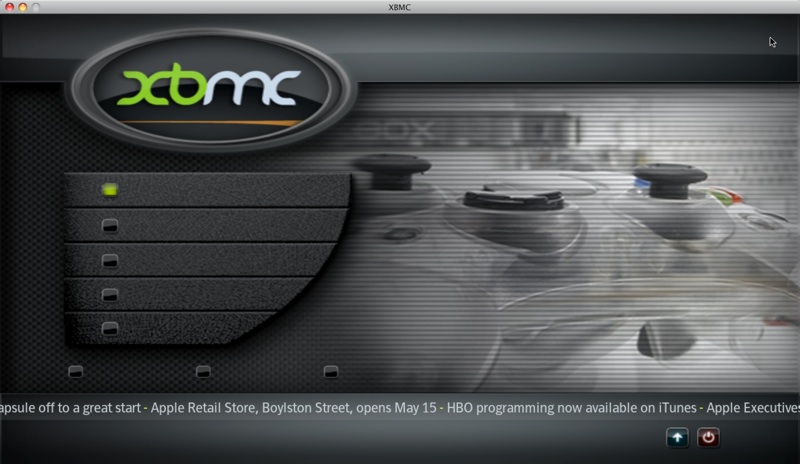


 kidding but its beyond me odd though that the rss still shows text
