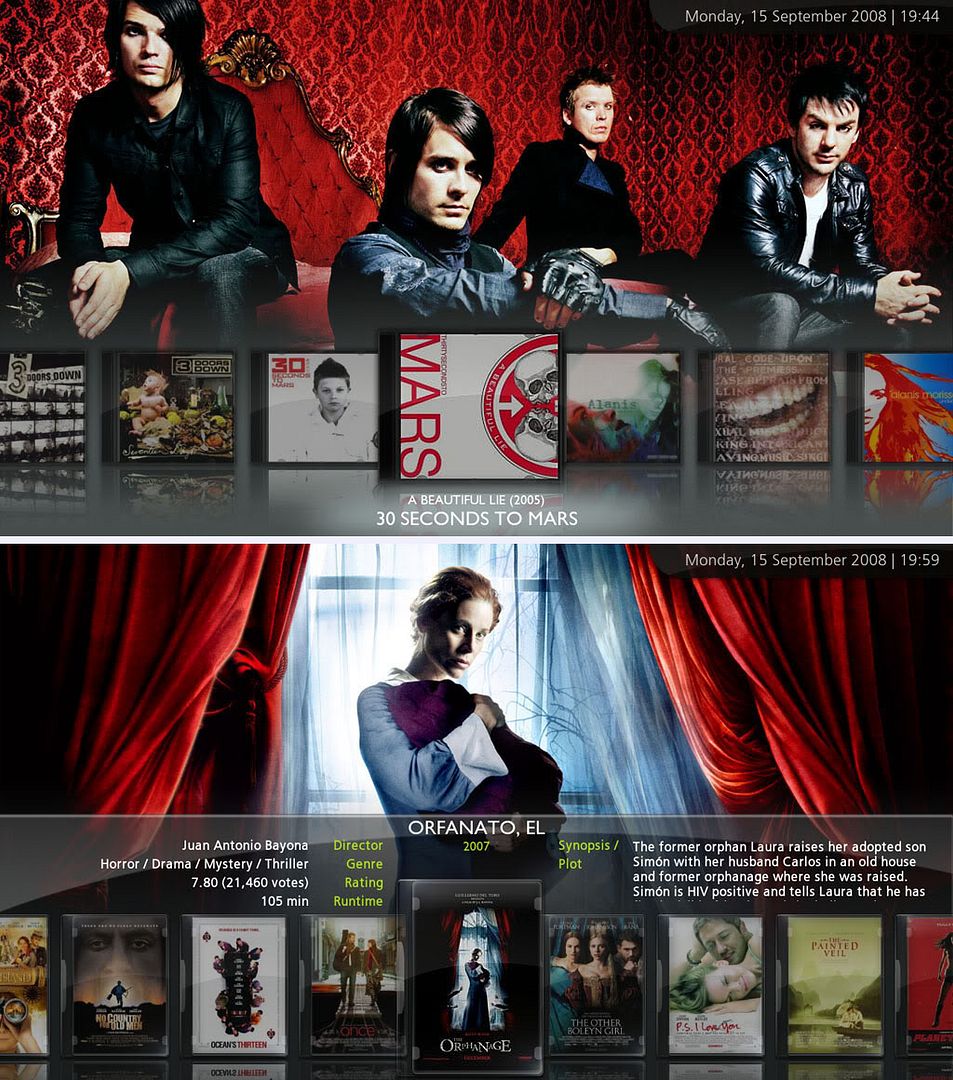
Minimalko's MediaStream Mod skin release

  Thread Rating:
  • 3 Votes - 5 Average
  • 1
  • 2
  • 3
  • 4
  • 5
Post Reply
Irish2685 Offline
Junior Member
Posts: 47
Joined: Sep 2008
Reputation: 0
Post: #31
jarod71 Wrote:experiencing the same thing as well. the info comes up in filmstrip but the box behind it does not.

Assuming you're using separate .nfos for your info, you have to update your library within XBMC. That's how I fixed my problem.
find quote
jarod71 Offline
Fan
Posts: 502
Joined: Apr 2006
Reputation: 9
Location: Chitown
Post: #32
Irish2685 Wrote:Assuming you're using separate .nfos for your info, you have to update your library within XBMC. That's how I fixed my problem.

I am using seperate .nfo/s, i will try it and report back.
find quote
kcmoney13 Offline
Junior Member
Posts: 48
Joined: Aug 2008
Reputation: 0
Post: #33
i have tried your update and like it so far. One question i have though is that I use to be able to go under tv or movies and browse to all of my videos just in case if one didnt get pulled in library mode. Now i only have the option to browse by actor, genre, and so on. Do you know if I can get the browse all again?
find quote
skunkm0nkee Offline
Team Razorfish
Posts: 1,887
Joined: Aug 2007
Location: London
Post: #34
Use the Videos item on Home screen as that will take you to your video files (Movies and TV Shows items take you to specific parts of the video library)
find quote
Swwethip1 Offline
Senior Member
Posts: 106
Joined: Sep 2008
Reputation: 0
Post: #35
the command in xbmc to jump to the my videos screen (from the remote) is
<myvideo>XBMC.ActivateWindow(MyVideos)</myvideo>

is there a command to make this work in MediaStream,so it goes right into the My movies screen??

Its currently going in the my video section
find quote
FourTwentySmilz Offline
Fan
Posts: 356
Joined: Jul 2008
Reputation: 0
Location: N. Carolina
Post: #36
XBMC.ActivateWindow(MyVideos, Movies) or XBMC.ActivateWindow(MyVideos, Television) Depending on which you want the remote to bring up ( Movies or Television).
find quote
johnny utah Offline
Member
Posts: 72
Joined: Jul 2008
Reputation: 0
Post: #37
when in wallstream view:

how do you set it to show the text info on the cover instead of showing the big box with the full movie info?
is there a setting to setup a preference for each option? Confused

EDIT: Ah ok...i found it....I clicked on "show funky info" BUT it's not showing.
It fades the cover but doesn't show any info.
(This post was last modified: 2008-10-15 22:47 by johnny utah.)
find quote
minimalko Offline
Skilled Skinner
Posts: 189
Joined: Jun 2008
Reputation: 0
Post: #38
Updated version of my mod is available, find the link in the first post here

This version is implemented in latest Mediastream 0.95. I did all I could to downsize the textures. Need an XBOX user to report if the infopanel in filmstrip shows or not. If this didnt help then I am out of ideas.
(This post was last modified: 2008-10-16 10:21 by minimalko.)
find quote
johnny utah Offline
Member
Posts: 72
Joined: Jul 2008
Reputation: 0
Post: #39
minimalko Wrote:Updated version of my mod is available, find the link in the first post.

This version is implemented in latest Mediastream 0.95. I did all I could to downsize the textures. Need an XBOX user to report if the infopanel in filmstrip shows or not. If this didnt help then I am out of ideas.

I love this mod!!! Thanks for all the great work minimalko! Big Grin

Unfortunately there's a couple of things that don't work on PLEX (xbmc for mac). I just installed your latest version....I found only 2 things not working right...

1. "funky info" mode fades the cover but doesn't show the info on top
2. in panelstream view the covers only start showing up from the middle of the screen onwards instead of showing all from horizontally.

I know the mod was built for XBMC...but any chance you might make some minor fixes for a PLEX version? It's sooo close already. Nod

Thanks!
find quote
minimalko Offline
Skilled Skinner
Posts: 189
Joined: Jun 2008
Reputation: 0
Post: #40
johnny utah Wrote:I love this mod!!! Thanks for all the great work minimalko! Big Grin

Unfortunately there's a couple of things that don't work on PLEX (xbmc for mac). I just installed your latest version....I found only 2 things not working right...

1. "funky info" mode fades the cover but doesn't show the info on top
2. in panelstream view the covers only start showing up from the middle of the screen onwards instead of showing all from horizontally.

I know the mod was built for XBMC...but any chance you might make some minor fixes for a PLEX version? It's sooo close already. Nod

Thanks!

Thanks for feedback, unfortunately I cant help much with Plex as I never owned MAC. Please post screenshots, i will see what I can do.
find quote
Post Reply