
Need some help with a Little skinning Work

  Thread Rating:
  • 0 Votes - 0 Average
  • 1
  • 2
  • 3
  • 4
  • 5
Post Reply
mstandlee Offline
Junior Member
Posts: 4
Joined: Oct 2006
Reputation: 0
Post: #1
Ok, I dont have a HD setup for my xbox, but absolutely love the file browser list setup in PM3.HD as seen here:
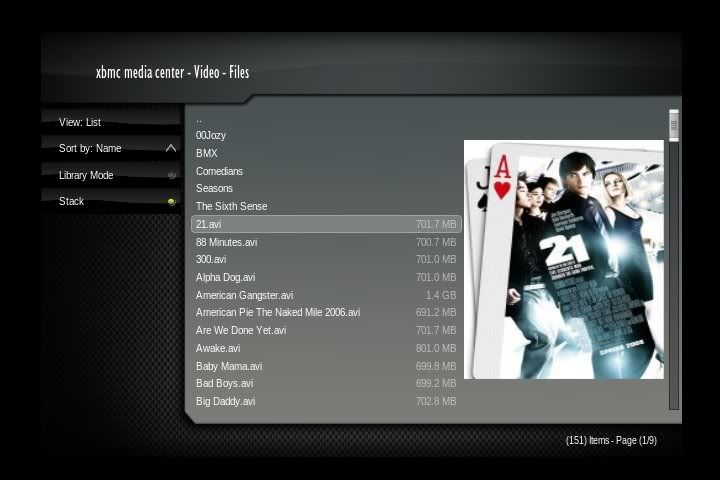
[Image: screenshot000.jpg]

So how can I get my old PM3 skin to get the same list view as seen in the previous screen. I love the "Poster Size" art for it. Here's what it looks like now:
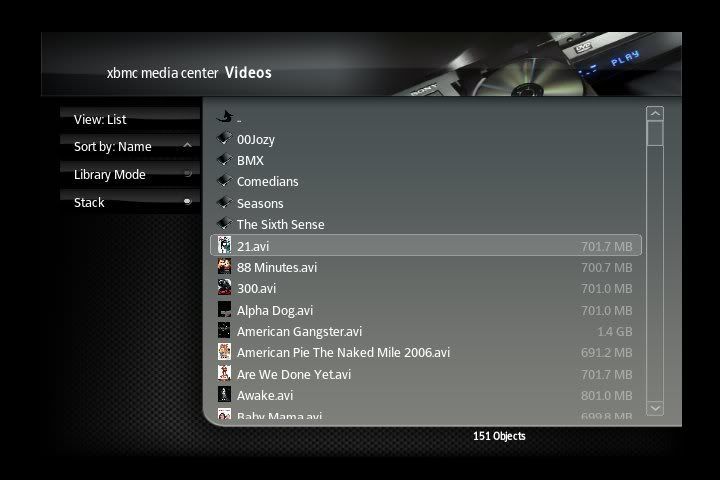
[Image: screenshot001.jpg]


Any help would be great. Thanks.
(This post was last modified: 2008-10-10 06:53 by mstandlee.)
find quote
PrimusZa1 Offline
Senior Member
Posts: 134
Joined: Aug 2007
Reputation: 0
Location: Ohio
Post: #2
mstandlee..thats funny I am right in the middle of attempting to port over the Movie fanart view from PM3 HD to PMIII. The thing I have found out so far it that PM3 HD is geared for a wide screen HD TV (of course) so most of the placement of "stuff" on the screen is way off when you get it (semi) working in PMIII. The files I been mostly working in our MyVideoNav.xml CommonViewTypes_Library.xml and CommonViewTypes_Dialogs.xml.

@Jezz_X .... What was the panel2 texture in PMIII for? I haven't run across it by using PMIII as of yet
find quote
mstandlee Offline
Junior Member
Posts: 4
Joined: Oct 2006
Reputation: 0
Post: #3
Awesome, pm me if ya need any help i have some experience skinning I've just been to busy with rl to attempt this lately.
find quote
Jezz_X Offline
Team-XBMC Skinner
Posts: 5,264
Joined: Jun 2006
Reputation: 55
Location: Earth
Post: #4
PrimusZa1 Wrote:@Jezz_X .... What was the panel2 texture in PMIII for? I haven't run across it by using PMIII as of yet
It was for the Xlink Kai stuff which got removed I just missed removing that one from the skin when we did

Skins I have done....
[Image: skinsq.png]
And others in the past...

Want to know what I'm working on currently? Check me out on Google+
find quote
