Yeah, I am really liking it!
I was so close to having this as my default theme, but I found a little bug that I hope you can fix:
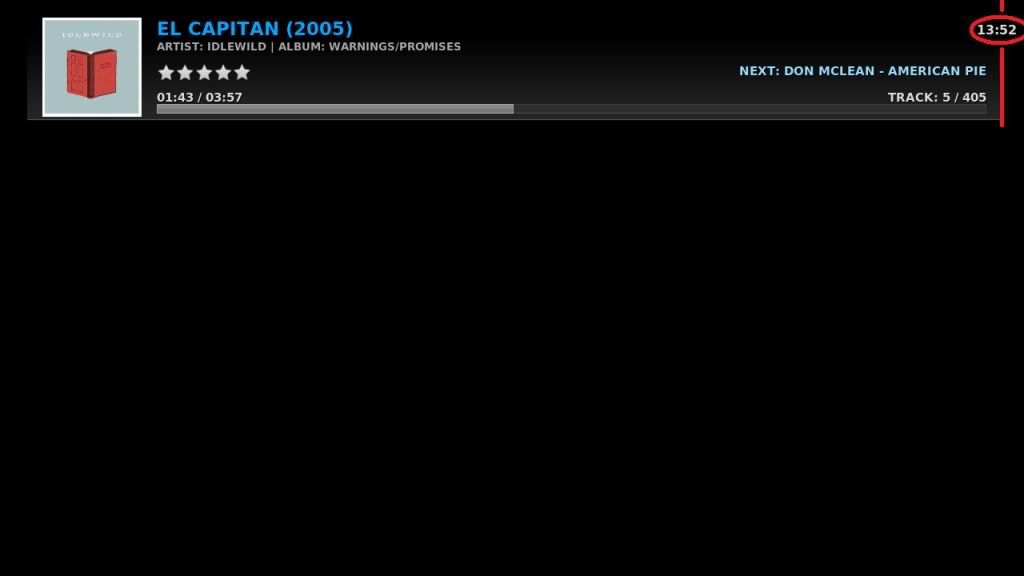
1. Go into music
2. Open context menu over a folder/playlist
3. Select play (music starts playing)
4. Open context menu again
5. Select now playing...
The now playing... will be shown, BUT the music restarts!
When I use the Aeon Hitched skin it does not restart. To me it is very weird how a skin can affect something like this.
I know this has been an issue before but has been fixed: http://trac.xbmc.org/ticket/5888
Any ideas, Scarfa?
cewan
Member Posts: 76 Joined: Oct 2008 Reputation: 0 |
2009-09-18 07:31
Post: #31
|
| find quote |
jmarshall
Team-XBMC Developer Posts: 24,570 Joined: Oct 2003 Reputation: 138 |
2009-09-18 08:43
Post: #32
Very, very, very nice work.
I love the clean design - reminds me a bit of focus in that respect. Navigation is good for the most part, and I think with a few tweaks could become very good. I love the small touches, such as the shifting letter that pops out at different positions depending on whether you're scrolling up or down. The anims work nicely, though I'd tend to skip the fading in/out of similar text (eg the info view fades the labels in and out between items, which may be unnecessary?) A couple of things that you may wish to think about: 1. Perhaps tighten up the thumb view slightly - similar to how it's handled in MS_Redux perhaps? Allowing differing aspect ratios would work there as well (as in Redux). 2. The main navigation problem I found was that in many views having a horizontal bar at the top makes it hard to get to (it's non intuitive to move left to get to it). Not really sure how to fix it - the bar does work nicely with the mouse though! 3. The highlights on the eject and power were a little too subtle to me - I found myself lost there. 4. The scrollbar positioned above the thumbs in fanart seemed out of place in the navigation? 5. I don't particularly like the name either ![]() Very nice work ![]() Cheers, Jonathan Always read the XBMC online-manual, FAQ and search the forum before posting. Do not e-mail XBMC-Team members directly asking for support. Read/follow the forum rules. For troubleshooting and bug reporting please make sure you read this first. ![]() |
| find quote |
GrinRoth
Member Posts: 68 Joined: May 2009 Reputation: 0 Location: Netherlands |
2009-09-18 09:13
Post: #33
Looks very nice! Love it!
Can't wait to try it out tonight when i'm at home. Keep up the great work! XBMC Main HTPC: Asrock ION 330 running Openelec 3 XBMC 2: XBMC Frodo running on OSX 10.8 (Core i7, Hackintosh) XBMC 3: XBMC Frodo running on OSX 10.8 (2011 iMac) Server and TVHeadend backend: Ubuntu 12.04 |
| find quote |
topfs2
Team-XBMC Developer Joined: Dec 2007 Reputation: 8 |
2009-09-18 10:16
Post: #34
Wow, really nice work indeed.
Love the fact that you don't show movies or tv shows until it's scanned into the library. No clutter of the home unless the data is there, nice, easy and intuitive behaviour IMHO. This skin sounds like it could be a great touch screen skin aswell since most is really easy to use with the mouse, the only part which is "hard" is the home view. Perhaps adding a < and > button on each side of the list? (default to off perhaps as it wouldn't look nearly as good as it does now, just thought it might be a quick fix) Some stuff I've noticed, If you scroll fast through a list the fanart fades are abit irratic, probably because you specify fade in start = 0 and end = 100 && fade out start = 100 and end = 0. IIRC if you just specify end on fade out and only start on fade in it won't go to 100% before starting to fade out, making fast scrolls end in dark. But I'm merely guessing ![]() Keep up the good work, this is a really good skin! Cheers, Tobias If you have problems please read this before posting Always read the XBMC online-manual, FAQ and search the forum before posting. Do not e-mail XBMC-Team members directly asking for support. Read/follow the forum rules. For troubleshooting and bug reporting please make sure you read this first. ![]() "Well Im gonna download the code and look at it a bit but I'm certainly not a really good C/C++ programer but I'd help as much as I can, I mostly write in C#."
(This post was last modified: 2009-09-18 10:18 by topfs2.)
|
| find quote |
scarfa
Skilled Skinner Joined: Jul 2008 Reputation: 25 |
2009-09-18 10:35
Post: #35
jmarshall Wrote:1. Perhaps tighten up the thumb view slightly - similar to how it's handled in MS_Redux perhaps? Allowing differing aspect ratios would work there as well (as in Redux). Big Icon view does something similiar. Although I plan on tweaking it a little bit to add an extra column of icons. Thumbnail view was meant to have strict aspect ratio. Perhaps I should've named it DVD Thumbnails. jmarshall Wrote:2. The main navigation problem I found was that in many views having a horizontal bar at the top makes it hard to get to (it's non intuitive to move left to get to it). Not really sure how to fix it - the bar does work nicely with the mouse though! I don't think its necessary any harder to use. Most skin designs employ a vertical options menu that pops up on the left or right side. I think muscle memory tends to take over and people expect this behaviour. Using a horizontal nav system is radically differen't frome most skins so it takes some getting used to. I've been using it so much its second nature to me. jmarshall Wrote:3. The highlights on the eject and power were a little too subtle to me - I found myself lost there. I agree. jmarshall Wrote:4. The scrollbar positioned above the thumbs in fanart seemed out of place in the navigation? Do you mean wrap info view? I will probably do something about that. jmarshall Wrote:5. I don't particularly like the name either Dammit I knew I should have named it Extasy ![]() jmarshall Wrote:Very nice work Thx, I appreciate your feedback. |
| find quote |
spiff
Grumpy Bastard Developer Joined: Nov 2003 Reputation: 82 |
2009-09-18 10:40
Post: #36
the one thing that bugged me the most was that after selecting a view mode i expect to be ready to go - not focused on the button menu.
Always read the XBMC online-manual, FAQ and search the forum before posting. Do not e-mail XBMC-Team members directly asking for support. Read/follow the forum rules. For troubleshooting and bug reporting please make sure you read this first. |
| find quote |
scarfa
Skilled Skinner Joined: Jul 2008 Reputation: 25 |
2009-09-18 10:45
Post: #37
spiff Wrote:the one thing that bugged me the most was that after selecting a view mode i expect to be ready to go - not focused on the button menu. Good point. I will change the behaviour. |
| find quote |
MrTourettes
Fan Posts: 328 Joined: Dec 2008 Reputation: 1 Location: Cambridge |
2009-09-18 10:54
Post: #38
Looking forward to getting home from work to test this it looks super slick.
|
| find quote |
paul
Posting Freak Joined: Oct 2008 Reputation: 5 Location: Planet Earth |
2009-09-18 13:14
Post: #39
High scarfa i love what you have done with this so far, and i find the menu system very easy to use so no problem there my only dislike is when your in the movies fanart view the focused item is to the far left of the screen and does not feel or look right for me could you give me some pointers on how to make the middle on the focused one, if you understand what i mean, nice work and thanks
XBMC Frodo 12 - Windows 7 - Asrock Ion 330HT - Aeon Nox |
| find quote |
The-Boxhead
Member+ Joined: May 2005 Reputation: 17 Location: Norway |
2009-09-18 14:27
Post: #40
Cool man !
Def gonna give this a spin, looks clean and professional. I really hope you continue improving this ! Maybe talk to forum admins about getting your skin into the "official" skinning subforum with your own thread ? PointOfView Nvidia ION Atom 330 - TRANSCEND 2GB DDR2 DIMM 800MHz - G.SKILL 64GB SSD 2.5 Open Elec Beta4 1.95.4
XBMC Online Manual - HOW-TO post about a problem in a useful manner - Create/View Bug ReportSetup/Fix correct resolution on XBMC/Ubuntu - Usefull linux terminal commands |
| find quote |


![[Image: badge.gif]](http://www.ohloh.net/projects/9132/badge.gif)

![[Image: badge.gif]](http://www.ohloh.net/projects/149/badge.gif)

Search
Help