2009-11-10, 19:40
Uploaded the fix to the main download location (Version 2.1.2)

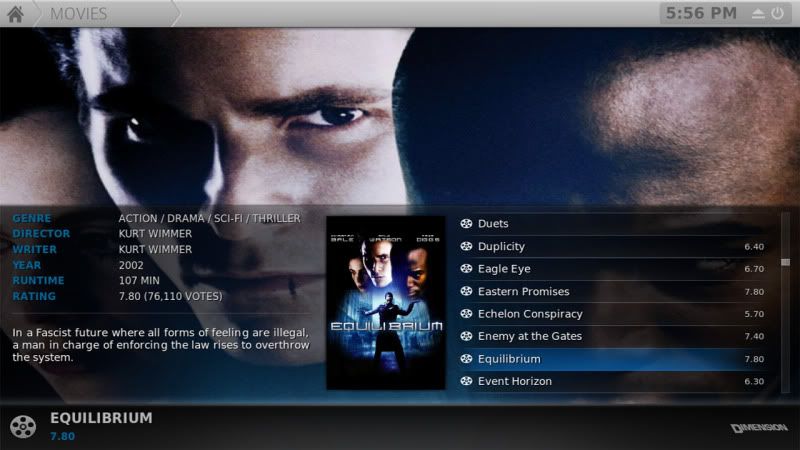
<control type="group" id="70">
    <posy>646</posy>
    <posx>0</posx>
    <description>Wall View Bottom Bar Area</description>
    <include>WallInfoPaneImage</include>
    <visible>!Control.IsVisible(69) + Control.IsVisible(67)</visible>
    <animation effect="fade" start="100" end="0" time="200">Visible</animation>
</control>
<include name="BackgroundFanart">
        <control type="group">
            <visible>![Player.HasAudio + !Skin.HasSetting(DisableMusicVizBG)] + ![Player.HasVideo + !Skin.HasSetting(DisableVideoBG)]</visible>

            <control type="group">
                <visible>Window.IsActive(VideoLibrary) + Container.Content(Movies)
                + [[Control.IsVisible(52) + !Skin.HasSetting(HideMoviesListFanart)]
                | [Control.IsVisible(53) + !Skin.HasSetting(HideMoviesWrapListInfoFanart)]
                | [Control.IsVisible(58) + !Skin.HasSetting(HideMoviesListInfoFanart)]
                | Control.IsVisible(59) | Control.IsVisible(64) | Control.IsVisible(66) | Control.IsVisible(68)]</visible>
wannabegt4 Wrote:Very Nice. I'm liking the old style recently added on the home screen. It's a little more clear what is selected.
The textures.xpr should probably be compressed on the high setting as the wide slim list white overlay is a bit distorted especially when dimmed. The fanart isn't showing on that view either That's an easy fix though. Just add Control.IsVisible(68) to the BackgroundFanart incude in the includes_backgrounds.xml
First few lines should look like this when you're done:
PHP Code:<include name="BackgroundFanart">
<control type="group">
<visible>![Player.HasAudio + !Skin.HasSetting(DisableMusicVizBG)] + ![Player.HasVideo + !Skin.HasSetting(DisableVideoBG)]</visible>
<control type="group">
<visible>Window.IsActive(VideoLibrary) + Container.Content(Movies)
+ [[Control.IsVisible(52) + !Skin.HasSetting(HideMoviesListFanart)]
| [Control.IsVisible(53) + !Skin.HasSetting(HideMoviesWrapListInfoFanart)]
| [Control.IsVisible(58) + !Skin.HasSetting(HideMoviesListInfoFanart)]
| Control.IsVisible(59) | Control.IsVisible(64) | Control.IsVisible(66) | Control.IsVisible(68)]</visible>
You'll have to do the same a little ways down for tv shows as well.

PolliSoft Wrote:Hi,
this is my absolute favourite skin right now, thanks a lot for modding it to near perfection.
If it is ok to add some feature requests, here are mine:
Home Window:
* Videos
- Would it be possible for you to to change the way the sub menu works? For me, the best option would be to go to File mode when pressing Enter/OnClick, and press Up to show the sub menu. Maybe a setting in the skin would be good to set the default action on Enter/OnClick?
* Music
- Is it possible for you to add a similar sub menu as for Videos, where a user can choose between Library mode and File mode. Otherwise, it is impossible to see the music if the user hasn't added the collection to the library using another skin first.
* Movies/TV Show
- A similar sub menu as for Videos would be great here too, where the user can choose between Recently added movies and other stuff.
Thanks!

 the home menu is transparent.
