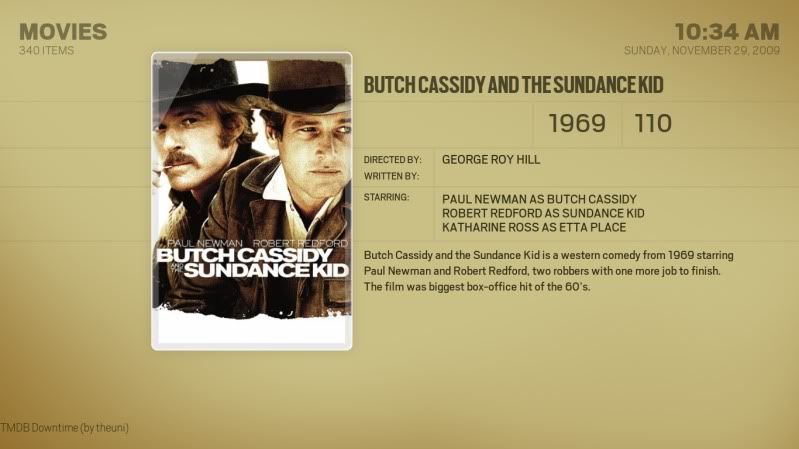
The colors thread (show us your color themes) [Alaska only]

  Thread Rating:
  • 0 Votes - 0 Average
  • 1
  • 2
  • 3
  • 4
  • 5
Post Reply
hikaricore Offline
Posting Freak
Posts: 1,516
Joined: Dec 2008
Reputation: 0
Location: Tuesday
Post: #11
I'd be interested to try out the khaki colour scheme if it's ever posted. Smile
find quote
WJWNL Offline
Junior Member
Posts: 43
Joined: Apr 2009
Reputation: 0
Post: #12
I've made an entirely black and white (and a little bit of grey) Alaska theme.

I can post the .xml, but I've changed some more things that aren't in the .xml color file!

[Image: 01.jpg] [Image: 02.jpg]

[Image: 03.jpg] [Image: 04.jpg]

[Image: 05.jpg] [Image: 06.jpg]
find quote
tmc701 Offline
Member
Posts: 92
Joined: May 2009
Reputation: 0
Post: #13
WJWNL Wrote:I've made an entirely black and white (and a little bit of grey) Alaska theme.
Yes, please post the xml. The more color combos we can stack up, the better.

WJWNL Wrote:I can post the .xml, but I've changed some more things that aren't in the .xml color file!

As far as other adjustments... I'm sure the Alaska crew would be interested in what else needed to be adjusted.

Was it just color cosmetics that you adjusted, or deeper modding?
find quote
Hitcher Offline
Skilled Skinner
Posts: 9,916
Joined: Aug 2007
Reputation: 67
Location: Eastleigh, UK
Post: #14
If you've changed textures simply build a new textures.xpr with just them using XPR Express.

[Image: sig_zps3af3b48e.jpg]
find quote
WJWNL Offline
Junior Member
Posts: 43
Joined: Apr 2009
Reputation: 0
Post: #15
I simply changed some font names, and made some things less transparant. I also changed some textures, but I will post my complete Alaska files when I'm entirely done.

I have one question though:

[Image: 05.jpg]

Which line in the colour .xml changes the grey time, seen in this picture?

How does that XPR work exactly?

find quote
Farakh Offline
Junior Member
Posts: 15
Joined: Feb 2009
Reputation: 0
Post: #16
Inspiration from kuler webpage,[Image: candyfloss.jpg]
find quote
Hitcher Offline
Skilled Skinner
Posts: 9,916
Joined: Aug 2007
Reputation: 67
Location: Eastleigh, UK
Post: #17
WJWNL Wrote:I simply changed some font names, and made some things less transparant. I also changed some textures, but I will post my complete Alaska files when I'm entirely done.

I have one question though:

[Image: 05.jpg]

Which line in the colour .xml changes the grey time, seen in this picture?

How does that XPR work exactly?
Just added new colour tags -

<color name="OSDStatusBackground"></color>
<color name="OSDStatus"></color>
<color name="OSDPlayingDuration"></color>

As for XPR Express, simply place only the textures you've changed in a folder and get XPR Express to compress them to a new textures.xml.

[Image: sig_zps3af3b48e.jpg]
find quote
jbor613 Offline
Junior Member
Posts: 35
Joined: Jul 2009
Reputation: 0
Post: #18
MaDDoGo Wrote:jbor613 in my opinion the second color seems blurried, maybe other secondary color would fit better. Or maybe less blurried.

I liked the blurry. It's supposed to be like a old-school, sepia-tone type feel.

hikaricore Wrote:I'd be interested to try out the khaki colour scheme if it's ever posted. Smile

The pictures posted are from before themes were implemented, so I had to change a bunch of stuff in the media folder, and now it doesn't work with the current build of Alaska.

However, I've modified it slightly to look like this:

[Image: screenshot000-1.jpg]

[Image: screenshot001-1.jpg]

[Image: screenshot002-1.jpg]

[Image: screenshot003-1.jpg]

I like the original version better, but that's it for now.
http://www.mediafire.com/file/jzmyt5wjmmn/khaki2.xml
(This post was last modified: 2009-11-29 21:15 by jbor613.)
find quote
Farakh Offline
Junior Member
Posts: 15
Joined: Feb 2009
Reputation: 0
Post: #19
Trying different colours, I presonally like whilte but thinking when redecorate the lounge can match the color!! Note sure if anybody be intrested in these, if yes let me know and I will try and finish it.

[Image: firefly01.jpg]

[Image: firefly02.jpg]

[Image: firefly03.jpg]

[Image: firefly04.jpg]
(This post was last modified: 2009-11-29 21:24 by Farakh.)
find quote
WJWNL Offline
Junior Member
Posts: 43
Joined: Apr 2009
Reputation: 0
Post: #20
Hitcher Wrote:Just added new colour tags -

<color name="OSDStatusBackground"></color>
<color name="OSDStatus"></color>
<color name="OSDPlayingDuration"></color>

As for XPR Express, simply place only the textures you've changed in a folder and get XPR Express to compress them to a new textures.xml.

I'm sorry to state this Hitcher, but I've added the new colours in my .xml file and they aren't working!
find quote
Post Reply