[Mod] Influence

  Thread Rating:
  • 0 Votes - 0 Average
  • 1
  • 2
  • 3
  • 4
  • 5
Post Reply
slyk2203 Offline
Member
Posts: 54
Joined: Sep 2007
Reputation: 0
Post: #11
I´m not sure what you thing about resize the left bar (make it much smaller) I know that the word Programms make problems because its long. You clould rename it to "apps".... ;-)
find quote
yiarkyiark Offline
Senior Member
Posts: 130
Joined: Nov 2008
Reputation: 2
Location: Paris
Post: #12
slyk2203 Wrote:I´m not sure what you thing about resize the left bar (make it much smaller) I know that the word Programms make problems because its long. You clould rename it to "apps".... ;-)
Why not, may be i can add an option to set the size of the left bar.
find quote
slyk2203 Offline
Member
Posts: 54
Joined: Sep 2007
Reputation: 0
Post: #13
yiarkyiark Wrote:Why not, may be i can add an option to set the size of the left bar.
where were you all that time.... as I looked for a wallpaper friendly and transparent skin... nevermind finaly we found you... :-D
find quote
chunk1982 Offline
Senior Member
Posts: 190
Joined: Jul 2009
Reputation: 0
Location: shropshire, uk
Post: #14
looks pretty sweet i too would be gratefull of a smaller side bar Nod

also how does one rename programs to apps??

would it be possible for this to be made default on the next release would make perfect sense for the smaller side bar Wink

and just for ease of use for users maybe also add a theater button under movies/episode information for use with the Home Theater Experience script

http://forum.xbmc.org/showthread.php?tid...Experience


also a button for the opensubtitles osd script as i see a lot of questions about these button mods

http://forum.xbmc.org/showthread.php?tid...titles+osd


just a thought, would make towards the perfect skin Smile

paul
(This post was last modified: 2010-03-28 01:50 by chunk1982.)
find quote
elaguss Offline
Junior Member
Posts: 11
Joined: Mar 2009
Reputation: 0
Post: #15
Omg, Confluence(the best skin for my XBOX) + transparent = INFLUENCE , no more search, i have all that i want, thanks soooo much yiarkyiark, really good job Nod

A little help please,in the original Confluence skin i tried to resize the poster films on lybrary mode, but it hide the films name, so i put in the top of the screen in blue colour, the problem its that in larges movie names its hide like this:

[Image: sinttulopf.png]

Can u help me on that? Its the only thing that i need to finish my XBMC, tnks so much Big Grin
(This post was last modified: 2010-03-28 01:59 by elaguss.)
find quote
yiarkyiark Offline
Senior Member
Posts: 130
Joined: Nov 2008
Reputation: 2
Location: Paris
Post: #16
@Elagus: May be you can reduce the size of title's label and put the <scroll>true</scroll> option

@chunck1982: Ok for the theater button and i 'll take an look on the opensubtitles osd script. It's seem a great script

@slyk2203 & chunck1982: Not so easier to reduce left side bar, but i'll do it.

@all: Thanks for your compliments

find quote
elaguss Offline
Junior Member
Posts: 11
Joined: Mar 2009
Reputation: 0
Post: #17
Ty yiarkyiark, finally i have my perfect XBMC:
Editing ViewsVideoLibrary.xml form 720p folder:

1- Increase the width size of title´s label so now it scroll betewn the "date" and "peliculas"

2- On focus animatios i change:
Code:
start="-2,16,128,168" end="-12,-10,148,198"
to
Code:
start="-2,16,128,168" end="180" center="100,60"

3- and y move the scroll bar to the left and reduced the widht size

This is the my fanartview :

[Image: sinttulow.png]

Thanks so much Big Grin
find quote
chunk1982 Offline
Senior Member
Posts: 190
Joined: Jul 2009
Reputation: 0
Location: shropshire, uk
Post: #18
elaguss Wrote:Ty yiarkyiark, finally i have my perfect XBMC:

[Image: sinttulow.png]

Thanks so much Big Grin

looking really good my friend

yiarkyiark Wrote:@chunck1982: Ok for the theater button and i 'll take an look on the opensubtitles osd script. It's seem a great script

@slyk2203 & chunck1982: Not so easier to reduce left side bar, but i'll do it.

@all: Thanks for your compliments

opensubtitles comes in very handy
in my case i get a movie thats english but there are non english parts for instance 2012 and within 2mins i have have the subs with out having to exit xbmc Nod

the opensubs button hack it the 5th one down

http://code.google.com/p/opensubtitles-o...loads/list

and thank you for an amazing skin

paul
find quote
yiarkyiark Offline
Senior Member
Posts: 130
Joined: Nov 2008
Reputation: 2
Location: Paris
Post: #19
Influence0.1a3.zip

- New design for many texture
- Changing script RecentlyAdded to manage the new home menu genre
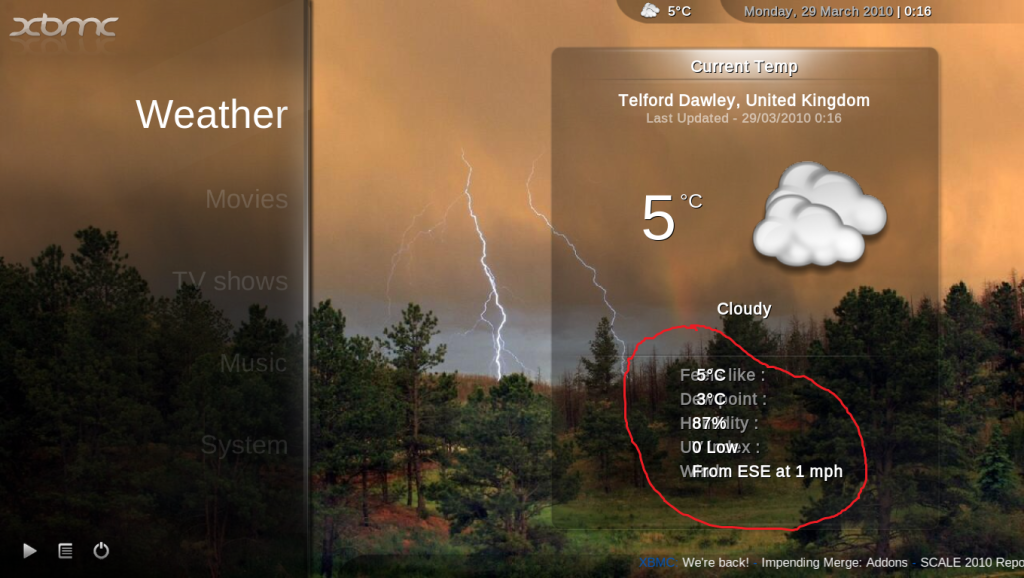
- Show weather page when weather button have focus
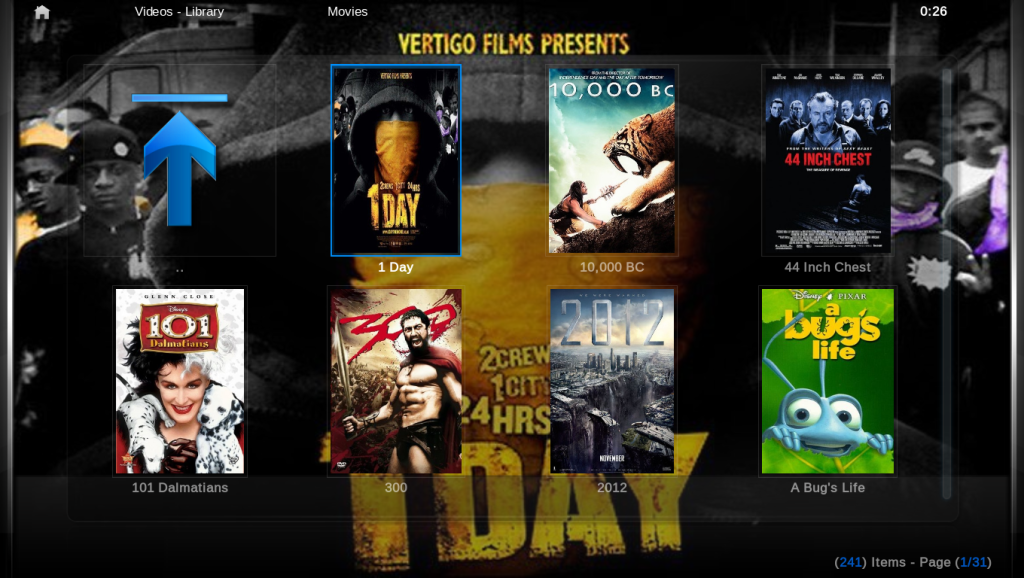
- Adding 2 view for video navigation halfwall and Wallstream (thks godtvds)
- Adding kiosk mod (thk crookas)
- adding a theater button under movies/episode information for use with the Home Theater Experience script
- Managing opensubtitles osd script
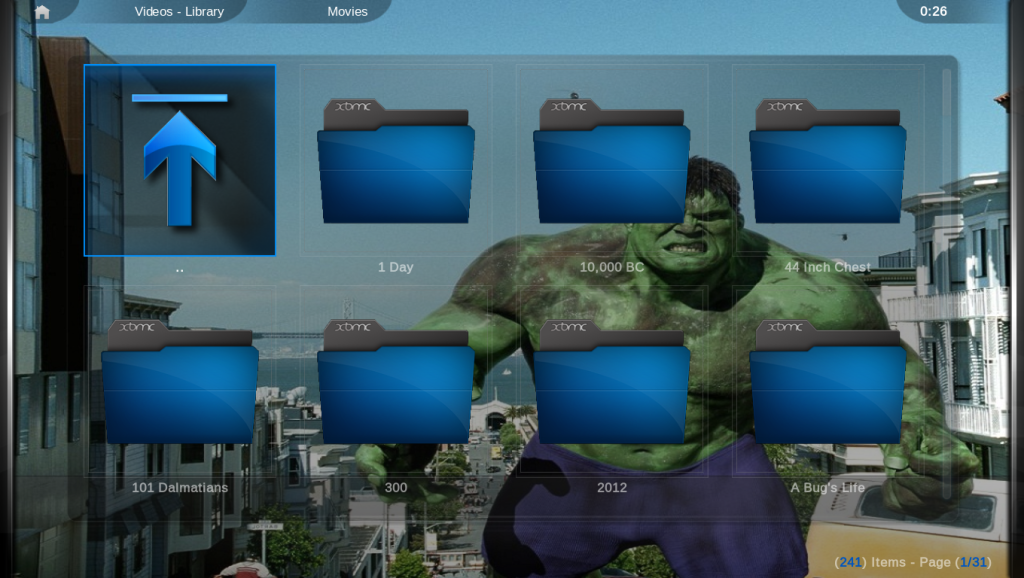
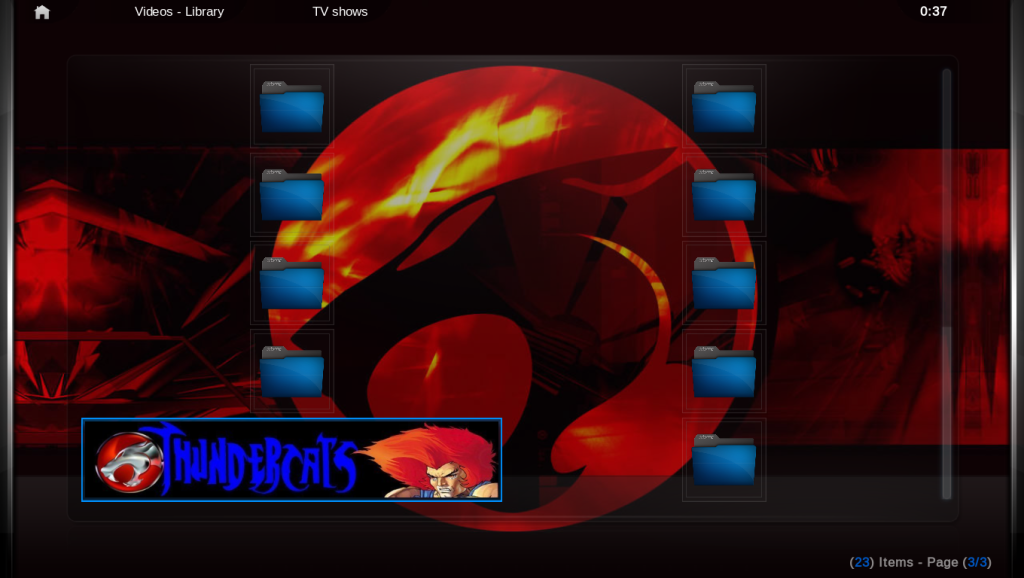
- All icons's folder are now skinnable,take a look into the folder Extra/foldericons and do what you want :-) (please share)
(This post was last modified: 2010-03-28 22:40 by yiarkyiark.)
find quote
Waffa Offline
Posting Freak
Posts: 1,163
Joined: May 2008
Reputation: 7
Location: Netherlands
Post: #20
Very nice mod, like the extra menu thing.Big Grin
We had the same thoughts, I also added custom home/submenu buttons to MiniMeedia Waffa!
I know why u used set label for the action, more possibilities.
But it is not very user friendly.

That's why I used set playlist path which you created with xbmc intelligent playlists.
That's the main thing you want to add to your (sub)menu's Wink
find quote
Post Reply