Plot information for movies...

  Thread Rating:
  • 0 Votes - 0 Average
  • 1
  • 2
  • 3
  • 4
  • 5
Post Reply
ronie Offline
Team-XBMC Member
Posts: 8,254
Joined: Jan 2009
Reputation: 108
Post: #51
winestock Wrote:No go on using $INFO[ListItem.Plot].

then there's no plot info available for your movies :-)

Always read the XBMC online-manual, FAQ and search the forum before posting.
Do not PM or e-mail XBMC-Team members directly asking for support. Read/follow the forum rules.
For troubleshooting and bug reporting please make sure you read this first.
find quote
winestock Offline
Fan
Posts: 397
Joined: Jan 2011
Reputation: 4
Post: #52
ronie Wrote:then there's no plot info available for your movies :-)

I know your kidding but:
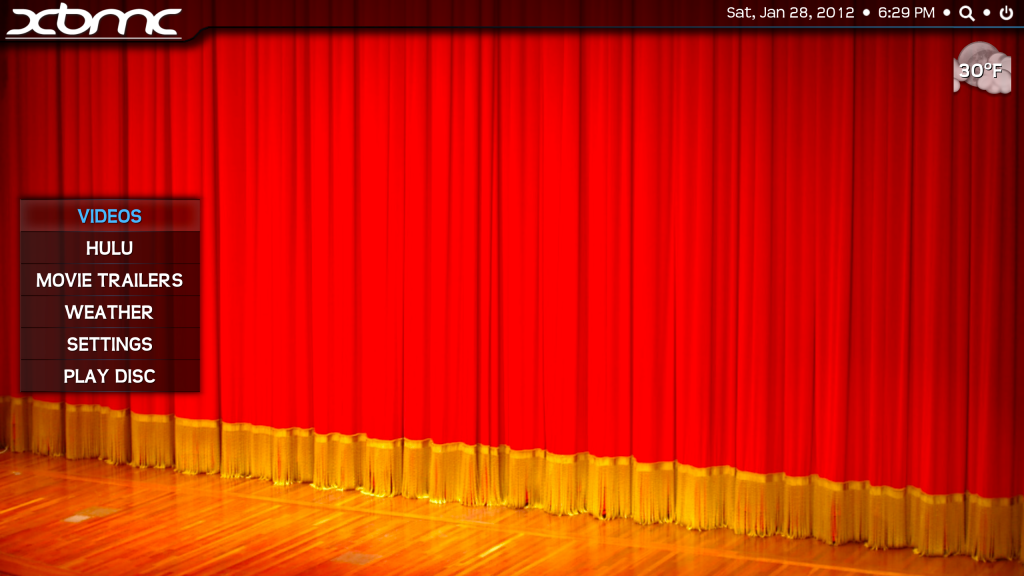
[Image: ScreenShot2012-01-28at53322PM.png]

What do you get when you try adding code like I did to your system?

XBMC Frodo 12.2, Transparency Skin (5.0.9)
PogoPlug v4 running Arm Linux 3.9.2-0 as MySQL (mariadb) and media file server for XBMC
Mac OS X 10.8.3
2011 27" iMac 3.4 GHz Quad, 16GB RAM, 1TB HD, 256GB SSD
2009 2.0GHz MacMini, 4GB RAM, 320GB HD
2009 17" Macbook Pro, 8GB RAM, 500GB HD
find quote
ronie Offline
Team-XBMC Member
Posts: 8,254
Joined: Jan 2009
Reputation: 108
Post: #53
winestock Wrote:I know your kidding but:
[Image: ScreenShot2012-01-28at53322PM.png]

What do you get when you try adding code like I did to your system?

$INFO[ListItem.Plot] works fine at my end.
are you browsing the movies library or your movie files?

also, a similar option is already available in T! (it will show the plot outline though):
Skin Settings > View Options > Fanart - Movies - Plot outline

Always read the XBMC online-manual, FAQ and search the forum before posting.
Do not PM or e-mail XBMC-Team members directly asking for support. Read/follow the forum rules.
For troubleshooting and bug reporting please make sure you read this first.
find quote
winestock Offline
Fan
Posts: 397
Joined: Jan 2011
Reputation: 4
Post: #54
ronie Wrote:$INFO[ListItem.Plot] works fine at my end.
are you browsing the movies library or your movie files?

also, a similar option is already available in T! (it will show the plot outline though):
Skin Settings > View Options > Fanart - Movies - Plot outline

I am browsing my video library.

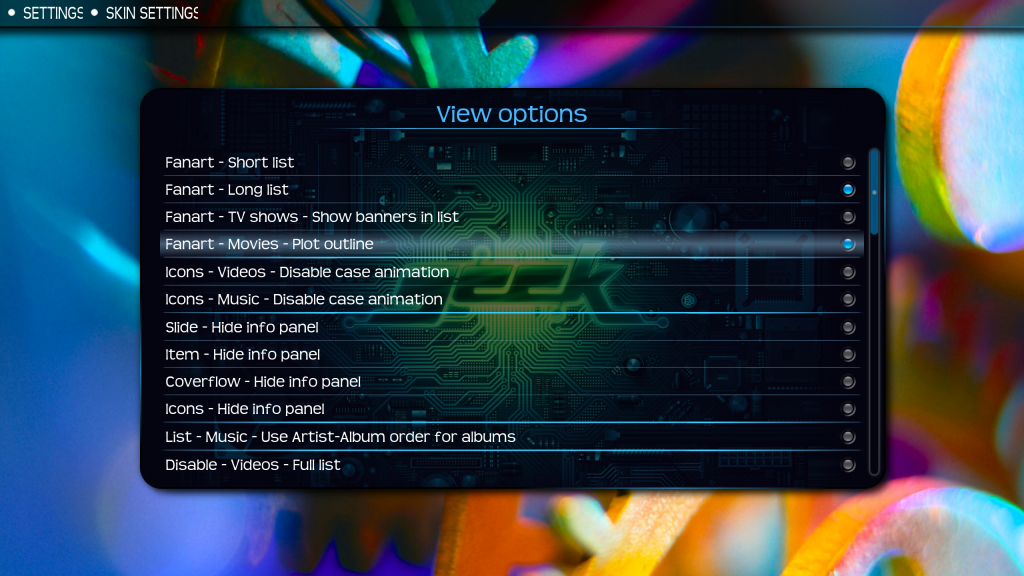
I already have Skin Settings > View Options > Fanart - Movies - Plot outline enabled:
[Image: ScreenShot2012-01-28at62227PM.png]

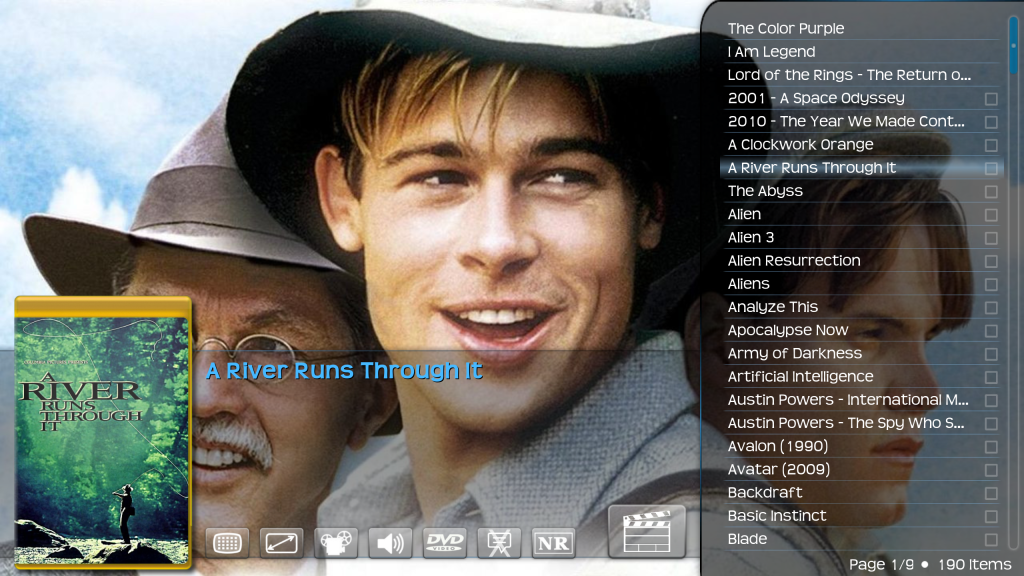
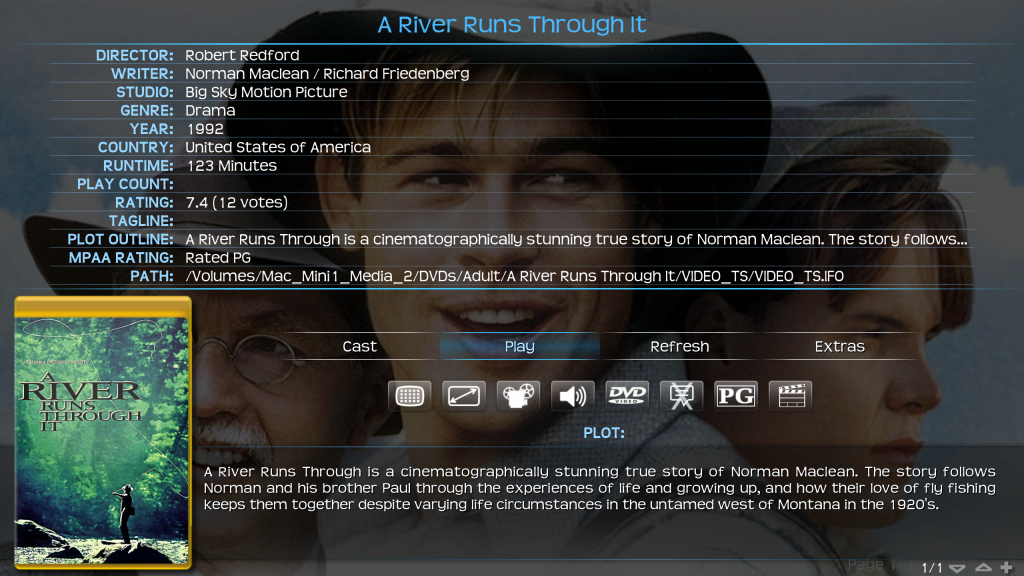
I think I see the problem here. I am using VIDEOS not MOVIES. I my collection organized by directories:
[Image: ScreenShot2012-01-28at62902PM.png]

[Image: ScreenShot2012-01-28at62908PM.png]

So how do I get the plot shown for the VIDEOS? How about adding a Skin Settings > View Options > Fanart - Videos - Plot outline for VIDEOS?

XBMC Frodo 12.2, Transparency Skin (5.0.9)
PogoPlug v4 running Arm Linux 3.9.2-0 as MySQL (mariadb) and media file server for XBMC
Mac OS X 10.8.3
2011 27" iMac 3.4 GHz Quad, 16GB RAM, 1TB HD, 256GB SSD
2009 2.0GHz MacMini, 4GB RAM, 320GB HD
2009 17" Macbook Pro, 8GB RAM, 500GB HD
find quote
ronie Offline
Team-XBMC Member
Posts: 8,254
Joined: Jan 2009
Reputation: 108
Post: #55
winestock Wrote:So how do I get the plot shown for the VIDEOS? How about adding a Skin Settings > View Options > Fanart - Videos - Plot outline for VIDEOS?

works fine there too for me.

if these are dvd/blu-ray folders you need to navigate into that folder (stacking needs to be off to do so).

Always read the XBMC online-manual, FAQ and search the forum before posting.
Do not PM or e-mail XBMC-Team members directly asking for support. Read/follow the forum rules.
For troubleshooting and bug reporting please make sure you read this first.
find quote
winestock Offline
Fan
Posts: 397
Joined: Jan 2011
Reputation: 4
Post: #56
ronie Wrote:works fine there too for me.

if these are dvd/blu-ray folders you need to navigate into that folder (stacking needs to be off to do so).

If I turn off stacking and go into the video folder, when I land on VIDEO_TS the plot shows up. This is kind of awkward solution as it requires someone to turn off stacking which is not what I want to do. So is there a way to get the plot information to show up with stacking turned on? The other question is why does $INFO[ListItem.Plot] not showing any text?

XBMC Frodo 12.2, Transparency Skin (5.0.9)
PogoPlug v4 running Arm Linux 3.9.2-0 as MySQL (mariadb) and media file server for XBMC
Mac OS X 10.8.3
2011 27" iMac 3.4 GHz Quad, 16GB RAM, 1TB HD, 256GB SSD
2009 2.0GHz MacMini, 4GB RAM, 320GB HD
2009 17" Macbook Pro, 8GB RAM, 500GB HD
(This post was last modified: 2012-01-29 01:59 by winestock.)
find quote
ronie Offline
Team-XBMC Member
Posts: 8,254
Joined: Jan 2009
Reputation: 108
Post: #57
winestock Wrote:If I turn off stacking and go into the video folder, when I land on VIDEO_TS the plot shows up. This is kind of awkward solution as it requires someone to turn off stacking which is not what I want to do. So is there a way to get the plot information to show up with stacking turned on?
nope, i'm afraid that's not possible currently in xbmc.

Always read the XBMC online-manual, FAQ and search the forum before posting.
Do not PM or e-mail XBMC-Team members directly asking for support. Read/follow the forum rules.
For troubleshooting and bug reporting please make sure you read this first.
find quote
winestock Offline
Fan
Posts: 397
Joined: Jan 2011
Reputation: 4
Post: #58
I noticed you added a comment to the ticket I opened that post beta 2 will have the fix in it. It sounds like the change was made before I even opened the ticket.

XBMC Frodo 12.2, Transparency Skin (5.0.9)
PogoPlug v4 running Arm Linux 3.9.2-0 as MySQL (mariadb) and media file server for XBMC
Mac OS X 10.8.3
2011 27" iMac 3.4 GHz Quad, 16GB RAM, 1TB HD, 256GB SSD
2009 2.0GHz MacMini, 4GB RAM, 320GB HD
2009 17" Macbook Pro, 8GB RAM, 500GB HD
find quote
ronie Offline
Team-XBMC Member
Posts: 8,254
Joined: Jan 2009
Reputation: 108
Post: #59
winestock Wrote:I noticed you added a comment to the ticket I opened that post beta 2 will have the fix in it. It sounds like the change was made before I even opened the ticket.

it could be.
there's a lot of fixes being committed over the past week.

not sure which of them fixed it :-)

Always read the XBMC online-manual, FAQ and search the forum before posting.
Do not PM or e-mail XBMC-Team members directly asking for support. Read/follow the forum rules.
For troubleshooting and bug reporting please make sure you read this first.
find quote
berzerker Offline
Junior Member
Posts: 4
Joined: Feb 2012
Reputation: 0
Post: #60
I have a similar question that doesn't necessarily seem worth its own thread:

With plot information on (in the current pre-Eden), I enjoy seeing the plot summaries for Movies, but I also would really like to have the movie's year visible. As a feature request / option, is there any way to put the year next to the movie name so I can see both the plot summary and the year without going into Movie Information (ie Macbeth (1946) and Macbeth (2010))? It already seems to do this in Cover Flow view, but I really prefer Fanart view.

Thanks! Love the skin.
find quote
Post Reply