2010-07-10, 17:36
FEATURES
I'll take you through a short walk through some of the features you will be able to find in reFocus.
HOMESCREEN
Simply select any of the main menu items to enter it's submenu:

To go back to the main menu, press the left key as indicated by the arrow at the top.
GALLERY
The gallery viewtype is a fanart centered viewtype. There's two layout varations. The strip layout:

The TV Show logo displayed on the fanart can be enabled or disabled in the skin settings.
In this layout you can press <down> to zoom the selected movie's fanart to fullscreen and view plot information:

Alternately you can use the menu to set the layout to fullscreen gallery permanently (until you decide to put it back of course):

SLIDE VIEW
The slide viewtype also offers two layout options. First there's browsing through the movie or tvshows showing posters:
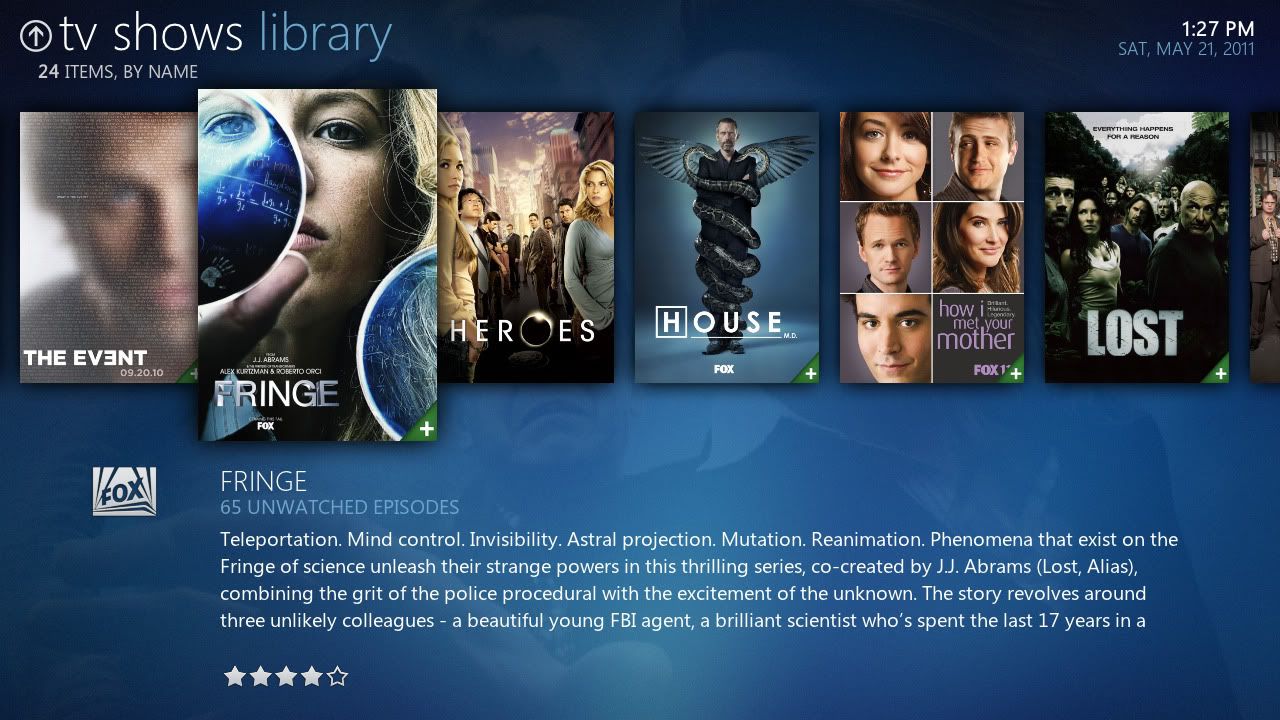
Or by using the menu again, showing fanart:

I'll take you through a short walk through some of the features you will be able to find in reFocus.
HOMESCREEN
Simply select any of the main menu items to enter it's submenu:
To go back to the main menu, press the left key as indicated by the arrow at the top.
GALLERY
The gallery viewtype is a fanart centered viewtype. There's two layout varations. The strip layout:
The TV Show logo displayed on the fanart can be enabled or disabled in the skin settings.
In this layout you can press <down> to zoom the selected movie's fanart to fullscreen and view plot information:
Alternately you can use the menu to set the layout to fullscreen gallery permanently (until you decide to put it back of course):
SLIDE VIEW
The slide viewtype also offers two layout options. First there's browsing through the movie or tvshows showing posters:
Or by using the menu again, showing fanart: