2010-11-05, 02:52
NEW VERSION SLik.0.0.3
This one is probably what the original release should of been but I needed motivation that users give you to do more it even lost a little more weight on the download

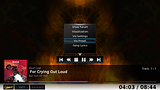
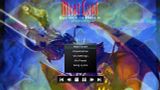
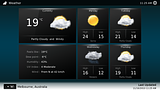
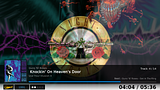
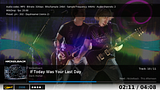
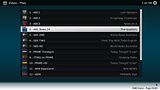
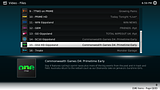
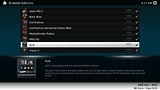
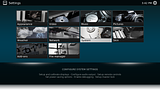
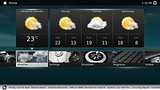
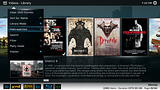
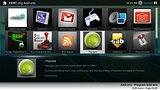
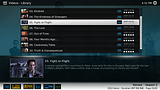
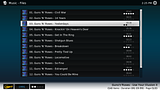
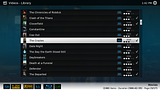
SLik is designed to be minimal and follow a theme.
You won't find 100's of media views here just simple down to earth views that concentrate on accessing your media quick and easy and not just showing you all the metadata and not much media
from my google code page
DOWNLOAD
Install it with the "Install from Zip" option in the add-on manager
ISSUES!.............................
* Well if you read above the first one is. Not all windows are done
* Second issue is Volume and some other things don't have a background in fullscreen video see this issue http://trac.xbmc.org/ticket/10526
* Its not really meant for mouse navigation
ENJOY and take it easy on the requests
Changes - Top is newest, Bottom is oldest
This one is probably what the original release should of been but I needed motivation that users give you to do more
it even lost a little more weight on the download SLik is designed to be minimal and follow a theme.
You won't find 100's of media views here just simple down to earth views that concentrate on accessing your media quick and easy and not just showing you all the metadata and not much media
from my google code page
Quote:SLik is not done yet and is still 40% PM3.HD and hasn't had any fine touches put to it, but I think its good to develop stuff in the open and I really need some version control so I can easily undo things. IF you find/use this skin PLEASE PLEASE PLEASE do not go packaging it up, modding it or releasing your own changes anywhere until I say its done and then it will be in the official XBMC repo
DOWNLOAD
Install it with the "Install from Zip" option in the add-on manager
ISSUES!.............................
* Well if you read above the first one is. Not all windows are done
* Second issue is Volume and some other things don't have a background in fullscreen video see this issue http://trac.xbmc.org/ticket/10526
* Its not really meant for mouse navigation
ENJOY and take it easy on the requests
Changes - Top is newest, Bottom is oldest
Quote:Version 0.0.3
- Added "Buffering.. %" text to the top bar so you don't just think your video randomly paused
- Added a Custom Shutdown timer to the home shutdown sub menu
- Slightly bigger border around the home "now playing" icon
- Fixed you could log off from the log on screen (thanks Rocky5 for pointing it out)
- Got rid of the trailing white border on unselected items in movie poster view when fast scrolling (thanks Rocky5 for doing the code)
- Fixed Couldn't get to the video settings some times thanks for pointing it out ronie
- Fixed default file icon consistency
- Added "BRrip" to the list of letters in filenames to show the Blueray logo
- Fixed double version numbers showing in the addon lists
- Added the top info bar to fullscreen video when it is needed
- Ddownsized the weather icons in home a little
- Added real subtle shadow border around the floating boxes
- Made the bottom white bar that is solid instead of a gradient
- padded out the recently added episode numbers from "s**e**" to "Season ** Episode **"
Version 0.0.2
- Rearranged strings.xml to allow for more common labels at the start
- Added a visual queue that you should not be using the mouse to control the skin
- made the background a solid color to prevent gradient banding on TV's
- Skinned a whole lot of dialogs
- Fixed naving left and right from the home submenu will take you back to main menu
- Skinned Standard Playlist editor window (Not Smart Playlists)
- Made the home submenu text stand out less
- Fixed Fade out behind dialogs in Movie and Music info windows since they are fake fullscreen now
- Skinned up the FileBrowser dialog (new look), set up some future dialog stuff and removed old unused images
- Changed style of the power icons to better match colors of skin
- Cleaned up some old pm3.hd unused images
- Added the Show notifications for add-on updates button to the Add-on browser window
- Clicking Files/Library in the home menu sub menu takes you to the Root (shares) section all the time. If you want the last active dir click the main button instead
- Gear icon in upper left now points to the way you have to nav to get to the options
- Added Animation for window open/close for media views
- Fixed Overlay Icon in the wrong place for thumb view
Version 0.0.1
- First Public Version