[RELEASE] Aeon Nox 2.0 (deprecated)
LakersFan
Senior Member Joined: Jan 2008 Reputation: 0 |
2011-11-22 21:21
Post: #4041
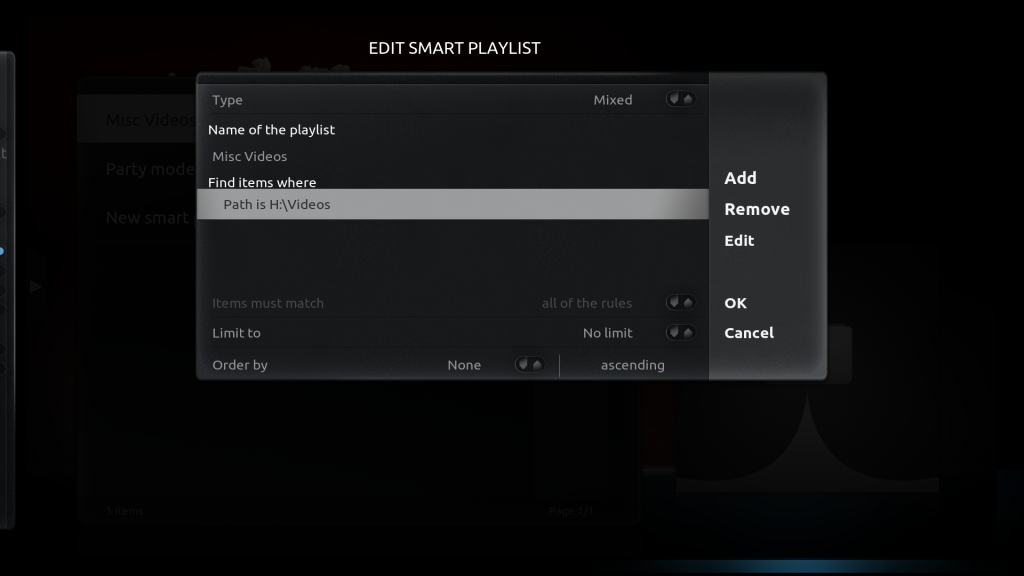
That's what I originally tried to do. I selected the folder through Add Videos (setting 'This directory contains...' to None). I set it as a favorite, I went to the customize home menu section and added it under Fav1. Then I went to the home menu, clicked it and it was unpopulated. I've done this before in Dharma and that's all I had to do. Is Eden a different way?
|
| find quote |
atandon
Member Posts: 53 Joined: Nov 2011 Reputation: 0 |
2011-11-22 21:48
Post: #4042
Big_Noid Wrote:If you disable round covers the thumbs should keep ar and thus be smaller. Thanks Big Noid. Yeah. Was referring to the preview window. Regarding the thumbnail question. I am not using rounded thumbs. In fact I am not sure if the option even exists for this in file mode. Any other way to get the thumbs to look smaller in list view. I want the thumbs to be the same size as in showcase view. Not a big fan of showcase view where I have to scroll horizontally |
| find quote |
Big_Noid
Skilled Skinner Joined: Jul 2010 Reputation: 68 Location: Below sea level |
2011-11-22 22:09
Post: #4043
LakersFan Wrote:That's what I originally tried to do. I selected the folder through Add Videos (setting 'This directory contains...' to None). I set it as a favorite, I went to the customize home menu section and added it under Fav1. Then I went to the home menu, clicked it and it was unpopulated. I've done this before in Dharma and that's all I had to do. Is Eden a different way?There is currently a bug in the way non library folders are added to favorites. You have to edit your favourites.xml and remove the quotes around the path to get it to work. Reassign the favorite after editing! atandon Wrote:Thanks Big Noid.List view in file mode keeps the thumbs ar. So no way of making it smaller than it actually is. For non library videos that should be an extract from the video stream anyway which is small, except if you have a folder.jpg then that thumb will be used. So short answer: not without editing the xml's yourself. The code is in Viewtype_List.xml. |
| find quote |
DigiTech
Senior Member Posts: 115 Joined: Mar 2011 Reputation: 0 |
2011-11-22 23:56
Post: #4044
kyotocafe Wrote:Thanks for fixing the arial based fonts on the full screen visualization Hi kyotocafe i notticed that you have an image displayed at your left on that pic of episode view, in my aeon that space its empty even if i already have a pic of every season of the current show displayed in other kinds of tv series views in aeon, only in episode view that place its empty, what could be my fault about it or what could i do so i can view my season image at that empty space? thanks! |
| find quote |
Rastan
Senior Member Joined: Jun 2006 Reputation: 2 Location: Over there... To the left, right.. Thats it! |
2011-11-23 00:14
Post: #4045
Hi, I have a strange problem with my TV Show Logo's. I have noticed that some shows ignore the logo's in certain veiws. I have some screenshots to show what I mean...
Walking Dead Walking Dead 2 (Logo shows as expected) ![]() Grimm (Logo Shows as expected) ![]() Grimm (Logo is ignored) ![]() Recently Added (Logo is ignored) ![]() This behaviour is also in recently added TV Shows (Latest) using Info List view. Which makes it impossible to tell what the show title is.
(This post was last modified: 2011-11-23 00:26 by Rastan.)
|
| find quote |
hunkyn
Fan Joined: May 2011 Reputation: 0 Location: Universe |
2011-11-23 02:44
Post: #4046
Big_noid,
I am loving the Nox skin except for the fact that i cannot use my mouse but that is a sacrifice i am willing to take for all the other benefits i am getting ![]() I saw another sticky where it says upgrading from 1.7 to 2.0. Has the 2.0 been released yet? When i go to add-on settings it shows as version 1321912725. I am running nightly from nov 16th on windows 7 and i do have passion repo installed. Thanks Intel® Quad Core i5 Sandybridge @3.40GHz | ASRock Z775 Mobo 8GB DDR3 Ram | Logitech K400 Keyboard | | Logitec Harmony 550 Remote| 46' Samsung LCD TV | Onkyo TX-S605 w/ Bose 5.1 Surround |
| find quote |
LakersFan
Senior Member Joined: Jan 2008 Reputation: 0 |
Big_Noid Wrote:There is currently a bug in the way non library folders are added to favorites. You have to edit your favourites.xml and remove the quotes around the path to get it to work. Reassign the favorite after editing! Worked, Thanks! For anyone else reading this that didn't know the workaround, I opened favourites.xml and changed Code: <favourite name="Videos">ActivateWindow(10025,"H:\\Videos\\")</favourite>Code: <favourite name="Videos">ActivateWindow(10025,H:\\Videos\\)</favourite>Then I went the the home menu customizer and selected the proper folder from the favorites selections. |
| find quote |
Big_Noid
Skilled Skinner Joined: Jul 2010 Reputation: 68 Location: Below sea level |
2011-11-23 15:39
Post: #4048
Rastan Wrote:Hi, I have a strange problem with my TV Show Logo's. I have noticed that some shows ignore the logo's in certain veiws. I have some screenshots to show what I mean...That's probably because you don't have season folders for that show. I only have support for season folders as that is the preferred way of building your TV show library (even for shows like Band of Brothers). To not do this would make me load two images which will slow down browsing hunkyn Wrote:Big_noid,There is a lot of unexpected behaviour using this with skin with a mouse, so I don't support it. If you don't see 1.7 as version number you are using 2.0. Passion repo uses internal numbering I think as version number. |
| find quote |
Martijn
Team-XBMC Joined: Jul 2011 Reputation: 114 Location: Dawn of time |
2011-11-23 15:55
Post: #4049
Big_Noid Wrote:If you don't see 1.7 as version number you are using 2.0. Passion repo uses internal numbering I think as version number. When switching skins or when you are in add-ons you can see the real version number Always read the XBMC online-manual, FAQ and search the forums before posting. Do NOT e-mail Team-XBMC members asking for support. Read/follow the forum rules. For troubleshooting and bug reporting, make sure you read this first For your mediacenter artwork go to ![]() |
| find quote |
DigiTech
Senior Member Posts: 115 Joined: Mar 2011 Reputation: 0 |
2011-11-23 16:24
Post: #4050
Big_Noid maybe you can help me with my last post...
Hi kyotocafe i notticed that you have an image displayed at your left on that pic of episode view, in my aeon nox that space its empty even if i already have a pic of every season of the current show displayed in other kinds of tv series views in aeon, only in episode view that place its empty, what could be my fault about it or what could i do so i can view my season image at that empty space? thanks! |
| find quote |


![[Image: screenshot127j.png]](http://img830.imageshack.us/img830/2195/screenshot127j.png)
![[Image: screenshot128u.png]](http://img32.imageshack.us/img32/6049/screenshot128u.png)
![[Image: 7f1be33a9c.jpg]](http://i28.lulzimg.com/7f1be33a9c.jpg)
![[Image: 506c6082a8.jpg]](http://i28.lulzimg.com/506c6082a8.jpg)
![[Image: 8bebc6b823.jpg]](http://i28.lulzimg.com/8bebc6b823.jpg)
![[Image: 335d4d741a.jpg]](http://i28.lulzimg.com/335d4d741a.jpg)


![[Image: fanarttv.png]](http://trakt.us/images/thanks/fanarttv.png)
Search
Help