
+- Kodi Community Forum (https://forum.kodi.tv)
+-- Forum: Support (https://forum.kodi.tv/forumdisplay.php?fid=33)
+--- Forum: Skins Support (https://forum.kodi.tv/forumdisplay.php?fid=67)
+---- Forum: Skin Archive (https://forum.kodi.tv/forumdisplay.php?fid=179)
+----- Forum: Alaska (https://forum.kodi.tv/forumdisplay.php?fid=126)
+----- Thread: Alaska Original BUGS thread (/showthread.php?tid=68470)
No Text in Video Playlist - PsyberOne - 2010-04-05
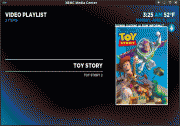
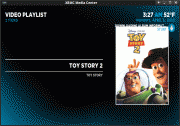
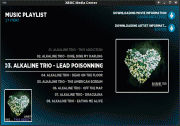
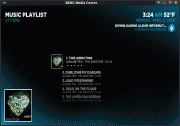
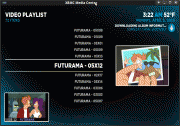
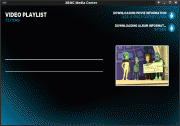
When ever I create a queue of TV Shows from the Library there is no text in the window this does not effect any other playlist Music(Files/Library) Movies(Files/Library) or TV Shows(Files)
I have a clean install of XBMC 9.11 (SVN 28256) and This affects both Alaska and Alaska BIG Mod, and does NOT affect Confluence
- soder - 2010-04-26
It would be great if I could remove a movie from the library, when browsing a smart playlist.
I have a smart playlist for "watched movies" that I sometime like to remove browse, and remove some movies from the library.
That was no problem in ShowMix, but in Alaska that wasn't possible?
/Söder
- antonbotha - 2010-04-29
Hey Hitcher,
Thanks for a great skin.
When under Videos->{source}, if you pull up the information of a movie and switch from 'Cast Hidden' to 'Cast Shown' instead of taking away the movie poster it stays there. Thus you end up with the movie poster and the actor thumbnail.
This does not happen under Movies when loading the information.
Cast shown incorrect (under movie poster)

Cast shown correct (movie poster removed)

- Hitcher - 2010-04-29
That's Alaska Revisited not Alaska but I have fixed the problem.
- Pedro74 - 2010-06-09
Hello, congratulations for this great skin, I use xbox alaska in a 4:3 SD TV, I have a problem when I go into the menu programs, view types, files, the names me, in this case type emulators zsnexbox etc, the list on the right doubles me names, you see the same name in the same line height, only a few cm shifted to the left end of the name intermingled with the principle of the same name.
I only happens in this menu, in the other movies Music etc, using the same type of view, I appear correctly.
if you could give me some solution would be very grateful, I love this skin, but needs a lot of memory on Xbox, even with compressed textures.
thanks
EXAMPLE. BLUEMSBLUEMSXBOX
XBOYADXBOYADVANCE
- Hitcher - 2010-06-09
Got a screen shot?
- Pedro74 - 2010-06-10
Hitcher Wrote:Got a screen shot?
Sorry, my intention was to upload an image directly, but look through the options and let me just add a link to a page to upload pictures, in which I am not registered, will try to upload a screenshot of this problem.
Thanks for attention
Date Displaying in Title - mushand - 2010-08-04
I may be missing a setting, but for some reason in Alaska Revisited, I have a date listed in the title of the file. Is this a bug or am I missing something??
- Hitcher - 2010-08-04
What view type?
Have you reloading the XBMC?
- mushand - 2010-08-04
Hitcher Wrote:What view type?
Have you reloading the XBMC?
no not as of yet. But I can try that
- mushand - 2010-08-05
mushand Wrote:I may be missing a setting, but for some reason in Alaska Revisited, I have a date listed in the title of the file. Is this a bug or am I missing something??
I reloaded the nighly build of dharma. No change. This is the file view
problems with posters - the_ripper - 2010-08-07
French language special characters - Tartifless - 2010-08-17
Hello,
I have an issue with latest Alaska with french special characters (like "é"), they don't appear but ascii code appears.
Like in the settings the word "paramètres" gives "È"
Regards,
Benoit
- Hitcher - 2010-08-17
Fine here -

How did you download the skin?