

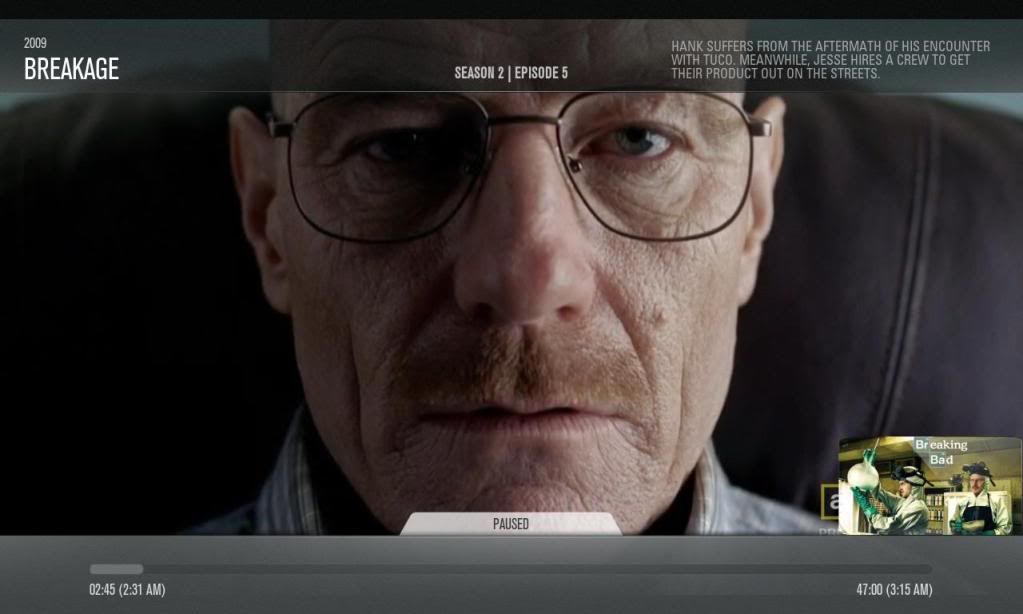
I have come up with an entirely new type of artwork concept for XBMC skins, I will name this new artwork concept "ClearArt", to use on for example my AEON MOD when you paused, or request info on the currently playing TV Show and you get up the OSD (On Screen Display).
NEW update: PM3 skin support
 Toggle Setting
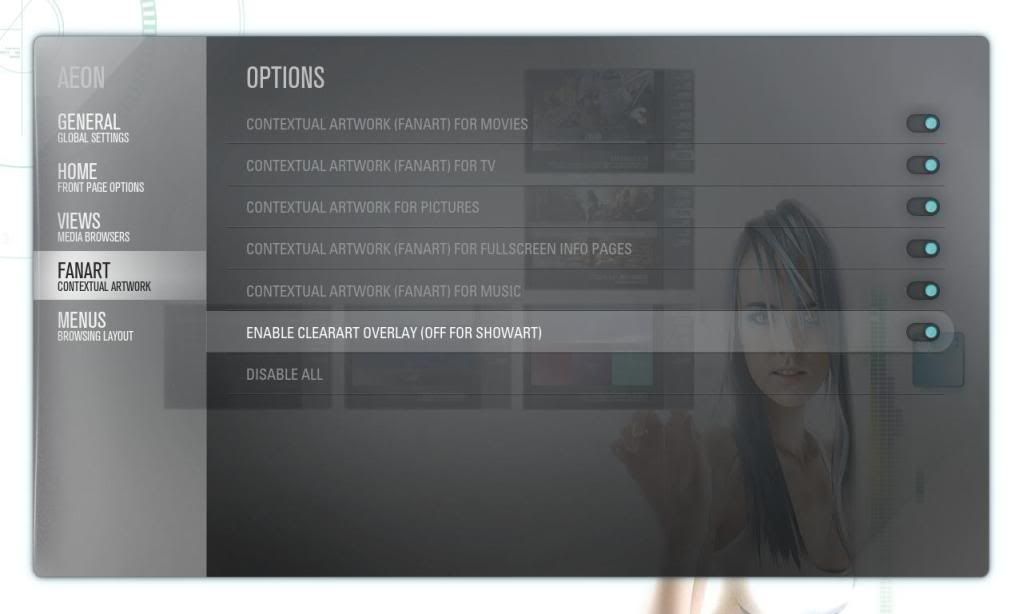
Toggle "ON" clearArt
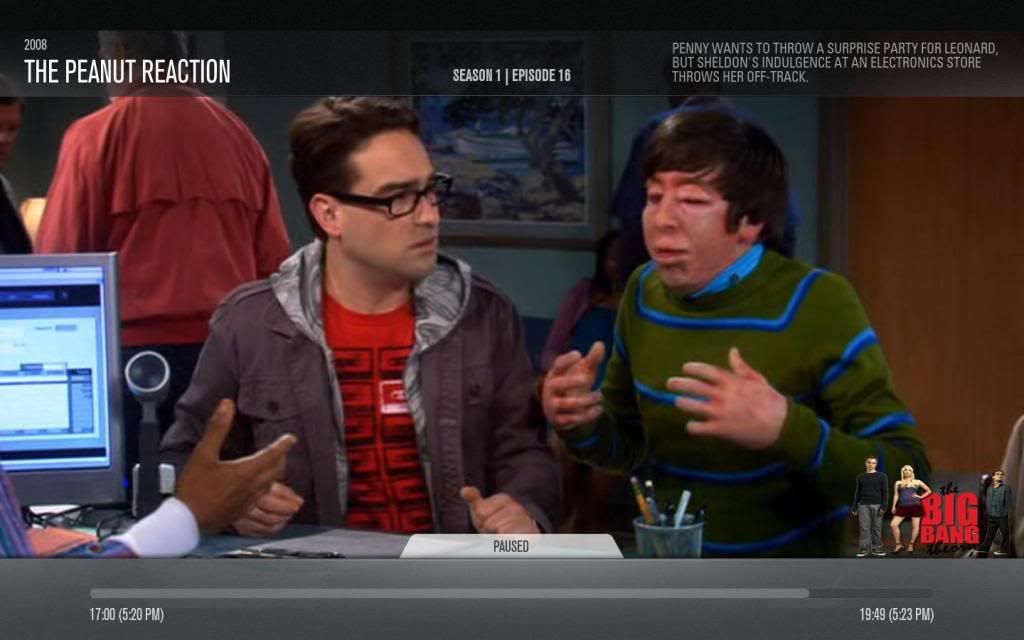
Toggle "OFF" showArt(regular tvshow thumbs)
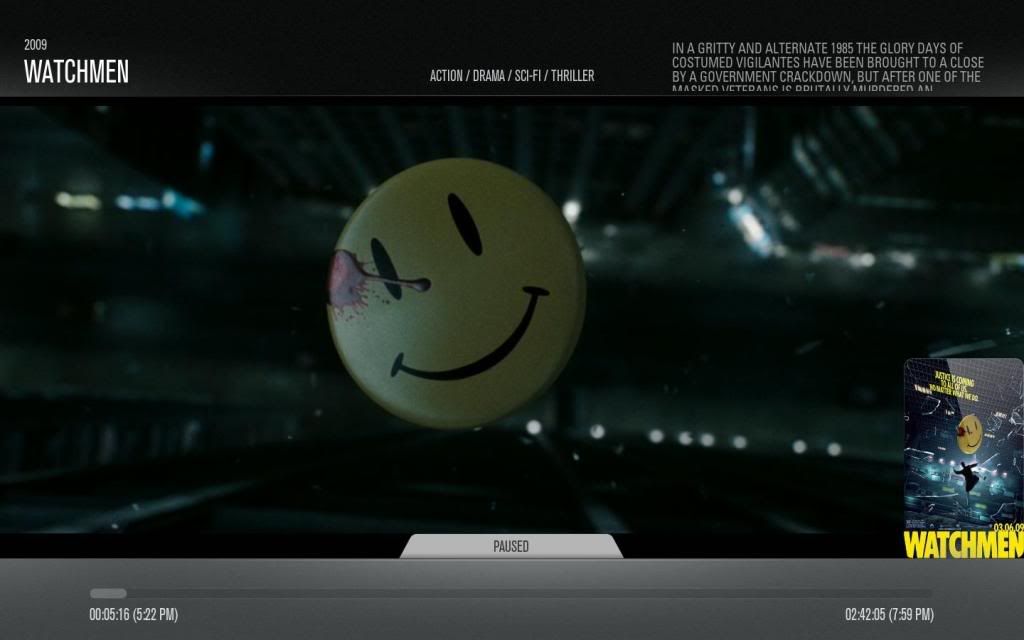
INFO Display works on movies also
Help is wanted to make more of these ClearArt images for people to download (and to mod other skins to also support ClearArt)!
------------------------------------------------------------------------------
* UPDATE! All files updated and working, also added a new toggle setting to enable this MOD on or my other one (toggle "ON" for ClearArt, or toggle "OFF" for normal posters.
*These are all real working screenshots from my AEON MOD, and not mockups.
NOTE!
This is currently for the DialogSeekBar.xml to see the info when I pause a movie, you can add it to the DialogFullScreenInfo.xml to access it via " i " or info.(see the mod page).
ClearArt requirements:
Update xml's to include toggle and make it work
Downloads for Aeon support:
ClearArt Gallery(individually): here
NEW FIX DialogSeekBar.xml: here (Create a new folder under (Aeon\media\) and name it < clearart > drop all your ClearArt there).
Customization.xml: here (To make the toggle works when off, create another folder under Aeon\media\) and name it < showart > drop all your regular show thumbs "Fanart with titles" there like this ones)
clearArt Pack (all clearArts): HERE
**** Readme****
Downloads for PM3 support:
PM3 skin Support here
For the most recent showThumbs(regularArt) and/or clearArt go HERE
NEW update: PM3 skin support
Toggle "ON" clearArt
Toggle "OFF" showArt(regular tvshow thumbs)
INFO Display works on movies also
Help is wanted to make more of these ClearArt images for people to download (and to mod other skins to also support ClearArt)!
------------------------------------------------------------------------------
* UPDATE! All files updated and working, also added a new toggle setting to enable this MOD on or my other one (toggle "ON" for ClearArt, or toggle "OFF" for normal posters.
*These are all real working screenshots from my AEON MOD, and not mockups.
NOTE!
This is currently for the DialogSeekBar.xml to see the info when I pause a movie, you can add it to the DialogFullScreenInfo.xml to access it via " i " or info.(see the mod page).
ClearArt requirements:
- 500 width by 280 height in pixels
- Prefer full body pictures (refer to samples, no 'amputations')
- Full transparency, no background (.png)
- Horizontal orientation
- AGAIN, please refer to the samples
Update xml's to include toggle and make it work
Downloads for Aeon support:
ClearArt Gallery(individually): here
NEW FIX DialogSeekBar.xml: here (Create a new folder under (Aeon\media\) and name it < clearart > drop all your ClearArt there).
Customization.xml: here (To make the toggle works when off, create another folder under Aeon\media\) and name it < showart > drop all your regular show thumbs "Fanart with titles" there like this ones)
clearArt Pack (all clearArts): HERE
**** Readme****
Quote:*All ClearArt images filename should match the TV Show name, the same for showArt.
*If the show title include some illegal character you would have to manually edit the show title in the .nfo to remove them.(this depend on your system illegal filename characters)
*Rememeber that the ClearArt or showArt filename is not case sensitive (CAPS) only context sensitive on some systems, I have test this on Mac and Windows and it is like this not sure about Linux.(Dexter is the same as dexter or DeXtEr but NOT the same as d_exter or dexte-r).
*Best bet match the exact Show Title and remove any illegal character if have any.
Downloads for PM3 support:
PM3 skin Support here
For the most recent showThumbs(regularArt) and/or clearArt go HERE



